
How to Write a Resume: The Definitive Guide (From Zero to Interview)
- Core goal: Write a resume that passes ATS screening and convinces a recruiter to interview you.
- Phase 1 basics: Pick the right format, keep fonts and spacing clean, stay within 1 to 2 pages, and save as a clearly named PDF.
- Phase 2 sections: Use a sharp summary or objective, write experience bullets that prove impact with results, and list job-matching skills.
- Phase 3 optimization: Mirror job-description keywords naturally, start bullets with strong action verbs, and cut fluff that adds no value.
- Final check: Use a simple checklist to catch formatting, content, and tailoring mistakes before you apply.
Why Resume Writing Never Goes Out of Style
Job markets shift. Technology evolves. Hiring trends come and go. But the fundamentals of how to write a resume remain surprisingly constant.
A well-written resume still does three things: it gets you noticed, proves you’re qualified, and convinces someone to talk to you. That hasn’t changed in decades, and it won’t change anytime soon.
What has changed is how resumes get read. Most never reach human eyes on the first pass. Applicant tracking systems scan for keywords, formatting, and structure before a recruiter ever sees your name. That means your resume needs to work for both robots and people – and it needs to do it fast.
This guide walks you through every step of creating a resume that works. You’ll learn how to structure each section, what to include (and what to skip), and how to make your experience sound impressive without exaggerating. Whether you’re writing your first resume or refining one you’ve used for years, this is the foundation you need.
Phase 1: The Foundation – Getting the Basics Right
Before you write a single word about your experience, you need to set up a resume that looks professional and scans cleanly. This is where most people either nail it or unknowingly sabotage themselves.
Choose a Format That Matches Your Experience
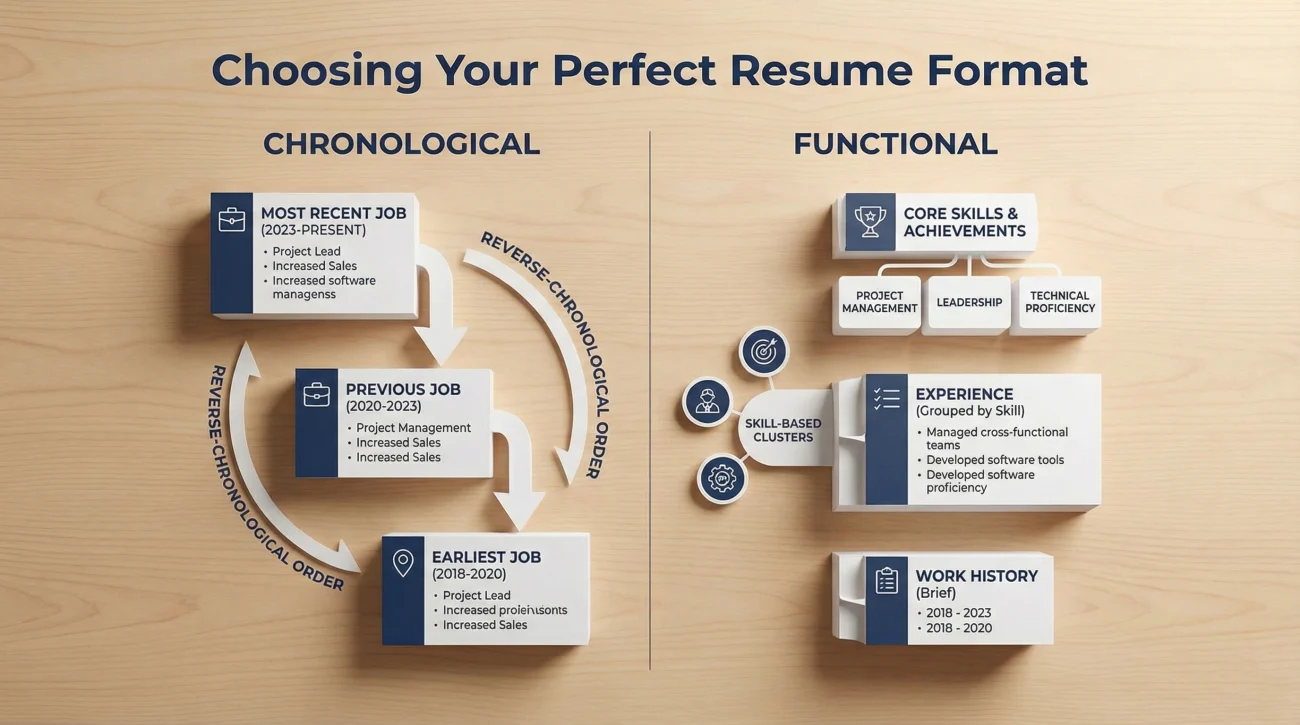
There are three main resume formats, and each serves a different purpose:
Chronological: Lists your work history in reverse order, starting with your most recent job. This is the default format for most people and the one recruiters expect. Use it if you have a clear career progression in the same field.
Functional: Focuses on skills rather than job titles. It’s useful if you’re switching careers or have gaps in employment, but recruiters often view it with suspicion because it hides your work timeline.
Combination: Blends skills and work history. It highlights what you’re good at while still showing where you’ve worked. This format works well for mid-career professionals or anyone with diverse experience.
Most people should stick with chronological. It’s what hiring managers prefer, and it’s the easiest for ATS to parse correctly.
Pick Fonts and Spacing That Look Clean
Your resume should be easy to read at a glance. That means using professional fonts, consistent spacing, and a layout that doesn’t feel cramped.
Font choices: Stick to classics like Arial, Calibri, Times New Roman, or Garamond. Size should be 10-12pt for body text and 14-16pt for your name. Avoid decorative fonts or anything that looks like it belongs on a wedding invitation.
Margins and spacing: Use 0.5 to 1-inch margins on all sides. If you’re struggling to fit everything on one page, adjust your margins slightly before you start cutting content. Line spacing should be 1.0 to 1.15 – enough to breathe, but not so much that it looks stretched.
Length: One page for early-career professionals (under 10 years of experience). Two pages are acceptable if you have extensive, relevant experience. Never go beyond two pages unless you’re in academia or a field that expects a CV rather than a resume.
Save It the Right Way
This sounds trivial, but it matters. Save your resume as a PDF to preserve formatting across different devices and software. Name the file clearly: “FirstName_LastName_Resume.pdf” works perfectly. Avoid vague names like “Resume_Final_v3.pdf” or anything that makes a recruiter guess whose resume they’re looking at.
Phase 2: Section by Section – What to Include and How
Every resume needs certain core sections. Here’s how to approach each one with clarity and purpose.
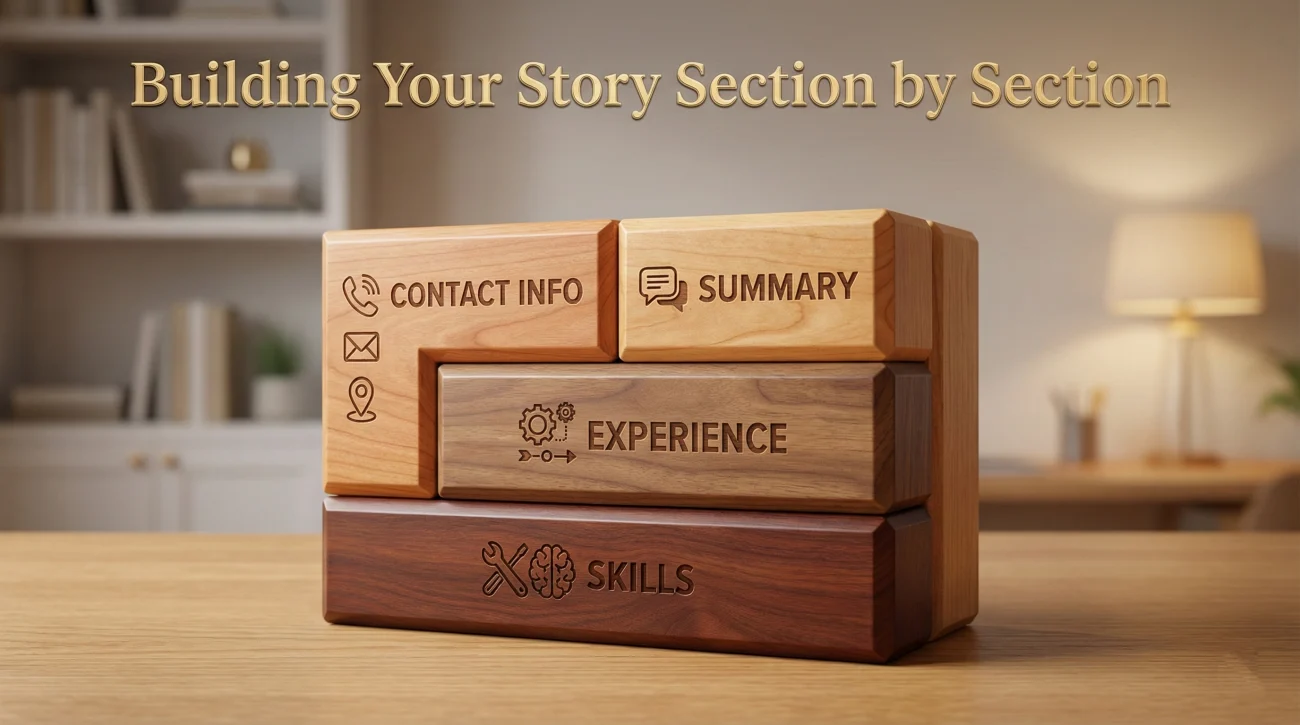
Contact Information: Keep It Simple
Put your name at the top in a larger font. Below that, include your phone number, email address, and LinkedIn profile (if it’s updated and professional). You can add your city and state, but a full street address isn’t necessary anymore.
Skip: Your full home address, headshot (unless you’re applying in Europe or for modeling/acting roles), age, marital status, or references line. These waste space and can introduce bias.
Include: A link to your portfolio or personal website if it’s relevant to the job. Make sure any link you add actually works and reflects well on you.
Summary or Objective: Your Six-Second Pitch
Recruiters scan resumes in about six seconds. Your summary or objective is often the only thing they read fully on the first pass, so it needs to be sharp.
Resume summary: A brief (2-3 sentences) overview of your experience, key skills, and what you bring to the role. Use this if you have relevant work history.
Strong example: “Project manager with 8+ years leading cross-functional teams in fintech. Delivered 15+ product launches on time and under budget. Seeking senior role focused on scaling operations.”
Resume objective: A statement about what you’re looking for and why you’re a good fit. Use this if you’re entry-level, changing careers, or returning to work after a gap.
Strong example: “Recent marketing graduate with internship experience in content strategy and social media. Seeking entry-level role to apply digital marketing skills in a fast-paced agency environment.”
For a deeper dive into writing a resume summary vs objective, our detailed guide breaks down when to use each one and provides templates you can customize.
Work Experience: Show Impact, Not Just Tasks
This is the heart of your resume. Most recruiters spend the majority of their time here, so every line needs to count.
Structure each job entry like this:
- Job title, Company name, Location (City, State)
- Dates of employment (Month Year – Month Year)
- 3-5 bullet points describing your responsibilities and achievements
The XYZ formula: Google popularized this approach, and it works because it forces you to quantify your contributions. The formula is: “Accomplished [X] as measured by [Y] by doing [Z].”
Example: “Increased customer retention by 22% over six months by redesigning the onboarding process and implementing automated follow-up emails.”
Weak version: “Responsible for customer retention efforts and email campaigns.”
Not every bullet needs a number, but whenever you can show measurable impact – revenue growth, time saved, error reduction, team size – do it. Numbers make your accomplishments tangible.
Skills: Show What You Can Do
The skills section is where you list both hard skills (technical abilities) and soft skills (interpersonal strengths). This is also where ATS scans for keyword matches, so alignment with the job description matters.
How to put skills on a resume: Create a dedicated skills section near the top or bottom of your resume. List 8-12 relevant skills, using exact terminology from the job posting when possible.
Hard skills examples: Excel, Python, project management software, Google Analytics, financial modeling, graphic design tools.
Soft skills examples: Leadership, communication, problem-solving, time management, adaptability.
Pro tip: Don’t just list “Microsoft Office” as a skill. Be specific: “Advanced Excel (pivot tables, VLOOKUP, macros)” tells recruiters exactly what you can do.
Avoid vague claims like “team player” or “hard worker” in your skills section. Instead, demonstrate these qualities through your work experience bullets.
Education and Certifications: What Matters and What Doesn’t
List your highest degree first. Include the degree name, institution, and graduation year (optional if you’re 10+ years into your career). If you have a strong GPA (3.5 or higher), you can include it, but it’s not required once you have work experience.
Certifications: Add relevant, current certifications that strengthen your candidacy. PMP, CPA, AWS certifications, or industry-specific credentials all belong here. Skip outdated or irrelevant certifications – they clutter your resume without adding value.
If you’re early in your career, the education section can go near the top. If you’ve been working for years, move it below your experience section.
Phase 3: Optimization Secrets – Making Your Resume Work Harder
A functional resume gets you in the door. An optimized resume increases your chances significantly.

Keywords: Speak the Language of the Job Description
Applicant tracking systems scan for specific keywords. If your resume doesn’t include the terms the employer is looking for, it might never reach a human reader.
How to tailor your resume to a job description: Read the job posting carefully. Identify the skills, qualifications, and experience they emphasize. Then, naturally incorporate those exact terms into your resume – especially in your summary and skills sections.
Example: If the job posting mentions “cross-functional collaboration,” use that exact phrase instead of “worked with different teams.”
Don’t keyword-stuff. Your resume should still read naturally. The goal is strategic alignment, not robotic repetition. For a complete breakdown of this process, check out our guide on how to write a resume that passes both ATS and human review.
Use Strong Action Verbs
Weak verbs make your accomplishments sound passive. Strong verbs make you sound decisive and capable.
Replace: “Responsible for,” “Helped with,” “Worked on”
With: “Led,” “Designed,” “Implemented,” “Optimized,” “Achieved,” “Streamlined”
Start each bullet point with a different action verb to avoid repetition. This keeps your resume dynamic and engaging to read.
Cut the Fluff
Every word on your resume should serve a purpose. If it doesn’t prove your qualifications or demonstrate your value, remove it.
What to cut:
- Objective statements that say you’re “seeking a challenging opportunity” (everyone is)
- Hobbies and interests unless they’re directly relevant to the job
- References available upon request (this is assumed)
- High school education if you have a college degree
- Jobs from more than 15 years ago unless they’re highly relevant
Space is limited. Use it for information that strengthens your case, not filler content that recruiters skip anyway.
Phase 4: Real-World Proof – Learning from Success and Failure
Theory only gets you so far. Real examples show what actually works in practice.
What Successful Resumes Have in Common
After analyzing hundreds of resumes that led to job offers, certain patterns emerge. Strong resumes are concise, results-focused, and tailored to the role. They use specific numbers and avoid generic descriptions. They’re formatted cleanly and free of errors.
Weak resumes, on the other hand, often fail for predictable reasons: they’re too long, too vague, or too generic. They list duties instead of achievements. They ignore the job description and use one-size-fits-all language.
Learning from both sides – what works and what doesn’t – gives you a clearer picture of how to position your own experience effectively.
Resume Writing Resources Library
Below is a comprehensive collection of guides, examples, and tools to help you at every stage of resume writing and job search. Click to expand and explore specific topics that match your needs.
This library covers everything from basic resume writing to advanced interview techniques and career development strategies. Whether you’re just starting your job search or negotiating your next promotion, you’ll find actionable guides to help you move forward.
The Ultimate Resume Checklist
Before you send your resume anywhere, run through this checklist. It catches the most common mistakes and ensures your resume is as strong as it can be.
Formatting & Structure
- File saved as PDF with a clear name (FirstName_LastName_Resume.pdf)
- One page (or two if you have 10+ years of relevant experience)
- Professional font (Arial, Calibri, Times New Roman, 10-12pt)
- Consistent margins (0.5-1 inch on all sides)
- Clear section headings (Contact, Summary, Experience, Skills, Education)
- No graphics, tables, or unusual formatting that might confuse ATS
Content Quality
- Summary or objective is concise and specific to the role
- Work experience uses bullet points that start with strong action verbs
- Each bullet includes measurable results when possible
- Skills section matches keywords from the job description
- No spelling or grammar errors (read it out loud, then have someone else review it)
- No unexplained gaps in employment (address these in your cover letter if necessary)
Tailoring & Optimization
- Resume is customized to the specific job you’re applying for
- Keywords from the job posting appear naturally throughout
- Most relevant experience is emphasized, less relevant experience is minimized
- Contact information is current and professional
- LinkedIn profile (if included) is updated and matches your resume
This checklist isn’t exhaustive, but it covers the essentials. Run through it before every application, and you’ll avoid most of the mistakes that get resumes rejected before anyone reads them.
FAQ
Write Your Resume With Confidence
The core principles of how to write a resume haven’t changed much over the years. Clarity, relevance, and results still matter most. What has changed is how resumes are read – by both software and people – and that means your resume needs to work on multiple levels.
Start with a clean, professional format. Write each section with purpose, focusing on what you’ve accomplished rather than just what you were responsible for. Tailor your resume to the job you’re applying for, using keywords strategically and naturally. And before you hit send, run through the checklist to catch mistakes that might otherwise cost you an interview.
If you need help crafting a compelling application to pair with your resume, check out our ultimate cover letter guide for templates and examples that work. And once your resume is polished, browse our collection of resume examples and templates to see what strong resumes look like across different industries and career stages.
Your resume is your first impression. Make it count.