
- Why a portfolio wins: A resume claims skills, a portfolio proves results with real work and outcomes.
- Where to build it: Choose a platform that fits your field, then upgrade to a clean custom domain when you can.
- What to include: Curate 3 to 5 projects only, lead with one hero project, and highlight measurable impact.
- How to present each project: Use the case study method, Problem, Process, Result, so hiring managers see your thinking and proof fast.
- How to get it seen: Design for a 30 second scan and mobile, then link it on your resume, LinkedIn, cover letters, and email signature.
Your resume tells an employer what you claim you can do. Your portfolio proves you have already done it. That is the fundamental difference between a list of skills and tangible evidence of your value. When you learn how to create a professional portfolio, you are building a 24/7 silent salesperson that showcases your work, validates your expertise, and closes the deal before you even walk into an interview.
Think about it from a hiring manager’s perspective. They have two candidates. Candidate A’s resume says, “Skilled content writer.” Candidate B’s resume says, “Skilled content writer (see my portfolio),” and the link goes to a case study of a blog post that attracted 50,000 views and 500 new subscribers. Who gets the call?
In today’s competitive market, a portfolio is no longer just for creatives. It’s not just for designers and developers. Marketers, project managers, data analysts, consultants, and even teachers are now using portfolios to demonstrate their impact. This guide will show you exactly how to build one that separates you from the crowd and gets you hired.
Why a Portfolio Is More Persuasive Than a Resume
A resume is a summary of your history. A portfolio is a gallery of your results. The modern hiring manager is overworked, skeptical, and drowning in resumes that all look the same. They are desperate for proof, not promises.
Your portfolio provides that proof. It answers the questions your resume can only hint at:
- “You say you’re a ‘great designer,’ but what does your work actually look like?”
- “You claim you ‘increased conversions,’ but can you show me the project and the data?”
- “You list ‘project management’ as a skill, but can you walk me through your process for handling a complex initiative?”
A portfolio is your opportunity to control the narrative. You get to frame your successes, explain your thought process, and present the polished, final result. It transforms you from a “candidate” into a “proven professional.”
Step 1: Choose Your Platform (The “Where”)
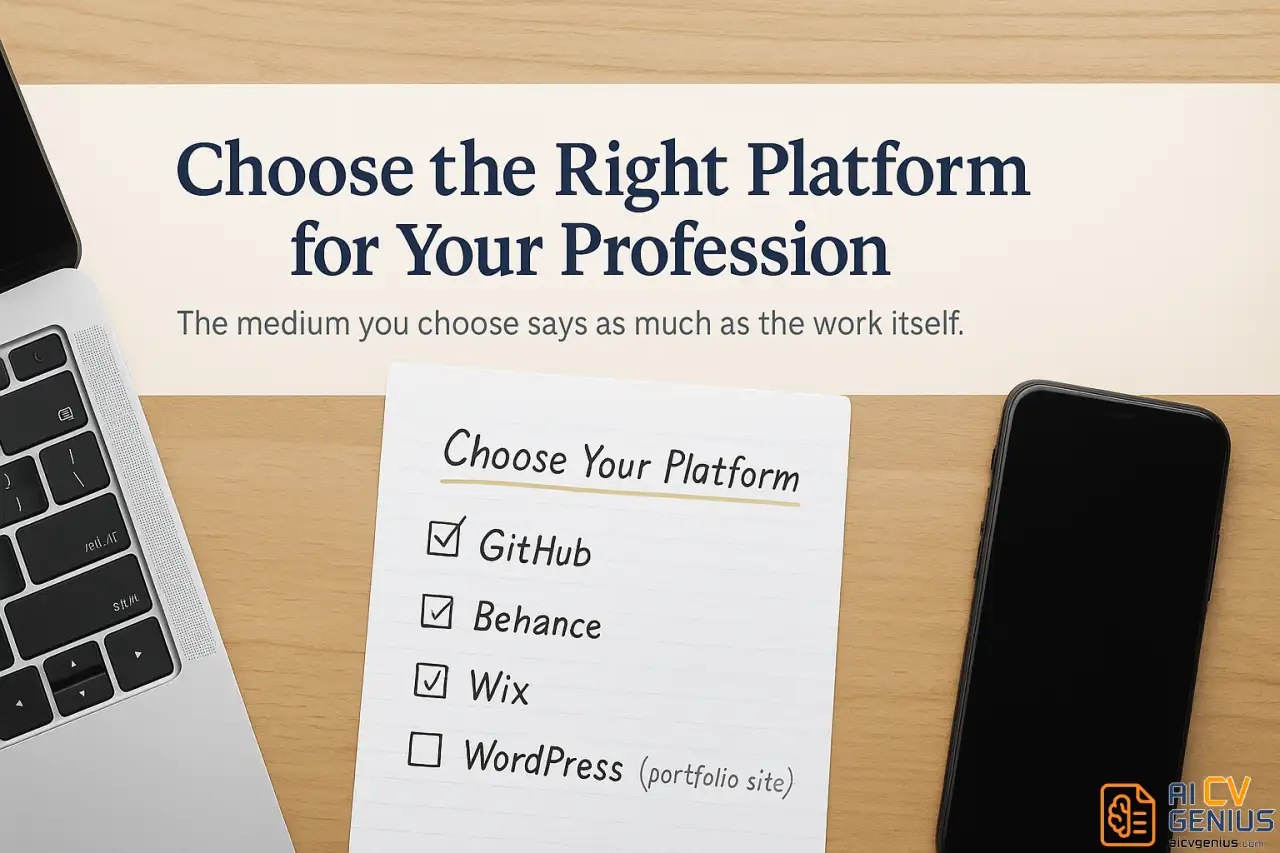
Before you gather your work, you must decide where it will live. The platform you choose sends a signal about your technical skill and professional polish. Your choice depends heavily on your industry.
The Best Platform for Your Profession
Different industries have different standards. Choosing the right one shows you understand your field’s culture.
- ✅ Developers and Programmers: GitHub is non-negotiable. Your profile, pinned repositories, and contribution graph are your portfolio. A simple GitHub Pages site can act as a “front door” to guide visitors to your best repos.
- ✅ Designers (Graphic, UX/UI, Product): Behance or Dribbble are industry standards for visual-first presentations. An Adobe Portfolio (often included with Creative Cloud) or a custom Squarespace site is ideal for building in-depth case studies.
- ✅ Writers, Content Strategists & Marketers: A personal website (using WordPress, Squarespace, or Wix) is best. You need to control the reading experience and have space for case studies. Medium or Substack can be good supplements, but a dedicated site you own is more professional.
- ✅ Project Managers, Analysts & Consultants: A personal website (Wix, Squarespace) is perfect. You’ll be writing text-heavy case studies, so you need a clean, professional blog-style layout. You can also leverage the LinkedIn Featured section for a simpler start.
- ✅ Photographers and Videographers: Adobe Portfolio, Format, or SmugMug. You need a platform optimized for high-resolution images and video streaming.
Analysis: Best Free Online Portfolio Websites
If you’re on a budget, “free” doesn’t have to mean “unprofessional.” Here are the best free online portfolio websites and their strategic trade-offs.
| Platform | Best For | Pro | Con |
|---|---|---|---|
| GitHub Pages | Developers | 100% free, highly respected, great for code. | Steep learning curve for non-coders. |
| Behance | Designers | Massive creative community, great for visual work. | Limited layout customization; can look “cookie-cutter.” |
| Wix (Free Plan) | All Industries | Extremely easy drag-and-drop builder, tons of templates. | Wix branding in your URL and on your site. |
| WordPress.com (Free Plan) | Writers/Bloggers | Powerful and flexible for text-heavy content. | WordPress branding and limited plugins on free plan. |
| Canva Websites | Beginners | Incredibly simple templates, very fast to build. | Very basic, not ideal for complex case studies. |
| LinkedIn Featured | All Professionals | Already part of your profile, easy to add links/media. | Not a standalone site; less impressive than a custom URL. |
Expert Take: For most professionals, starting with the free plan on Wix or WordPress.com is the best path. You can build a professional-looking site in an afternoon. When you’re ready, paying $10-$15 a month for a custom domain (e.g., YourName.com) and to remove branding is the single best investment you can make in your personal brand.
Step 2: Curate Your Best Work (Not All Your Work)
This is the most common and most fatal portfolio mistake. Your portfolio is not an archive. It is a highlight reel. A hiring manager does not have time to look at 20 projects. They will look at 3-5.
If you show them 20 projects, you are forcing them to decide which ones are best, and they might click on a weak one. If you show them 5, you are telling them, “These 5 projects prove I am the best candidate.”
The 3-5 Project Rule: Quality Over Quantity
Your goal is to show a “T-shaped” skillset: breadth (you can do several things) and depth (you can do one or two things exceptionally well).
- 1️⃣ Pick Your “Hero” Project: Your homepage should feature your single best, most impressive project.
- 2️⃣ Show Measurable Results: “Website redesign that increased conversions by 35%” is infinitely better than “Website redesign for local business.”
- 3️⃣ Show Variety: If you’re a writer, include a blog post (for engagement), a white paper (for deep research), and social media copy (for brevity). This proves you’re versatile.
- 4️⃣ Show Relevance: Tailor your featured projects to the job you want, not the job you have. If you want to be a UX designer, don’t lead with your graphic design and illustration work.
- 5️⃣ Show Your Process: Pick projects where you can actually explain how you did the work. You will be asked about them in the interview.
What to Include in a Professional Portfolio (The Essentials)
Beyond your work samples, a portfolio is a website. It needs a few key pages:
- Homepage / Work: A gallery of your 3-5 best projects. This should be the first thing visitors see.
- About Me Page: This is critical. A brief (2-3 paragraph) bio that explains who you are, what you do, and what you believe in. Show some personality. Add a professional photo.
- Contact Page: A simple page with your email address, a link to your LinkedIn profile, and (optional) a simple contact form. Make it easy for them to hire you.
- Resume (Downloadable): Have a “Resume” link in your navigation that opens a clean, downloadable PDF version of your resume.
- Testimonials (Optional but Recommended): A few short quotes from clients, managers, or colleagues adds powerful social proof.
Step 3: Tell a Story with the Case Study Method
This is what separates an amateur portfolio from a professional one.
• Amateurs post a screenshot or a link.
• Professionals write a case study.
A screenshot shows what you made. A case study explains why you made it, how you made it, and what happened as a result. It proves you’re not just a pair of hands; you’re a strategic thinker.
Every project in your portfolio should follow this simple three-act story structure:
The Problem → Process → Result Framework
1. The Problem (The “Why”):
Set the stage. What was the challenge, goal, or hypothesis? What problem was the client or company facing? This provides the critical context for your work.
Example: “A local coffee shop saw a 40% drop in weekday afternoon traffic and wanted to attract remote workers to fill empty seats.”
2. The Process (The “How”):
This is your “thinking” section. What steps did you take? What was your role? What tools did you use? What challenges did you face and how did you overcome them?
Example: “My role was to develop a targeted social media campaign. I photographed the space, wrote copy emphasizing ‘quiet, productive afternoons,’ and ran targeted ads to professionals within a 3-mile radius. We faced a small budget, so I focused on organic community engagement alongside a micro-budget ad spend.”
3. The Result (The “So What?”):
This is your hero moment. What was the outcome? Use numbers. This is the most important part.
Example: “The 6-week campaign resulted in a 45% increase in weekday afternoon traffic (YOY). The shop also saw a 30% increase in loyalty program sign-ups, directly attributable to the campaign’s call-to-action.”
Full Case Study Example (UX/UI Designer)
Project: Mobile App Redesign for FitTrack
The Problem (Why):
FitTrack, a promising fitness startup, had a critical business problem: a 70% user drop-off rate within the first week of download. User feedback and app store reviews consistently cited a confusing interface and a painfully long onboarding process.The Process (How):
My role as lead UX/UI designer was to diagnose and fix the retention leak. My process involved:
- Research: Conducted 15 user interviews with people who had abandoned the app to identify specific friction points.
- Analysis: Mapped the existing user flow and identified the 8-screen onboarding as the primary drop-off point.
- Design: Wireframed and prototyped a new, 3-screen “quick-start” onboarding. Redesigned the main dashboard to be more intuitive, moving secondary features into a simplified navigation menu.
- Tools: Figma, UserTesting.com, Mixpanel (for data).
The Result (So What?):
After launching the A/B tested redesign, first-week retention increased from 30% to 65%. Daily active users (DAU) grew by 40% in the first month, and app store ratings improved from 3.2 to 4.6 stars. The new design was a key factor in the company successfully raising their Series A funding round.
This case study proves you’re not just a “designer” – you’re a business-savvy problem solver who understands metrics.
Step 4: Design for a 30-Second Scan
Hiring managers are busy. They will not read your portfolio like a novel. They will scan it. You must design for the scan.
Use Clear Visual Hierarchy
Your portfolio should be intuitive and easy to navigate.
- ✅Clear Navigation: Use simple, obvious labels: “Work,” “About,” “Contact.” Do not use “Musings,” “Creations,” or “Connect.” Be clear, not clever.
- ✅High-Quality Visuals: Your project “thumbnails” on the homepage must be beautiful and compelling. Use high-quality images, mockups, or logos.
- ✅Bold Your Metrics: In your case studies, bold the key results (e.g., “increased conversions by 35%“) so a scanner can’t miss them.
- ✅Use Whitespace: Do not cram your page full. Whitespace (empty space) is a design tool. It guides the eye and makes your content feel more professional and less overwhelming.
It Must Be Mobile-Friendly
This is non-negotiable. There is a high chance a recruiter will first click the link on their phone. If your site is broken, hard to read, or requires pinching-and-zooming, they will close the tab and move on. All modern platforms (Wix, Squarespace, Adobe Portfolio) are mobile-responsive by default. Always test your site on your own phone before you share the link.
Step 5: Link Your Portfolio Everywhere
A brilliant portfolio that no one sees is useless. You need to make it impossible for a hiring manager to not find it.
How to Link Portfolio to Resume
This is the most critical link. Put it in the prime real estate: your header.
JESSICA MARTINEZ
UX/UI Designer
Chicago, IL | (312) 555-0123 | jessica.martinez@email.com
Portfolio: jessicamartinez.design | LinkedIn: linkedin.com/in/jessicamartinez
Use a clean, custom URL if possible (e.g., `YourName.com`). If not, a branded URL like `behance.net/yourname` is fine. Make sure the link is hyperlinked in the PDF/Word doc and is simple enough to type if someone has a printed copy.
Your Portfolio Promotion Checklist
- ✅ LinkedIn Profile: Add your portfolio link to your Contact Info, as a custom link in your headline, AND in the “Featured” section.
- ✅ Email Signature: Add a simple, clean link: “View my work: YourPortfolio.com”
- ✅ Cover Letters: Actively reference it. “In my portfolio, you can see a case study on the ‘FitTrack’ project I mentioned, where I increased user retention by 65%.”
- ✅ Social Media Bios: Your Twitter, Threads, or any professional social media bio should link to your portfolio.
Your portfolio should be the central hub for your professional brand.
Frequently Asked Questions (From an Expert’s POV)
Your Portfolio Is Your Silent Salesperson
Here’s what most people don’t realize: your portfolio works when you’re sleeping. It’s out there 24/7, showing potential employers and clients what you’re capable of. While you’re at your day job, a recruiter might be clicking through your projects and deciding to reach out. While you’re applying to 20 companies, your portfolio is making the case for you at all of them simultaneously.
That’s why learning how to create a professional portfolio is one of the highest-leverage career moves you can make. You invest the time once – building it, gathering your best work, writing those case studies – and it keeps paying dividends for years.
The difference between candidates with portfolios and candidates without is massive. You’re not asking employers to trust that you can do the work. You’re showing them you’ve already done it. That’s confidence they can see and believe.
Start simple. Pick a platform. Choose your three best projects. Write the problem-process-result for each one. Add your contact info. Put the link on your resume and LinkedIn. Done. You can always improve it later, but having something is infinitely better than having nothing.
Ready to make your portfolio work even harder for you? Make sure your resume is just as strong – check out our guide on how to improve your CV. And for more career growth strategies, explore our complete career resources.