
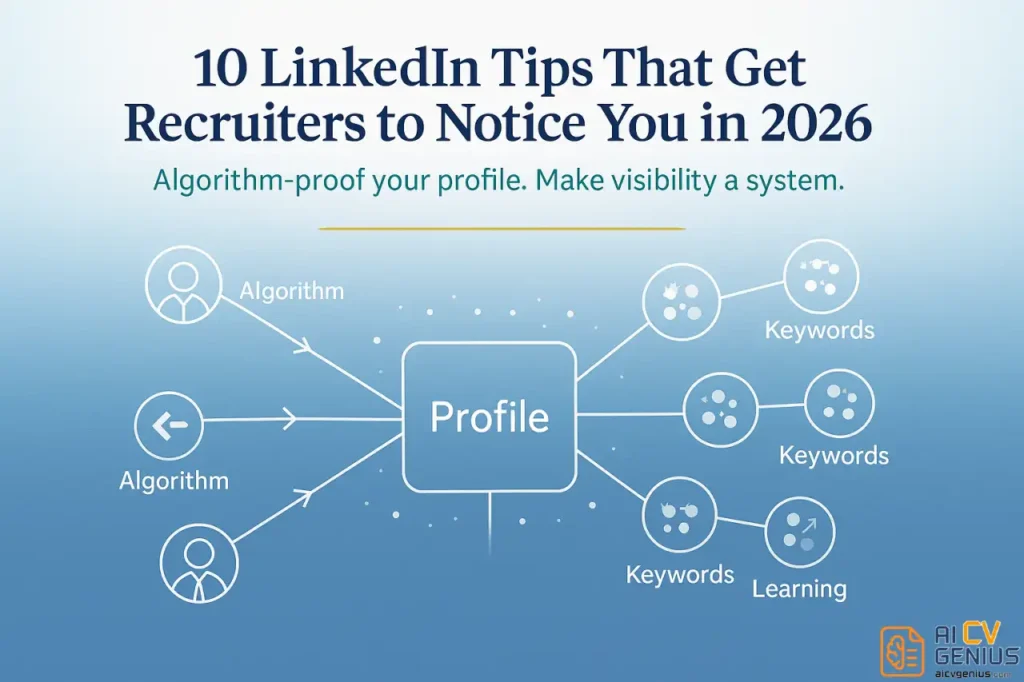
- Start with the headline: Use a role + niche skills + value statement so recruiters click instead of scrolling past.
- Rewrite the About section: Tell a first person 3 paragraph story with a hook, proof, specialties, and a simple call to action.
- Make your profile show proof fast: Add a Featured section, and keep Experience to 2 to 3 quantified “greatest hits” per role.
- Turn on recruiter discovery: Enable Open to Work for recruiters only, then seed job keywords into headline, about, skills, and experience.
- Finish with trust and visibility: Use a strong photo and banner, customize your URL, collect recommendations, and stay active 15 minutes a day by commenting, posting weekly, and engaging recruiters.
You update your LinkedIn profile. You meticulously add your latest job title and a few bullet points. You hit “save.” And then… crickets. No new recruiter messages. No spike in profile views. Meanwhile, you see a colleague with half your experience seemingly drowning in interview requests and connection new opportunities. What gives? The difference isn’t luck. It’s strategy. It’s a deep understanding of linkedin optimization tips 2026 – the small but powerful tweaks that transform your profile from a passive, digital resume into an active, 24/7 recruiter magnet.
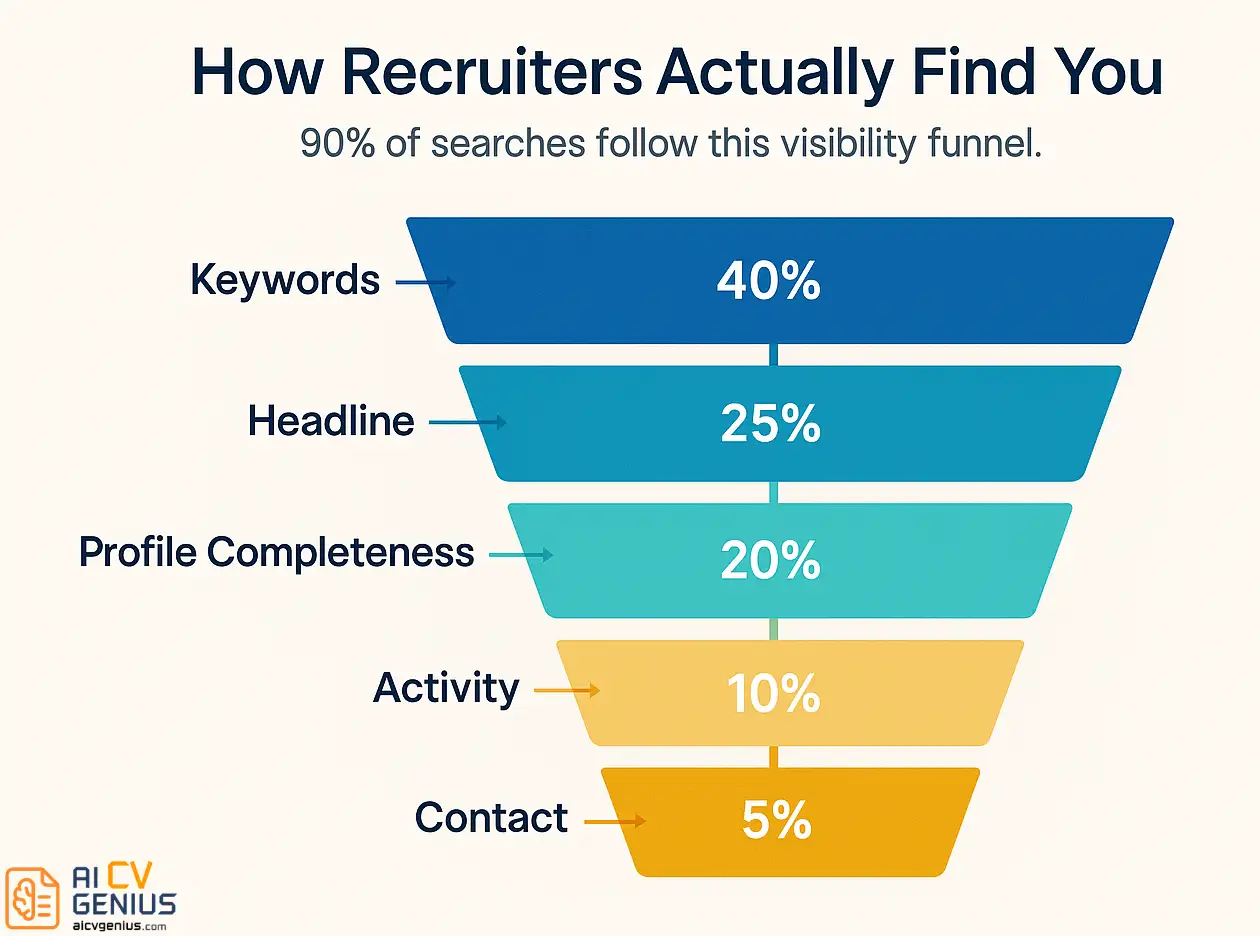
Here’s the fundamental truth: 90% of recruiters use LinkedIn daily to find and vet candidates. But LinkedIn’s algorithm doesn’t show them every profile. It’s a search engine, and like Google, it prioritizes results that are complete, active, and highly relevant. Think of it this way – you’re not just competing with other job seekers; you’re competing with LinkedIn’s algorithm. And if your profile isn’t optimized, you’re invisible.
The good news? Fixing this doesn’t require weeks of work. It takes a series of strategic, one-time changes. This guide will move beyond the basics and show you exactly how to optimize your LinkedIn profile for job search so recruiters can’t help but find you, and once they do, they can’t scroll past. Let’s make your profile work as hard as you do.
1. Your Headline: The 220-Character Billboard
Your headline is the single most important piece of real estate on your LinkedIn profile. It’s not just a job title. It’s your personal brand’s billboard. When a recruiter searches for “Python Developer,” they see a list of 50 people. Your photo and your headline are the only two things they have to decide whether to click your profile or the one above it.
Defaulting to “Software Engineer at Tech Corp” is a massive wasted opportunity. It’s a label. It’s boring. A great headline, however, is a hook. It answers three questions in 2 seconds: Who are you? What do you do? And what value do you bring?
The Proven Headline Formula
Stop listing your title. Start using this structure to tell a story:
[Your Role/Title] | [Key 2-3 Skills or Niche] | [Value Proposition or Major Accomplishment]
Let’s see this in action:
| Example | Optimized Headline |
|---|---|
| “Software Engineer at Tech Corp” | “Senior Software Engineer | Python, AWS & Cloud Architecture | Building Scalable & Resilient Systems” |
| “Marketing Manager” | “Marketing Manager | B2B SaaS Demand Generation | Turning Content into Revenue & Qualified Leads” |
| “Project Manager” | “Senior Project Manager (PMP) | Agile & Scrum | Delivering Complex Tech Projects On Time & Under Budget” |
| “Graphic Designer” | “Brand Identity & Web Designer | Figma & Webflow Expert | Helping Startups Look Unforgettable” |
| “Unemployed” or “Seeking new opportunities” | “Customer Success Manager | SaaS & Enterprise Accounts | Actively Seeking Next Role Driving User Adoption & Reducing Churn” |
The “Opotimized” versions are rich with the exact keywords recruiters are searching for (“Python,” “Agile,” “B2B SaaS”) and show impact, not just a label.
Common Headline Mistakes to Avoid
- ❌ Using only your job title: “Project Manager.” This makes you a commodity.
- ❌ Being vague or “fluffy”: “Helping businesses grow” or “Connecting the dots.” This means nothing and is unsearchable.
- ❌ Keyword-stuffing: “SEO | SEM | PPC | Analytics | Marketing | Strategy | Growth | Content.” This is unreadable, looks desperate, and is written for a robot, not a human.
- ❌ Using the “Seeking opportunities” default: This tells recruiters what you want, not what you do. Use the last “After” example above to frame it around your value.
2. Your “About” Section: The 3-Paragraph Story That Sells
Your “About” section (your summary) is the most under-utilized section on LinkedIn. Most people either leave it blank or, worse, write a boring third-person biography like, “John is a results-driven professional…” This is a huge mistake.
Your summary is your chance to tell your story, in your own voice. You must write it in the first person (“I,” “my”). This builds an immediate human connection and trust. It’s your 30-second elevator pitch, your personal introduction. It should tell a recruiter why you do what you do and why you’re good at it.
Use this simple, 4-part structure:
- 1️⃣ The Hook (1-2 lines): Start with your core value proposition. What is the primary problem you solve?
- 2️⃣ Context & Proof (2-3 lines): Give a brief overview of your experience and back it up with a major, quantifiable achievement.
- 3️⃣ Your “Why” / Specialties (2-3 lines): What makes you different? What are your specialties? What are you passionate about in your field?
- 4️⃣ Call to Action (CTA) (1 line): Tell the reader what to do next.
Before (Weak & Boring):
“John Smith is a results-oriented marketing professional with 5+ years of experience in digital campaigns, social media, and content creation. A proven team player skilled in managing multiple projects. Seeking a challenging role in a growth-focused company.”
After (Strong & Compelling):
[HOOK] I believe the best marketing doesn’t feel like marketing at all. I help B2B technology companies stop interrupting and start solving problems, turning their content into their most powerful sales tool.
[CONTEXT & PROOF] For the past 5 years, I’ve been building and leading demand generation engines from the ground up. At my last company, I built an SEO and content strategy that grew our organic traffic by 200% and directly contributed to a 40% increase in marketing-qualified leads in 12 months.
[WHY & SPECIALTIES] I specialize in the full funnel: from top-of-funnel SEO strategy and content creation to bottom-of-funnel email nurturing and sales enablement. I thrive on digging into the data, finding what’s broken, and building a machine that works.
[CALL TO ACTION] I’m always open to talking about B2B growth or new opportunities. Let’s connect.
This “After” version is confident, full of keywords, and focuses on results, not just responsibilities. If you’re struggling to frame your accomplishments, our guide on how to improve your CV has powerful formulas for quantifying your impact.
3. Use the “Featured” Section (Your Visual Portfolio)
This is a simple, high-impact feature most people ignore. The “Featured” section allows you to pin visual, clickable content right below your “About” summary. It’s your personal portfolio.
Your resume tells them you did something. Your “Featured” section shows them. What should you feature?
- ✅ A Link to Your Portfolio: If you’re a designer, writer, or developer, this is non-negotiable.
- ✅ Your Best LinkedIn Post: Wrote a post that got a lot of engagement? Pin it.
- ✅ A Major Project Case Study: Link to a Google Slide or PDF that breaks down a project you’re proud of.
- ✅ A Video or Interview: If you’ve been on a podcast or given a presentation, feature it.
- ✅ Your Resume: You can link to a PDF of your resume, making it easy for recruiters to download.
This is your chance to add a “wow” factor. It turns your profile from a wall of text into an interactive experience.
4. Your “Experience” Section: A Highlight Reel, Not a Novel
Do not – I repeat, do not – copy and paste your entire resume into your LinkedIn Experience section. No one will read it. Your resume is a comprehensive document. Your LinkedIn profile is a highlight reel.
For each job, follow this simple formula:
1. A 1-2 sentence overview of your role and its primary goal.
(e.g., “Led a team of 5 account managers responsible for a $10M book of business. My primary goal was to reduce churn and grow enterprise accounts.”)
2. Your Top 2-3 Most Impressive, Quantifiable Bullet Points.
Not the 10 bullets from your resume. Just the 2-3 “greatest hits” that prove your value.
• Grew enterprise accounts by 30% ($3M) in 18 months through a new QBR process.
• Reduced customer churn from 15% to 4% by implementing a proactive health-scoring system.
• Mentored 2 team members to promotion.
This is scannable, powerful, and focuses 100% on high-impact achievements. It gives recruiters the “wow” facts without the “wall of text” fatigue.
5. Turn on “Open to Work” (The Right Way)
This is the literal “bat signal” for recruiters. LinkedIn data shows that recruiters are 2x more likely to message you if you have this feature enabled. And yet, many people don’t use it, terrified their current boss will see it.
You can enable it safely.
Go to your profile, click the “Open to” button, and select “Finding a new job.” You will be given two visibility options:
- 1. All LinkedIn members: This adds the green “#OpenToWork” photo frame. Your boss, your coworkers, and your mom can see this. Use this only if you are unemployed, a freelancer, or in a situation where you don’t care who knows you’re looking.
- 2. Recruiters only: This is the one you want. LinkedIn hides this signal from anyone at your current company (and its subsidiaries). Only people using the paid “LinkedIn Recruiter” tool can see it. This is your silent, secret “I’m looking” signal.
There is almost no reason not to have the “Recruiters only” setting on, even if you’re just passively looking. It’s the digital equivalent of putting a “For Sale” sign on your house that only qualified buyers can see.
6. Master Your Profile’s SEO with Keywords
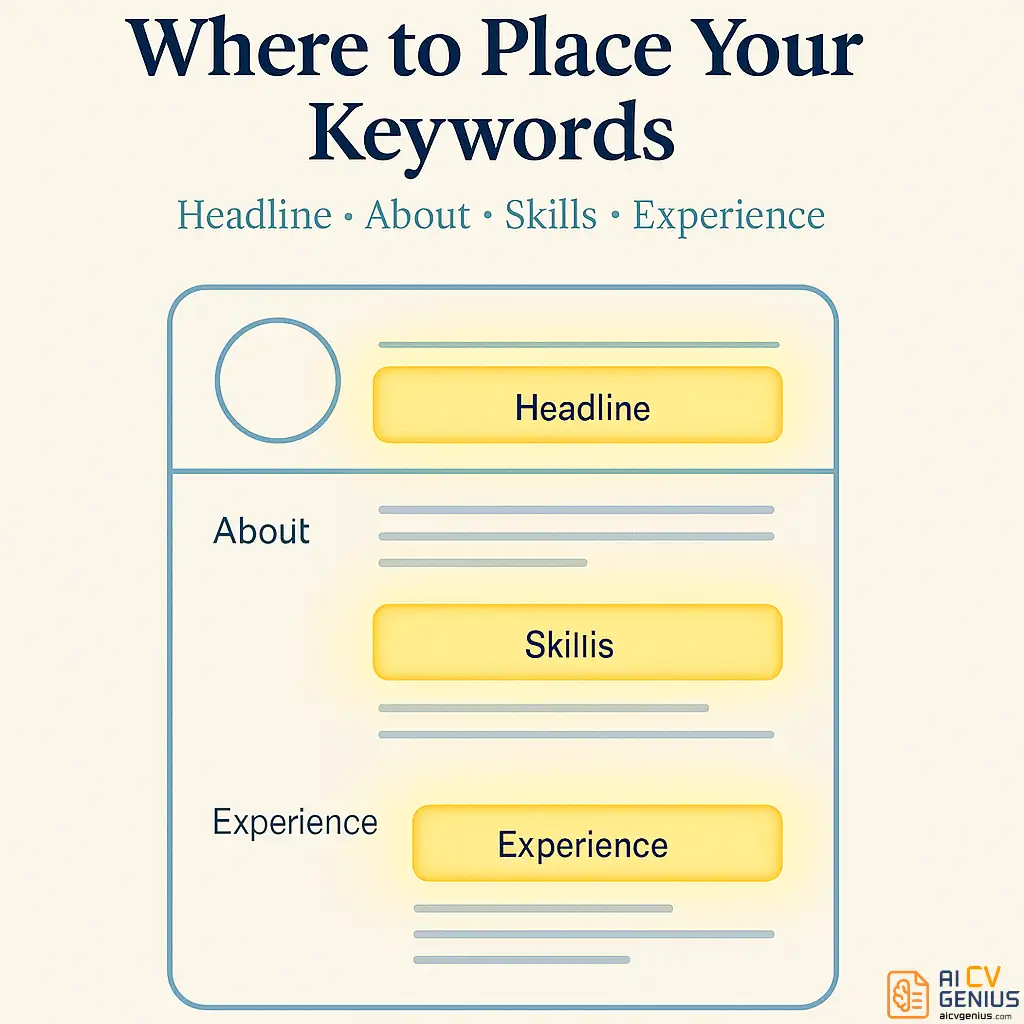
LinkedIn is a search engine. To be found, you need to use the words recruiters are searching for. This is the core of linkedin optimization tips 2026. If you are a “Data Wizard” but recruiters are searching for “Data Analyst” and “SQL,” you will never be found.
You need to “seed” your entire profile with these keywords. But where do they matter most?
| Profile Section | Keyword Importance | Example |
|---|---|---|
| Headline | CRITICAL. This is the most heavily weighted section. | “Product Manager | SaaS | Agile & Scrum“ |
| About (Summary) | High. This is where you put keywords in context. | “I specialize in data analytics and SQL…” |
| Skills Section | High. This is the literal database the algorithm uses. | Add “Python,” “Tableau,” “Go-to-Market Strategy“ |
| Experience | Medium. Backs up your skills with context. | “Led a team using Scrum methodology…” |
How to find your keywords:
1. Open 5-10 job descriptions for roles you want.
2. Copy/paste them into a word cloud generator (or just a text doc).
3. Look for the skills, tools, and qualifications that appear over and over.
If “Agile,” “Jira,” and “Stakeholder Management” appear in every single one, those are your keywords. You must have them in your Headline, About, and Skills sections.
7. Your Profile Photo & Banner (Your 3-Second First Impression)
It’s not vain; it’s data. Profiles with a professional photo get 21x more views and 9x more connection requests. No photo = you’re not a real person. A bad photo (blurry, a party pic, you with your cat) = you’re not professional.
Your Photo Must Be:
- ✅ High-quality and well-lit: Face the light. No harsh shadows.
- ✅ You, from the shoulders up: Your face should take up ~60% of the frame.
- ✅ Smiling (with teeth!): You must look warm and approachable.
- ✅ Simple background: A plain wall or an out-of-focus background is perfect.
- ✅ Dressed for your industry: Suit for finance, smart casual for tech.
Don’t Forget Your Banner!
The blue-gradient default banner is another wasted opportunity. It’s a second, larger billboard. Use a free tool like Canva to create a simple banner that:
• States your core value (e.g., “Helping B2B Brands Build Content That Converts”)
• Lists your key skills (e.g., “SEO | Content Strategy | Demand Gen”)
• Has a clean, professional image.
8. Customize Your LinkedIn URL (The 30-Second Fix)
When you first create a profile, LinkedIn assigns you a “junk” URL:
linkedin.com/in/sarah-johnson-a83b9214a
This looks unprofessional on a resume and is hard to remember. You must customize it.
How to fix it: Go to your profile > Click “Edit public profile & URL” (top right) > Click the pencil icon under “Edit your custom URL.”
Change it to: linkedin.com/in/sarahjohnson
If your name is taken, try:
linkedin.com/in/sarah-johnson-marketing
linkedin.com/in/sarahjohnsonpmp
This is a 30-second fix that dramatically improves your personal branding and makes your profile rank higher when someone Googles your name.
9. Get Recommendations (The Ultimate Social Proof)
Skills endorsements are nice. Written recommendations are 10x more powerful. They are social proof. They are like Yelp reviews for your career. When a hiring manager is on the fence, a glowing, specific recommendation from a former boss can be the deciding factor.
But you can’t be passive. You must ask for them. And you must make it easy.
Who to ask:
• Your best former managers.
• Senior colleagues you collaborated with.
• Clients (if you’re a freelancer or in a client-facing role).
How to Ask (The “Make it Easy” Script):
Don’t just hit the “Request” button. Send a personal message.
“Hi [Name], I’m working on updating my LinkedIn profile and was wondering if you’d be open to writing a brief recommendation based on our time working together at [Company].
I was particularly proud of the [Specific Project] we launched together. If you felt comfortable, I’d be so grateful if you could mention my skills in [Skill 1, e.g., ‘project management’] and [Skill 2, e.g., ‘stakeholder communication’] during that launch.
No pressure at all, but it would mean a lot! Happy to return the favor.”
This script is brilliant because it reminds them what you worked on and tells them exactly what skills to mention. You’ve done the work for them. For more tips on building these professional relationships, explore our career resources section.
10. Curate Your “Skills” Section (Quality Over Quantity)
LinkedIn lets you add up to 50 skills. This does not mean you should. A list of 50 skills is noisy and unfocused. A curated list of 15-20 relevant skills is far more powerful.
The “Top 3” Are Critical:
LinkedIn forces you to “pin” three skills to the top of your list. These are your “Top Skills.” They must be the 3 skills that are most central to the job you want. If you’re a Project Manager, they should be “Project Management,” “Agile Methodologies,” and “Stakeholder Management” – not “Microsoft Office.”
Clean Up Your List:
Go to your Skills section right now. Delete any “fluff” skills that don’t matter (“Public Speaking,” “Teamwork”). Group similar skills (e.g., if you have “SEO” and “Search Engine Optimization,” pick one). Make sure your list is a tight, powerful snapshot of your core, searchable competencies.
11. Be Active, Not Just Present (The 15-Minute/Day Plan)
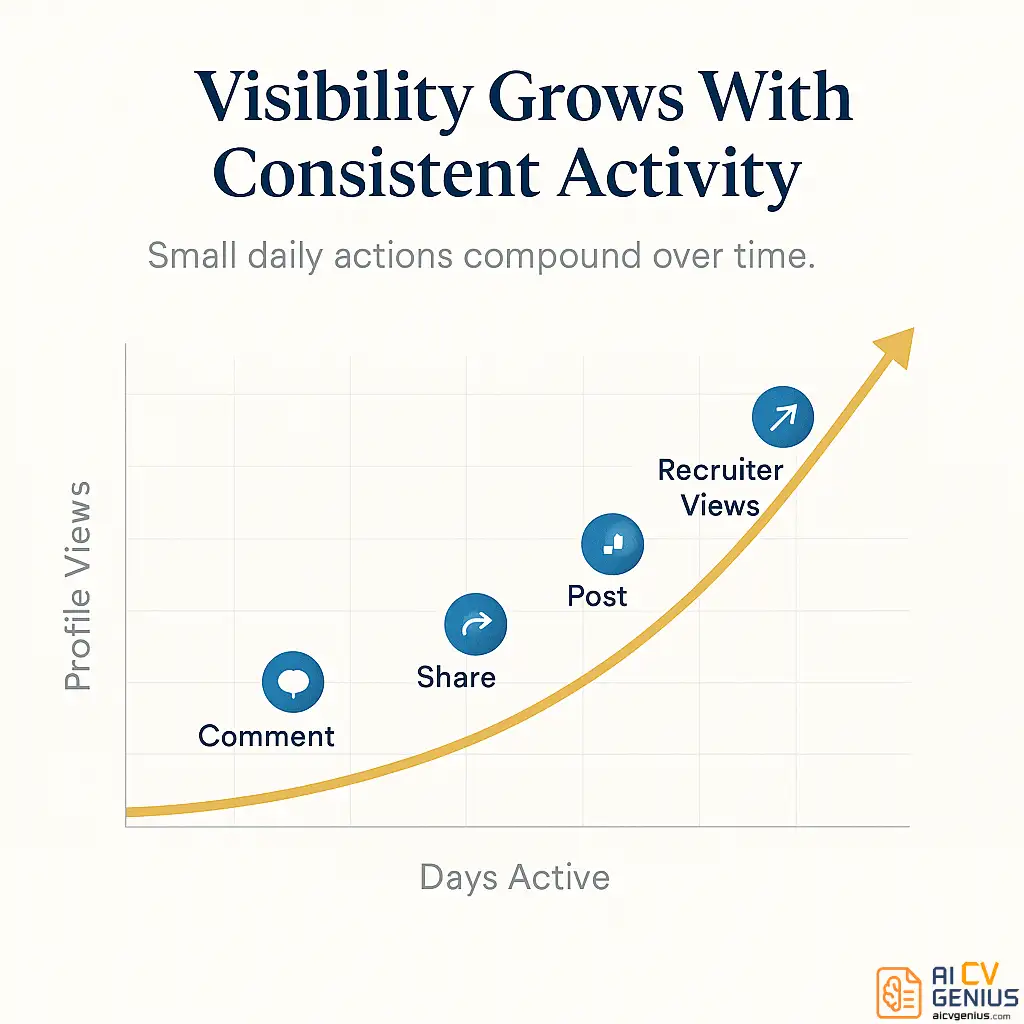
A “complete” profile that is inactive is only 50% optimized. LinkedIn’s algorithm is designed to promote active users. Every time you post, comment, or share, you show up in more people’s feeds. This keeps you “top of mind” for recruiters and your network.
But you don’t need to be a “content creator.” Just be a “good community member.”
The Simple 15-Minute/Day Plan:
• 5 Minutes (Scroll & Like): Scroll your feed. Like 3-5 interesting posts. This is a low-level signal of activity.
• 5 Minutes (Thoughtful Comment): Find one post from an industry leader or target company. Leave a thoughtful, 2-sentence comment. Not “Great post!” but “Great point about [Topic]. I’ve found that this also applies to [X]. Thanks for sharing.” This is 10x more visible than a “like.”
• 5 Minutes (Share or Post): Once a week, share an interesting article with one sentence of your own insight. Or, write a 3-paragraph post about a challenge you solved or a lesson you learned.
That’s it. 15 minutes a day. This simple habit will 5x your profile views and make you a visible, engaged member of your industry. If you’re wondering why your applications are getting no response, this is often the missing piece. Check out our article on why your resume gets no response for more on this.
12. Engage With Recruiters (The “Warm” Approach)
Want to get on a recruiter’s radar without sending a cold, awkward “Hi, please look at my profile” InMail? Engage with their content.
Find 10-15 recruiters who specialize in your industry (Search: “[Your Industry] Recruiter”). Follow them.
When they post about a new role or a hiring tip, leave one of those thoughtful comments. “This is a great breakdown of the current market. That point about ‘skill stacking’ really resonates.”
Recruiters absolutely notice who is engaging with their content. When they have a new role to fill, they’ll often look at the smart, engaged people in their comments first. You’re transforming a cold relationship into a warm one, one comment at a time.
Advanced FAQ: Your Toughest LinkedIn Questions
Final Thoughts: Your Profile is Your 24/7 Agent
Your LinkedIn profile isn’t just a static resume or a digital address book. It’s a living, breathing marketing tool that is working for you 24/7 – if you optimize it. But if it’s incomplete or generic, it’s working against you, or not at all.
These linkedin optimization tips 2026 aren’t hacks; they are the new fundamentals of a professional digital presence. A powerful headline, a compelling first-person summary, strategic keywords, a curated “Featured” section, and consistent, thoughtful activity – this is what makes recruiters stop scrolling and start reaching out.
The best news? You don’t need to do all 12 of these things at once. Pick 3. Start today. Optimize your headline. Add the “Recruiters only” setting. Ask one colleague for a recommendation. These small, 15-minute changes compound over time, turning your silent profile into your most powerful advocate.
Remember, your LinkedIn profile and your resume must tell the same compelling story. Make sure both are working in harmony to showcase your value. Check out our resume templates and guides to complete your professional brand and build an undeniable application package.
Want more LinkedIn optimization tips? Explore more practical headline ideas at Linkedin Headline: The Ultimate Guide.