
- Main point: Computer skills are the new literacy, and listing them well signals efficiency, adaptability, and reliability.
- What recruiters scan for: Proof you use tools to solve problems, move faster, and communicate clearly, not a lazy software list.
- How to structure skills: Group them into foundational, role-specific, and emerging tools to show breadth and forward momentum.
- How to show real proficiency: Weave tools into experience bullets using Action + Tool + Outcome, and tailor keywords to each job description.
- What keeps you competitive: Treat learning new tools as the core meta-skill, avoid vague ratings and outdated tech, and refresh your skills every 6–12 months.
The New Literacy: Why “Computer Skills” Are Your Most Valuable Professional Asset
In today’s professional landscape, knowing your job is no longer enough – you must master the tools of your trade. From composing a persuasive email to automating a complex workflow, computer skills are the invisible architecture behind all modern productivity. They are the new literacy, the baseline expectation for every role, in every industry.
But here is the secret: most people list them incorrectly. They add a lazy “Proficient in Microsoft Office” to their skills section and hope for the best. This is a missed opportunity.
Listing them correctly – with context, examples, and results – is a powerful, subtle signal to employers. It quietly communicates: “I don’t just use tools; I use them to solve problems, save time, and create value. I don’t just work – I work smart.” This guide will show you how to move your computer skills from a passive list to an active narrative of your competence.
“Computer skills don’t just make you ‘technical’ – they make you adaptable, efficient, and reliable.”
What Recruiters Are Really Screening For
When a hiring manager sees the phrase “computer skills for a resume,” they are not looking for a laundry list of software you have touched. They are screening for a mindset. They want professionals who can learn new tools quickly, integrate them confidently, and use them to solve business problems.
This means your resume must show depth and application, not just names. They are looking for evidence of:
- ✅ Efficiency: Do you use tools to work faster? (e.g., “Used Excel macros to automate a report, saving 5 hours per week.”)
- ✅ Problem-Solving: Do you use tools to fix issues? (e.g., “Diagnosed a recurring error by analyzing data in our CRM.”)
- ✅ Adaptability: Do you learn new tech? (e.g., “Self-taught HubSpot and migrated the team’s sales pipeline in 3 weeks.”)
- ✅ Clarity: Do you use tools to communicate better? (e.g., “Designed a clear PowerPoint deck that secured a new client.”)
Instead of just saying “Proficient in Excel,” your bullet points should prove it: “Built automated dashboards in Excel to track weekly marketing KPIs, providing real-time visibility for leadership.” One is a claim; the other is proof.
How to Present Computer Skills on Your Resume
The Three Tiers of Computer Skills
To organize your resume, it helps to think of your skills in three distinct categories. A strong resume shows a mix of all three.
| Type | Description | Examples |
|---|---|---|
| 1. Foundational / General | The non-negotiable skills for almost any office job. These are the “digital literacy” skills. | MS Office (Word, Excel, PowerPoint), Google Workspace, Email/Calendar Management, Cloud Storage (Drive, Dropbox), Basic Troubleshooting. |
| 2. Advanced / Role-Specific | Specialized tools required for your specific profession. These show you are an expert in your field. | Marketing: HubSpot, Salesforce, Google Analytics Design: Figma, Adobe Creative Suite Finance: QuickBooks, Advanced Excel, ERPs Tech: Python, SQL, JIRA, GitHub |
| 3. Emerging / Strategic | Skills that show you are forward-thinking and adaptable. These are your differentiators. | AI & Prompt Engineering (ChatGPT), No-Code Tools (Notion, Zapier), Data Visualization (Tableau, Power BI), Asynchronous Collab Tools (Slack, Asana). |
Your goal is to show you have the foundational skills, are an expert in your role-specific tools, and are actively learning the emerging ones.
How to Weave Computer Skills Into Your Resume (Show, Don’t Tell)
The biggest mistake is isolating all your computer skills in one generic “Skills” section. This is a waste of valuable proof. The best method is to integrate them directly into your achievements.
Use your Experience Section to tell mini-stories about how you used your tools to get a result.
The “Before” and “After” of Skill Bullets
| Before (Weak) | After (Strong) |
|---|---|
| Proficient in Excel. | Automated the monthly sales report using Excel macros and pivot tables, saving 10+ hours of manual data entry per week. |
| Used Salesforce. | Managed the entire lead-generation pipeline using Salesforce CRM, improving lead tracking and contributing to a 15% increase in conversion. |
| Familiar with Asana. | Implemented a new project management framework in Asana for a 10-person remote team, improving on-time project delivery by 25%. |
The “After” examples are powerful because they connect the tool (Asana) to an action (Implemented) and a metric (25%).
Resume Structure Tip: The “Technical Skills” Section
While your bullets are the proof, you still need a dedicated “Skills” section. This acts as a high-level summary and is crucial for Applicant Tracking Systems (ATS) that scan for keywords.
Do not just list everything. Curate it. Group your skills logically.
Good Example:
Technical Skills
- Data Visualization: Tableau, Microsoft Power BI, Google Data Studio
- CRM & Marketing: Salesforce (Certified), HubSpot, Mailchimp, Google Analytics
- Productivity: Advanced Excel (Pivot Tables, Macros), Google Workspace, Notion
- Programming: Python (Pandas, Matplotlib), SQL
This structure is clean, easy to scan, and proves your expertise at a glance. It shows you understand the categories of your work, not just the brand names. A well-structured resume is, in itself, proof of your computer proficiency and organizational skills.
If you’re unsure where to start, check our AI Resume Templates – all are built with modern, tech-friendly formatting that passes ATS scans cleanly.
Skills Library & Matching
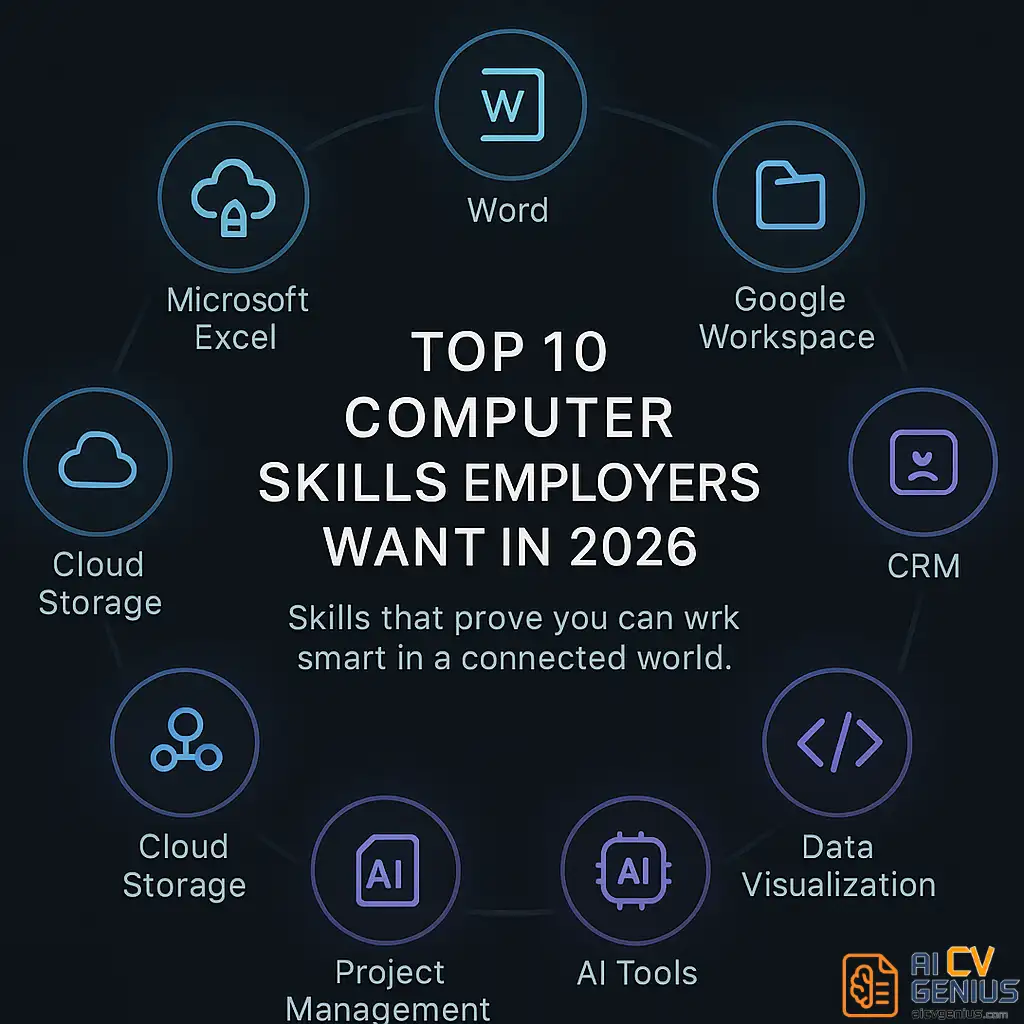
Top Computer Skills Employers Value in 2026 (By Category)
Here is a comprehensive list of high-demand skills. See which ones you can integrate into your resume narrative.
| Category | Skills | Example in Use (for a bullet point) |
|---|---|---|
| Office Productivity | MS Office (Word, Excel, PowerPoint, Outlook), Google Workspace (Docs, Sheets, Slides) | “Created dynamic financial models in Excel and delivered 10+ C-level presentations in PowerPoint.” |
| Data & Analytics | Advanced Excel (VLOOKUP, Pivots, Macros), Power BI, Tableau, Google Analytics, SQL | “Built interactive data dashboards in Tableau to track marketing KPIs in real-time, replacing a static weekly report.” |
| Communication & Collab | Slack, Zoom, Microsoft Teams, Asana, Trello, Notion | “Managed a remote 15-person team using Asana and Slack, ensuring 100% project alignment across three time zones.” |
| CRM & Sales | Salesforce, HubSpot, Zoho, Zendesk | “Tracked all customer interactions in HubSpot, improving data hygiene and providing a clear pipeline for the sales team.” |
| Design & Creative | Figma, Canva, Adobe Creative Suite (Photoshop, Illustrator, InDesign) | “Produced all digital marketing assets using Canva and Adobe Illustrator, maintaining brand consistency across 5+ channels.” |
| Programming & Automation | Python, SQL, VBA, Zapier, JavaScript (basics) | “Developed a Python script to automate the cleaning of a 50,000-row dataset, saving 8 hours of manual work monthly.” |
| AI & Writing Tools | ChatGPT, Jasper, Grammarly, QuillBot | “Utilized ChatGPT to brainstorm initial marketing copy and optimized it for SEO, increasing blog traffic by 20%.” |
| Cloud & Storage | Google Drive, Dropbox, SharePoint, OneDrive | “Implemented a new shared folder architecture in SharePoint for the entire department, improving document retrieval speed.” |
| Cyber Awareness | Data security basics, password hygiene, phishing prevention, VPN usage | “Trained 5 new hires in safe file sharing protocols and phishing prevention as part of the onboarding process.” |
How to Match Your Skills to the Job Description (The ATS Hack)
Your resume is not a biography; it is a marketing document targeted at a specific audience of one. Each role values a different tech stack. You must tailor your resume for every single application.
- Scan the Job Description: Read the “Requirements” section. Highlight every specific software, tool, or technical phrase (e.g., “CRM management,” “data visualization”).
- Mirror the Language: If the job says “Salesforce,” your resume must say “Salesforce,” not “CRM tool.” If it says “Google Analytics,” yours should too. This is critical for passing the first ATS scan.
- Integrate Naturally: Weave these exact keywords into your Professional Summary and your Experience bullet points.
Example:
Job Description says:
“Experience with CRM management and data analysis (Salesforce and Tableau preferred).”
Your Resume Summary should say:
“Data-driven marketing specialist with 5+ years of experience using Salesforce and Tableau to analyze campaign performance and drive strategy.”
How to Define Your Proficiency Level (Without Lying)
Using vague terms like “proficient” or “expert” is risky. What does “expert” even mean? Instead, use your bullet points to show the level. But if you must use labels in your skills section, be honest and specific.
| Proficiency Level | How to Phrase It | What It Implies |
|---|---|---|
| Familiar / Basic | “Familiar with cloud collaboration tools (Google Workspace, Slack).” | “I can use it for daily tasks without help, but I’m not a power user.” |
| Intermediate / Proficient | “Proficient in Excel (Pivot Tables, VLOOKUP, Dashboards).” | “I can solve complex problems with it and use its advanced features.” |
| Advanced / Expert | “Advanced experience in Power BI (DAX, Data Modeling).” or “Salesforce Certified Administrator.” | “I can build systems from scratch, automate, and train others.” |
Rule of thumb: Do not exaggerate. Recruiters will test what you claim. An “Advanced Excel” user who fumbles a VLOOKUP in a technical test is instantly disqualified. Honesty and precision matter more than breadth.
Industry-Specific Examples: Connecting Tools to Roles
The value of a tool changes by industry. Here is how to frame your skills for your specific field.
| Industry | Key Computer Skills | Example Bullet Point |
|---|---|---|
| Finance | Advanced Excel, QuickBooks, ERP systems (SAP), Power BI | “Generated monthly variance reports 3 days faster by automating data pulls with Excel macros and SQL queries.” |
| Marketing | Canva, Google Analytics, HubSpot, Asana, WordPress | “Tracked campaign ROI using Google Data Studio dashboards, providing insights that led to a 15% budget reallocation.” |
| Engineering | AutoCAD, MATLAB, Python, JIRA, GitHub | “Managed all bug tracking and sprint planning in JIRA, improving team velocity by 10% over two quarters.” |
| Design | Figma, Adobe XD, Photoshop, Illustrator, InVision | “Built 5+ interactive prototypes in Figma for client demos, leading to faster feedback cycles and 2 major client sign-offs.” |
| Admin / HR | MS Office Suite, Outlook Calendaring, SharePoint, ATS (e.g., Greenhouse) | “Created a new employee onboarding repository in SharePoint, reducing administrative questions by 25%.” |
Meta-Skills & Growth
The Most Important Skill: Learning New Tools Fast
Technology changes every year. The software you mastered today might be obsolete in three years. The real skill employers want is not proficiency in one tool, but the ability to learn any tool quickly.
This is “digital fluency” or “tech adaptability.” You must hint at this on your resume. It shows you are a long-term investment.
Examples:
- ✅ “Self-taught and implemented HubSpot CRM, migrating 5,000+ contacts and training the 5-person sales team on the new workflow.”
- ✅ “Adapted to the company’s new proprietary HR software within two weeks, becoming the team’s go-to person for troubleshooting.”
- ✅ “Researched and adopted Notion for team knowledge management, replacing three outdated spreadsheets.”
“Digital fluency isn’t knowing every tool – it’s having the confidence you can learn any tool.”
How to Add Computer Skills to Every Resume Section
A truly great resume weaves your technical skills into your entire narrative.
| Section | Example |
|---|---|
| Professional Summary | “Digitally fluent marketing coordinator skilled in HubSpot CRM, Google Analytics, and Asana for building and managing automated campaigns.” |
| Experience | “Implemented a new project tracking system in Notion that replaced 5 separate, outdated spreadsheets and improved team visibility.” |
| Dedicated Skills Section | Software: Salesforce, Tableau, Advanced Excel, Python (Pandas) Collaboration: Asana, Slack, SharePoint |
| Projects / Certifications | “Google Data Analytics Certified (2025) – Completed a capstone project analyzing public health data using SQL and Tableau.” |
Common Mistakes That Instantly Weaken Your Resume
| ❌ The Mistake | ✅ The Fix |
|---|---|
| Listing every tool you’ve ever used, including “Microsoft Word” (if you’re not entry-level). | Curate the list. Only include tools relevant to the target role. Basic skills are assumed for experienced hires. |
| Using vague, unprovable terms like “Tech-savvy” or “Fast learner.” | Show, don’t tell. Use a bullet point to prove it: “Learned and implemented new software in 2 weeks.” |
| Forgetting the “so what?” Listing a tool without a result (e.g., “Used Figma”). | Add the outcome. “Used Figma to create prototypes that increased client approval speed by 30%.” |
| Listing outdated tech (e.g., “Windows XP,” “Dreamweaver,” “MSN Messenger”). | Review your list every 6 months. Remove any tool that makes you look dated. Keep it fresh and forward-thinking. |
Real Example: Digital Efficiency in Action
During a complex company rebrand, a content coordinator named Rafael was tasked with updating 120+ marketing assets. Instead of doing it manually, he demonstrated systems thinking.
He used Trello to create a visual pipeline for all assets. He used Canva’s “Brand Kit” to apply new logos and fonts in bulk. And he used a shared Google Sheet as a “single source of truth” for status, which he linked in a pinned Slack channel.
He didn’t just “use” Trello, Canva, and Sheets. He combined them to build a system that reduced team confusion by half and finished the project a week early. That is organization powered by computer skills.
The Power Combo: Combining Computer Skills With Soft Skills
The most valuable professionals in 2026 are not tech geniuses or smooth talkers. They are the people who can do both. They balance digital expertise with human connection. Your resume should show this combination.
| Weak | Strong |
|---|---|
| “Used Tableau to make dashboards.” (Just a hard skill) | “Analyzed sales data in Tableau and presented insights to the leadership team, influencing them to change their Q3 strategy.” (Hard skill + Communication + Influence) |
| “Managed team projects in Asana.” (Just a hard skill) | “Led a 5-person team using Asana, mediating conflicts over deadlines and fostering a collaborative remote environment.” (Hard skill + Leadership + Conflict Resolution) |
This “skill pairing” is the modern definition of value.
Computer Skills for Students and Entry-Level Roles
If you are early in your career without much formal experience, highlight transferable digital experience from school projects, certifications, or part-time work. Employers care more about your initiative and adaptability than your job titles.
Examples for a “Projects” Section:
- ✅ “Created an automated event-budgeting sheet in Excel for a 100-person student organization event.”
- ✅ “Designed all social media posters and flyers for a community campaign using Canva, increasing attendance by 40%.”
- ✅ “Managed a 4-person capstone project by building a shared timeline and file system in Google Workspace.”
For reference, see our Career Resources page – it includes skill maps for beginners in each industry.
Should You Add Certifications?
Yes – if they are relevant and current. Certifications are powerful because they are third-party proof of your skills. They show commitment and credibility. Add them in a separate section at the end of your resume or near your “Education” section.
High-Value Certifications:
- Microsoft Office Specialist (MOS)
- Google Data Analytics Professional Certificate
- HubSpot Inbound Marketing Certification
- Salesforce Certified Administrator
- AWS Cloud Practitioner
- Project Management Professional (PMP) or Certified Associate (CAPM)
How to Keep Your Skills Sharp and Your Resume Current
Technology moves fast. Your skills must move with it. Review your skills section every 6 months. Ask yourself: “Is this tool still in high demand? Have I learned something new that should replace it?”
A small note like “Currently learning SQL (completing Codecademy course)” or “Exploring AI automation with Zapier” can make your entire resume feel more current and forward-thinking. It shows you are actively engaged in your own professional development.
The Future of Computer Skills: AI, Automation, and You
AI, automation, and no-code tools are rewriting how we work. Tasks that used to take hours can now be done in minutes. But this does not make computer skills less important – it makes strategic computer skills more important.
The core skill of the future is knowing how to leverage these tools. The most valuable professionals in the next decade will be those who can combine deep human skills (creativity, empathy, critical thinking) with the technical leverage of AI and automation. They will be humans who use tech with purpose.
Final Thoughts: From “User” to “Architect”
Computer skills are no longer a bonus – they are the new baseline. But what sets you apart is not the list of software on your resume; it is the story of the results you created with them.
Stop thinking of yourself as just a “user” of software. Start framing your skills as an “architect” of systems. Write your resume to show progress, not just programs. Because technology will keep evolving – and a candidate who proves they can evolve with it is unstoppable.