
- The article explains that small resume errors can silently kill your chances because recruiters decide fast and anything unclear or messy wastes the first scan.
- It breaks down the biggest mistakes and fixes, including typos, going too long, writing duties instead of achievements, leaning on buzzwords, and using inconsistent formatting that makes scanning harder.
- It adds ATS reality: Missing keywords can filter you out, so you should mirror job description terms naturally without repeating them in an unnatural way.
- It covers credibility details people overlook, like professional email addresses, consistent verb tense, quantified results, and balanced white space that keeps the resume readable.
- The ending message is simple: Clarity signals competence, and a clean, proof based resume beats a “perfect sounding” one every time, plus it includes a mini checklist, funny real recruiter fails, and a practical FAQ.
Let’s face it: writing a resume often feels like preparing a high-stakes presentation – you want every detail perfect, hoping it resonates strongly and leaves a lasting positive impression. The challenge? Many applicants inadvertently undermine their message with easily avoidable errors. This guide to common resume mistakes isn’t intended to criticize, but rather to equip you with the awareness needed to sidestep pitfalls that frequently lead to rejection emails beginning with that dreaded word, “Unfortunately…”
Recruiters don’t necessarily demand absolute perfection, but they absolutely require clarity and professionalism. When your resume contains typos, inconsistent formatting, or jarring design choices, it implicitly communicates a lack of attention to detail – a red flag for nearly any role. Fortunately, recognizing these common errors is the first step toward eliminating them, ensuring your resume presents you in the best possible light.
Why Resume Mistakes Cost You More Than You Think
Recruiters typically spend about 6-8 seconds conducting an initial scan of each resume. This incredibly brief window is all the time available to capture their interest. If those critical seconds are hindered by clutter, grammatical errors, inconsistencies, or unprofessional language, your opportunity for an interview often vanishes before your qualifications are fully considered.
However, the encouraging news is that most common resume mistakes are entirely fixable. Once you become aware of these potential traps, you can actively avoid them – instantly elevating the professionalism and effectiveness of your application document.
The Most Common Resume Mistakes (and How to Fix Them)
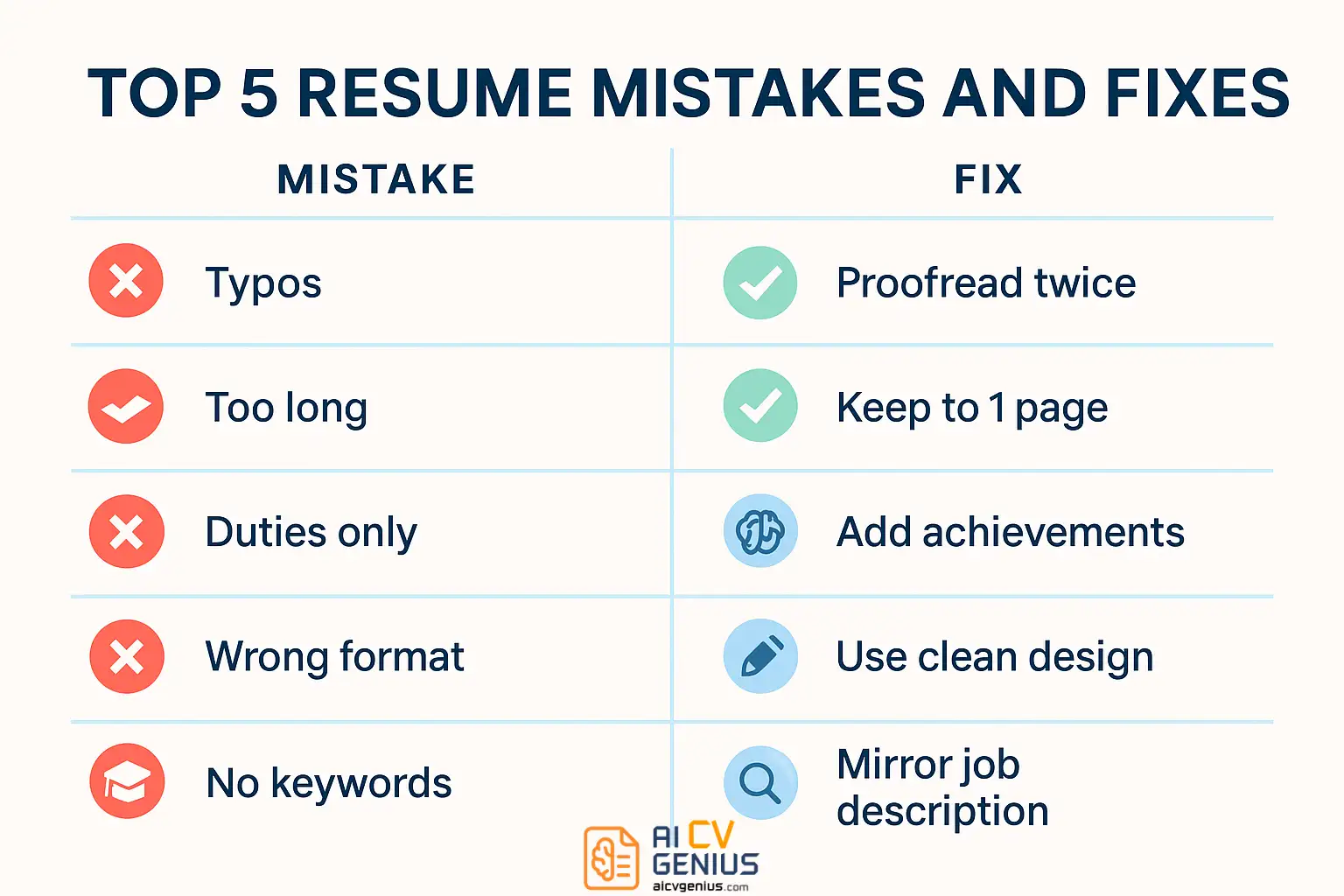
1. Typos and Grammatical Errors
This remains one of the most frequent yet easily preventable errors. Simple mistakes like substituting “manger” for “manager,” incorrect verb tense, or basic punctuation errors can significantly undermine your credibility.
Why it’s detrimental: Such errors immediately suggest carelessness or a lack of attention to detail, leading recruiters to question your diligence in professional tasks.
How to fix it:
- Read your resume slowly aloud – hearing the words helps catch awkward phrasing and missed errors.
- Utilize grammar and spell-checking tools (like Grammarly or built-in word processor features), but always critically review their suggestions.
- Ask a trusted friend, mentor, or career advisor with strong language skills to proofread it. Fresh eyes are invaluable.
- Print a physical copy; errors often become more apparent on paper than on screen.
2. Excessive Length (Exceeding Recommended Page Limits)
Recruiters value conciseness. A resume overloaded with irrelevant details or spanning unnecessary pages often signals an inability to prioritize information effectively.
General Guidelines:
- Entry-level (0-3 years experience): Strictly one page.
- Mid-level professionals (approx. 4–10 years): Preferably one page, maximum two pages only if all content is highly relevant and impactful.
- Senior professionals / Executives (10+ years): Two pages maximum is standard; prioritize relevance and strategic impact.
How to fix it: Focus ruthlessly on relevance. Remove outdated or irrelevant positions (typically beyond 10-15 years unless critical). Condense descriptions, eliminate filler phrases, and remove redundant information like “References available upon request.” Prioritize quality and impact over sheer quantity.
3. Listing Duties Instead of Highlighting Achievements
This is perhaps the single most impactful mistake hindering resume effectiveness. Recruiters need to understand your contributions and results, not merely read a generic list of tasks copied from a job description. “Responsible for managing social media” conveys little; “Increased Instagram engagement by 45% through targeted content strategy” provides compelling evidence of value.
How to fix it:
- Begin every bullet point describing your experience with a strong, specific action verb (e.g., Led, Developed, Managed, Implemented, Increased, Reduced, Optimized, Negotiated).
- Focus intently on quantifying your achievements whenever feasible using numbers, percentages, or dollar values (%, $, #). Even well-reasoned estimates are better than vague claims.
- Frame responsibilities implicitly through the lens of outcomes achieved. Ask yourself: What changed or improved because I performed this task?
4. Overusing Vague Buzzwords and Clichés
Phrases like “Results-driven,” “Team player,” “Hardworking,” “Dynamic,” “Excellent communicator,” or “Detail-oriented” have become so overused they lack genuine meaning and credibility without concrete proof.
How to fix it: Show, don’t just tell. Instead of stating you are “results-driven,” provide specific bullet points demonstrating quantifiable results. Replace claims like “excellent communicator” with tangible examples: “Presented monthly project status reports to executive leadership,” or “Authored client-facing documentation improving user understanding.” Let your achievements speak for themselves.
5. Poor or Inconsistent Formatting
A visually cluttered, inconsistent, or unprofessional layout makes your resume difficult to scan quickly and suggests a lack of care. Issues include using multiple distracting fonts, inconsistent spacing, misaligned text, or insufficient white space.
How to fix it:
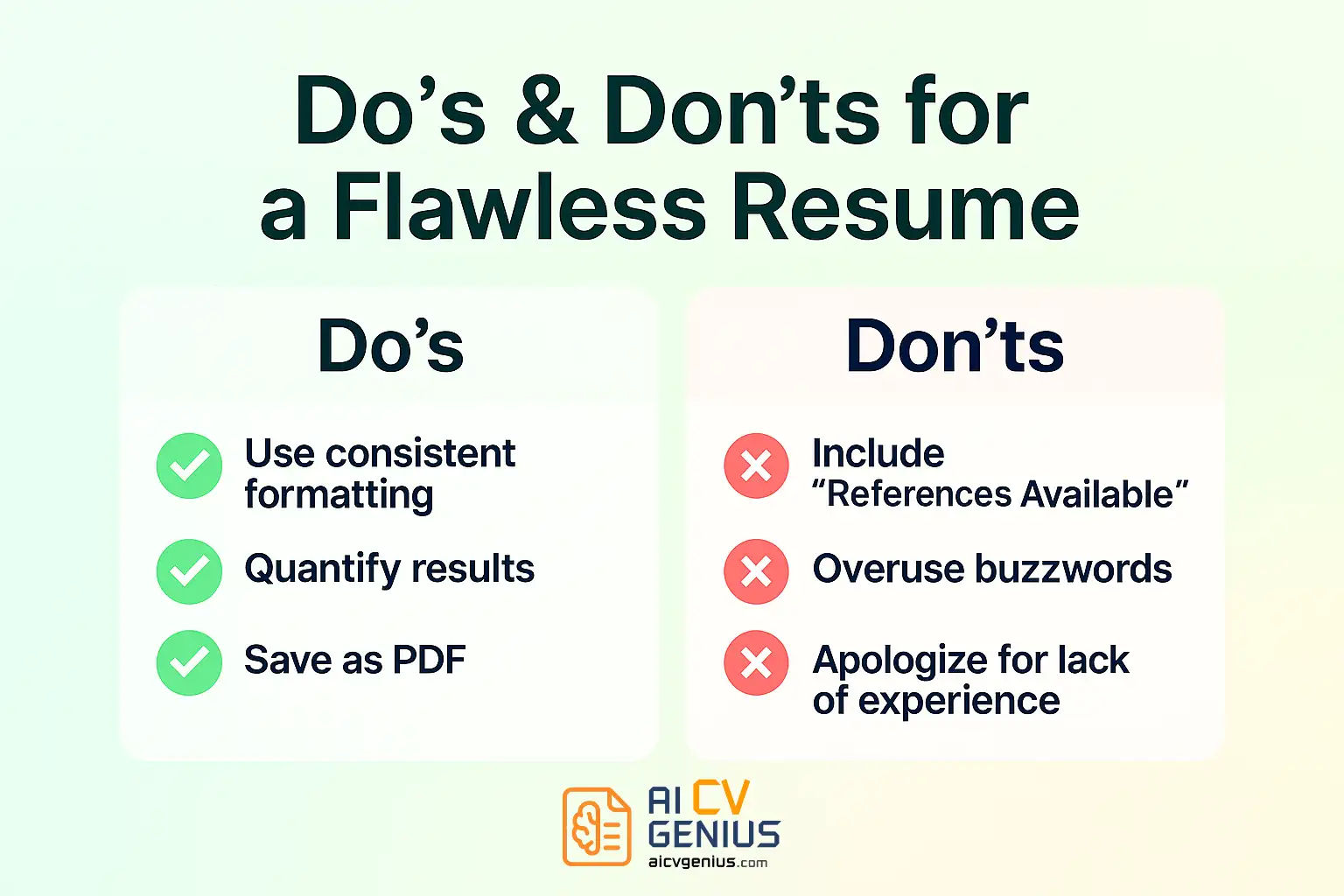
- ✅ Maintain consistency: Use uniform font styles (1-2 professional fonts max), font sizes (e.g., 10–12 pt body, 14–16 pt headers), margins (0.5–1 inch), and line spacing throughout.
- ✅ Prioritize readability: Choose clean, standard fonts (e.g., Calibri, Arial, Georgia, Lato, Roboto). Ensure ample white space to avoid a dense, overwhelming appearance.
- ✅ Ensure clear hierarchy: Use bolding strategically and consistently for section headings, job titles, and company names to guide the reader’s eye.
- ✅ Always save and submit as a PDF file to preserve formatting integrity across all devices and platforms, unless a DOCX file is specifically requested.
Utilizing clean, professionally designed, and ATS-friendly templates, like those available in our Resume Templates Finder, can provide a strong foundation for effective formatting.
6. Neglecting Keyword Optimization for ATS
Most medium and large organizations utilize Applicant Tracking Systems (ATS) to perform initial resume screening. If your resume lacks relevant keywords found in the job description, it may be automatically filtered out before reaching a human reviewer.
How to fix it:
- Carefully analyze the target job description, identifying essential skills, qualifications, tools, and responsibilities (keywords).
- Naturally integrate these specific keywords and phrases throughout your resume – particularly in your Summary/Objective, Skills section, and relevant Work Experience bullet points. Mirror the employer’s terminology where appropriate.
- Avoid “keyword stuffing” (excessive, unnatural repetition). Focus on relevance and context.
- Critically review and tailor keyword alignment for each specific job application.
7. Using an Unprofessional or Outdated Email Address
An email address like “partyanimal99@email.com” instantly undermines your professional image. Similarly, using an old university email address years after graduation can appear outdated.
How to fix it: Create and consistently use a simple, professional email address, ideally incorporating your name (e.g., “firstname.lastname@email.com” or “f.lastname@email.com”). This takes only minutes but significantly impacts first impressions.
8. Failing to Quantify Achievements Where Possible
Numbers provide concrete evidence of impact and make achievements significantly more memorable and credible to recruiters. Vague statements like “Improved efficiency” are weak compared to specific claims like “Reduced average task completion time by 15%.”
How to fix it:
- Actively seek opportunities to measure your contributions: How much time did you save? By what percentage did you increase sales or engagement? How many people did you train or manage? What was the budget you oversaw?
- If exact numbers aren’t readily available, provide well-reasoned estimates where appropriate (e.g., “approximately,” “estimated”). Specificity, even estimated, is better than ambiguity.
9. Inconsistent Verb Tense
Switching between past and present tense within descriptions of the same job, or using inconsistent tenses across different roles, creates confusion and appears unprofessional.
Standard Rule:
- Use present tense for your current job(s).
- Use past tense for all previous jobs.
Maintain this consistency throughout your Work Experience section.
10. Poor Use of White Space (Too Much or Too Little)
Effective design utilizes white space (empty areas) strategically to enhance readability and guide the eye. A resume packed densely with text feels overwhelming and difficult to scan. Conversely, excessive white space can make the resume appear sparse or incomplete.
How to fix it:
- Use standard margins (typically 0.5 to 1 inch).
- Ensure adequate (but not excessive) spacing between sections and bullet points.
- Balance content density; prioritize clarity and scannability over trying to cram every possible detail onto the page. If necessary, trim less relevant content rather than shrinking fonts or margins excessively.
Pros & Cons of Striving for a “Perfect” Resume
While aiming for excellence is crucial, understanding the trade-offs is also important:
| Pros | Cons |
|---|---|
| ✅ Builds instant credibility and signals strong professionalism. | ❌ Requires significant time investment for meticulous writing, tailoring, and proofreading. |
| ✅ Significantly improves chances of passing initial ATS filters and capturing recruiter attention. | ❌ Tailoring for every application can feel repetitive and time-consuming. |
| ✅ Clearly differentiates you from candidates with average or poorly presented applications. | ❌ The pursuit of absolute perfection can sometimes lead to analysis paralysis, delaying application submissions. |
| ✅ Boosts your own confidence heading into interviews, knowing your presentation is strong. | ❌ Over-editing or relying too heavily on generic templates/phrases can occasionally make the tone feel robotic or inauthentic if not carefully managed. |
The key is finding a balance: strive for excellence and clarity, but don’t let the pursuit of unattainable perfection prevent you from applying to timely opportunities.
Bonus: Real-Life Resume Lessons
3 “Funny but True” Resume Fails Heard from Recruiters
These highlight the importance of careful wording and proofreading:
- ❌ Objective listed as: “To obtain a challenging position where I can utilize my skills and grow, ideally without too much actual work.”
- ❌ Skill listed as: “Proficient in Microsoft Word, Excel, and PowerPaint.”
- ❌ Reason for leaving previous job: “My boss was incompetent, and the coffee machine was always broken.”
While humorous, these real examples underscore how easily unprofessionalism or carelessness can derail an application.
Mini Checklist: Hallmarks of a Flawless Resume Presentation
Aim for these standards:
- ✅ Concise (Ideally 1 page, max 2 for experienced). Clean formatting with consistent margins and fonts.
- ✅ Every bullet point under experience starts with a strong action verb.
- ✅ Key achievements are specific and quantified with measurable results where possible.
- ✅ Completely free of typos, grammatical errors, clichés, or unprofessional personal details.
- ✅ Tailored with keywords relevant to the specific job description.
- ✅ Saved as a PDF file with a professional naming convention (e.g., “FirstNameLastName_Resume.pdf”).
FAQs: Avoiding Common Resume Mistakes
Final Thoughts: Clarity Signals Competence
Everyone makes mistakes – but proactive job seekers are the ones who learn from them and actively fix them. A polished, error-free resume doesn’t just demonstrate attention to detail; it implicitly communicates thoughtfulness, professionalism, and genuine respect for the recruiter’s time. It signals that you care about how you present yourself and your work – a quality highly valued in any professional setting.
Before you hit “Send” on your next application, dedicate time to rigorously review your resume against this list of common pitfalls. Ask yourself honestly: Does this document clearly and convincingly represent my best professional self? If the answer is a confident yes, you’re not just applying – you’re strategically positioning yourself for success.
For modern, recruiter-approved templates designed to minimize formatting errors and maximize clarity, visit our Resume Templates Finder. For deeper guidance on effective resume writing strategies, explore our Resume Templates Guides, or access expert advice on proofreading, tailoring, and interview preparation within our comprehensive Career Resources section. Remember, avoidable errors shouldn’t hold you back – double-check, refine, and apply with the confidence that comes from thorough preparation.