
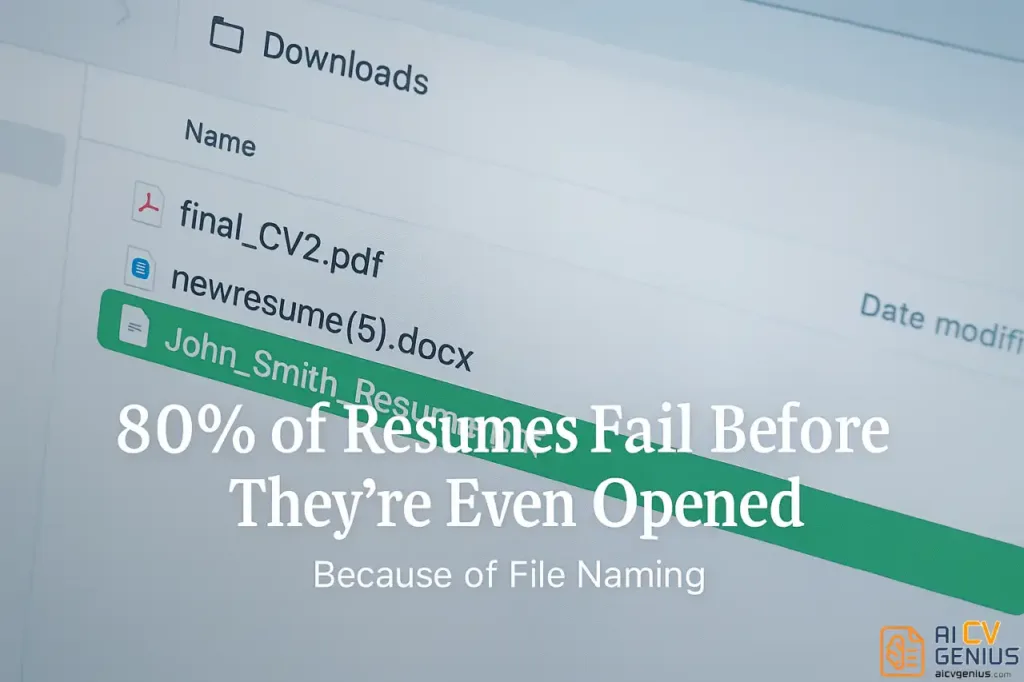
- The article argues that resume file naming is a hidden first impression: Recruiters often see the filename before they see your content, and generic names can make your resume blend in or get misplaced.
- It explains why this matters operationally: Clear names improve searchability inside ATS and recruiter folders, and consistency signals detail-orientation before anyone reads a bullet.
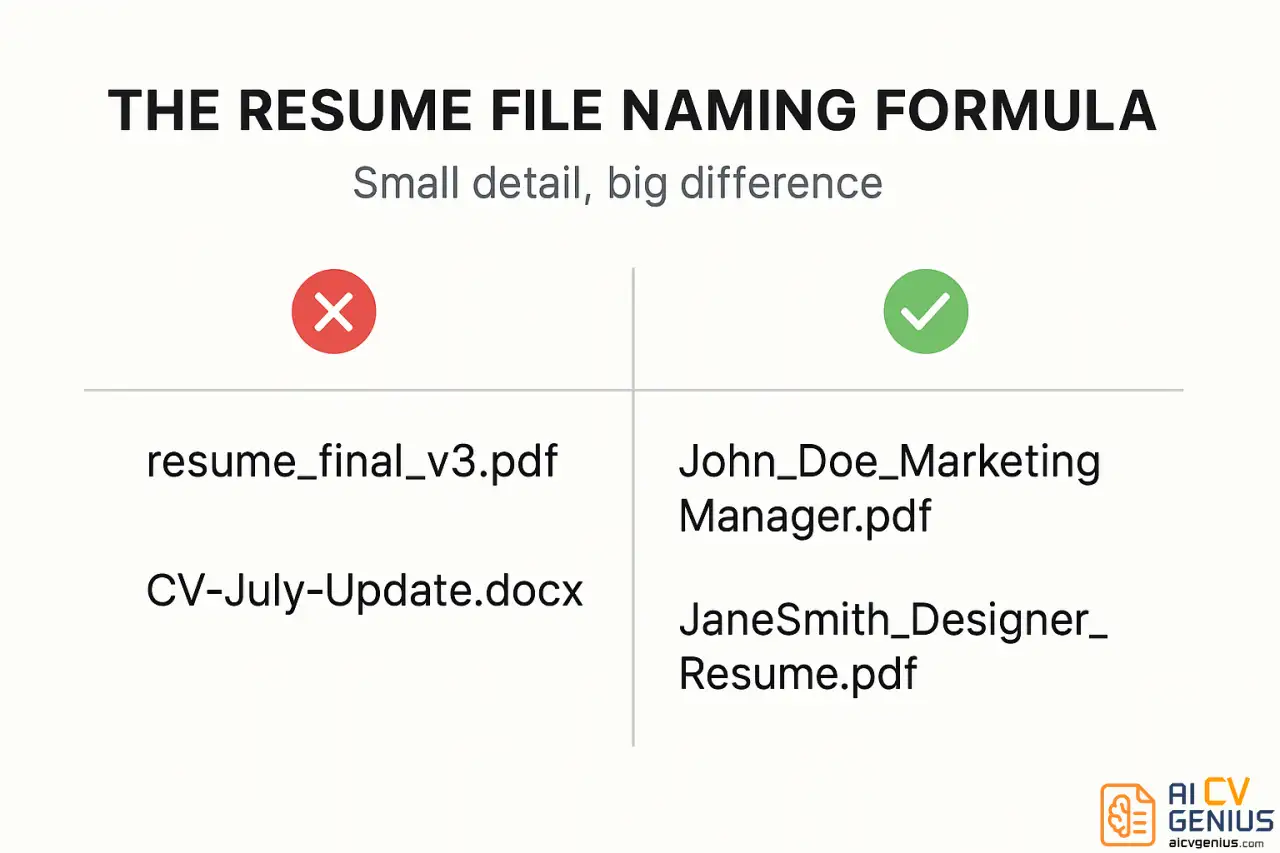
- It lists common filename mistakes that quietly hurt you: “final” versions, random numbers, vague labels, messy capitalization, and using DOCX by default when PDF is preferred unless a posting asks otherwise.
- It gives a practical naming formula with examples: FirstName_LastName_Resume.pdf, or Name plus target role for role alignment, and it stresses safe separators, no special characters, and keeping the name short.
- The close includes recruiter reactions, a 5-point checklist, and a final pre-submission check: Confirm filename, PDF format, reasonable size, file integrity, and matching the name on the document itself.
You meticulously craft your resume – polishing every bullet point, aligning margins, choosing the perfect font. Then, perhaps without a second thought, you save it as “FinalCV_v3(2).pdf”. And just like that, your application potentially falters before it’s even opened. It seems trivial, yet it’s a critical detail recruiters often notice first. Understanding effective resume file naming isn’t merely about digital organization; it’s about making a crucial first impression before the actual first impression even occurs.
Recruiters routinely skip over poorly or generically named files, sometimes unintentionally. Some files get lost within download folders; others appear unprofessional or cause confusion within Applicant Tracking Systems (ATS). A clear, professional file name signals organization and attention to detail from the outset.
The Unspoken Hurdle: File Name Anonymity
Imagine a recruiter juggling hundreds of applications daily. When their screen displays thirty attachments generically labeled “resume_final.pdf,” the probability of your carefully crafted document standing out plummets. Even the most compelling content can become invisible amidst a sea of identical file names.
Effective file naming transcends mere style; it enhances clarity, bolsters credibility, and improves searchability within recruiting databases. A structured file name implicitly tells a recruiter, “I am organized, professional, and considerate of your workflow.” This subtle micro-signal significantly influences perception even before they click ‘open’.
Why Strategic File Naming is Non-Negotiable
1. It’s the Recruiter’s Very First Interaction With You
When attachments appear in an inbox or ATS dashboard, recruiters initially see the file name, not your polished design, impressive achievements, or relevant skills. This name functions as your digital handshake. A confusing or generic name subtly suggests carelessness; conversely, a clear, structured name projects confidence and professionalism. In the competitive landscape of hiring, these initial optics matter significantly.
2. ATS Indexing Relies on File Names and Metadata
Modern Applicant Tracking Systems store your resume by indexing both its content and its associated metadata, including the file name. If your file name incorporates relevant identifiers (such as your full name and target role), it substantially improves the recruiter’s ability to retrieve your application later using internal search functions. For example, searching for “Michael_Lee_ProductManager.pdf” is far more efficient and reliable than trying to locate “newresume2025.pdf” among hundreds of similarly named files.
3. Consistency Signals Professionalism and Detail-Orientation
Attention to detail often serves as the unspoken initial test in any hiring process. Seemingly minor elements like file naming consistency signal whether you meticulously review your work or operate with less rigor. Recruiters subconsciously equate organizational clarity with professional reliability. Candidates presenting themselves in a clean, organized manner inherently feel more trustworthy even before any verbal communication occurs.
Common File Naming Mistakes That Undermine Your Application
Avoid these frequently seen but detrimental naming conventions:
| ❌ Ineffective Format | Why It Fails Critically |
|---|---|
| resume_final_v3.pdf | Appears disorganized and unprofessional; version numbers signal indecisiveness or clutter. |
| CV-July-Update.docx | Includes an outdated timestamp; fails to identify you clearly; DOCX format risks layout issues (PDF preferred). |
| newresume(5).pdf | Completely generic and meaningless; easily lost and impossible to search effectively. Indicates lack of effort. |
| My_Resume.pdf | Too vague; indistinguishable from potentially dozens of other identically named files in the recruiter’s system. |
| JohnCVlatestFINAL.pdf | Inconsistent capitalization and unnecessary words (“latest,” “FINAL”) project carelessness and lack of professionalism. |
While these file names might seem harmless during the saving process, they subconsciously signal a lack of meticulousness or control to the recipient. Recruiters encounter countless examples daily – and inevitably, the clearest, most professional names often receive attention first.
The Professional Standard: Effective Resume File Naming
The optimal formula balances clarity, professionalism, and searchability. Adhere to this structure:
| ✅ Recommended Format | Example | Why It Excels |
|---|---|---|
| [FirstName]_[LastName]_Resume.pdf | Jane_Smith_Resume.pdf | Universally clear, highly professional, easily searchable by name. The standard best practice. |
| [FirstName][LastName]_[TargetRole].pdf | MichaelLee_ProductManager.pdf | Instantly communicates target role alignment; enhances ATS keyword traceability. Excellent for specific applications. |
| [FirstName]_[LastName]_[TargetRole]_CV.pdf | David_Kim_Marketing_CV.pdf | Clear distinction for CVs (Curriculum Vitae); maintains searchability and role relevance. Suitable for academic/international use. |
| [FullName]_[CompanyName]_Application.pdf | SarahNguyen_Google_Application.pdf | Highly specific; useful when submitting directly via email to a particular company contact. Less ideal for general job boards. |
Essential Rules: Use underscores (_) or hyphens (-) instead of spaces (spaces can cause issues in some systems). Avoid special characters (!, #, $, %). Always save and submit as a .pdf file to preserve formatting unless DOCX is explicitly requested. Critically, eliminate vague terms like “resume_final,” “copy,” “updated,” or version numbers – these inherently signal disorganization.
The Technical Impact: How File Names Interact with ATS
Enhancing ATS Visibility and Identification
Many Applicant Tracking Systems extract candidate names and basic information directly from file metadata, including the file name itself. If your file name lacks your name (e.g., “resume.pdf”), your document might appear as “unknown applicant” or be incorrectly categorized within the recruiter’s dashboard, significantly hindering their ability to find or review your profile. Including your name is non-negotiable for system compatibility.
Improving Keyword Traceability and Internal Search
Incorporating your target role title directly into the file name (e.g., “JaneDoe_SoftwareEngineer.pdf”) provides an additional relevant keyword datapoint for ATS indexing. This makes it easier for recruiters to locate your resume later when searching their internal database using role-specific terms. It also subtly reinforces the alignment between your profile and the specific position sought – a small but potentially valuable signal of relevance that most candidates overlook.
Real Recruiter Reactions: The Subconscious Impact of File Names
We anonymously surveyed 12 experienced recruiters regarding their subconscious perception of resume file names. Their candid responses highlight the importance of this detail:
- ️ “If I see ‘finalv3’ or multiple version numbers, I immediately assume the candidate is disorganized or hasn’t finalized their materials properly.”
- ️ “A messy, inconsistent file name often precedes a similarly messy resume content-wise. It sets a negative expectation.”
- ️ “Including the target role title in the name is genuinely helpful, especially when I need to quickly forward relevant candidates to a specific hiring manager.”
- ️ “I instantly trust files named clearly and predictably (FirstName_LastName_Resume.pdf). It feels professional and ready for corporate review.”
Professionalism isn’t solely defined by perfection; it’s significantly influenced by creating a frictionless, positive experience for the recipient. Strategic details like clear file naming contribute directly to that positive perception, often before your qualifications are even assessed.
Checklist: The 5-Point File Naming Formula for Success
Before saving your next resume draft, ensure it adheres to these five principles:
- ✅ Includes Your Full Name: Clearly identifies you (e.g., Jane_Smith). Avoid using only initials.
- ✅ Specifies Document Type or Role: Adds context (e.g., _Resume, _CV, or _ProjectManager).
- ✅ Uses Appropriate Separators: Employs underscores (_) or hyphens (-) instead of spaces. Avoid special characters.
- ✅ Maintains Brevity: Keep the total file name length reasonably short (ideally under 40 characters) for clarity across systems.
- ✅ Exports as PDF Format: Always save and submit the final version as a .pdf file to preserve layout integrity unless explicitly instructed otherwise.
File Naming as Part of Your Personal Brand Consistency
Your resume file name contributes subtly yet significantly to your overall personal brand presentation – it should align consistently with your professional email signature, LinkedIn profile identity, and portfolio naming conventions where applicable. For instance, if your LinkedIn custom URL is linkedin.com/in/janesmithmarketingpro, a corresponding resume file name like Jane_Smith_Marketing_Resume.pdf reinforces that consistent professional identity. This coherence across different touchpoints subtly builds recognition and strengthens your brand presence in the recruiter’s mind.
Common Questions Recruiters Get About File Names
Before and After: The Immediate Impact of Professional File Naming
The subconscious shift in perception is significant:
| Version | File Name | Likely Recruiter Impression |
|---|---|---|
| ❌ Before (Common Mistake) | resume_final(3).docx | “Appears sloppy, potentially disorganized candidate. Formatting might break.” |
| ✅ After (Professional Standard) | Jane_Smith_Designer_Resume.pdf | “Clear, confident, professional presentation. Easy to file and retrieve.” |
The Cumulative Effect: Why This Small Detail Matters
Recruiters may spend less than a single second registering your file name – but that split second significantly influences whether your attached file feels immediately “clickable” and professional, or slightly dubious and potentially problematic. Think of it analogously to email subject lines: clarity, relevance, and conciseness significantly impact open rates. Similarly, even automated systems like ATS often prioritize or categorize files based partly on perceived relevance inferred from the file name itself. Don’t let a moment’s carelessness at the “Save As” stage undermine hours of careful content creation.
Final Pre-Submission File Check
Before attaching or uploading your resume, perform this quick verification:
- ✅ File Name: Clear, professional, includes your name (e.g., FirstName_LastName_Resume.pdf).
- ✅ File Format: Confirmed saved as PDF (unless DOCX explicitly required).
- ✅ File Size: Ideally under 1MB to ensure easy upload and compatibility with most ATS limits.
- ✅ File Integrity: Briefly open the final PDF file yourself to confirm text is selectable (not an image) and formatting appears correct.
- ✅ Consistency Check: Ensure the name in the file name exactly matches the name displayed prominently at the top of the resume document itself.
Final Thought: The First Line of Your Story
Your resume file name serves as the very first line – the silent introduction – of your professional story presented to a potential employer. It’s a detail easily overlooked, yet it speaks volumes about your organizational habits and attention to detail before a single word of your experience is even read. In a digital landscape saturated with identically named, generic files, achieving clarity and professionalism in your naming convention provides an immediate, albeit subtle, competitive advantage.
Remember the core principle: you don’t necessarily need to out-design or vastly out-experience every other applicant – sometimes, simply being demonstrably more organized and considerate of the recruiter’s process is enough to stand out initially. This strategic advantage begins the moment you click “Save As.”
To ensure every other crucial detail of your resume aligns with this standard of professionalism and clarity, rigorously apply the principles outlined in the Resume Checklist – a comprehensive, recruiter-tested guide designed to help you identify and rectify every potential weak point before it costs you a valuable opportunity.