
- The core problem: “Free” builders often lock the PDF download behind a paywall, a trial, or a watermark after you invest time.
- How we tested: We built the same resume on 15 platforms and judged them by real free download, no watermark, no card required, plus ATS parsing.
- The fastest picks: Jobscan for ATS-first, Google Docs for full control and formats, Canva for design-heavy roles with ATS caution.
- The 7 that passed: Jobscan, Google Docs, Canva (free tier), Resume Genius (free .txt), FlowCV (one free resume), Indeed, Novoresume (one-page free).
- What to avoid and how to choose: 8 popular builders fail the “actually free” test, so match your tool to ATS needs, role type, and how many versions you need.
Introduction: The Siren Song of “Free” Resume Builders
You spend two precious hours meticulously crafting what seems like the perfect resume. The interface was sleek, the template looked sharp, and everything felt intuitive. Then comes the moment of truth: you click “Download,” only to be greeted by the dreaded message, “Upgrade to Premium to download your resume as PDF.” Your heart sinks. It’s a scenario played out countless times, trapping thousands of hopeful job seekers every single week. Many platforms advertise themselves as free resume builders, luring users in, only to erect a paywall precisely when the document is needed most.
This isn’t just an annoyance; it’s a calculated strategy. We decided to cut through the marketing noise. We rigorously tested fifteen popular online resume builders promising free services to determine which ones genuinely deliver on that promise and which are merely sophisticated bait-and-switch operations. The findings were stark and, frankly, somewhat surprising. Only seven out of the fifteen platforms allowed us to create, customize, and download a professional, usable resume without requiring credit card details or imposing crippling limitations like watermarks. This guide dives deep into those seven true contenders and exposes the tactics used by those that fell short.
The Anatomy of the “Free” Resume Builder Trap
Understanding the strategy behind the “free” facade is crucial for navigating the online tool landscape. The model is remarkably consistent and effective because it leverages your invested time and effort against you.
How the Trap is Sprung: A Step-by-Step Breakdown
- The Lure: The builder prominently advertises “Free Resume Builder,” “Create Your Resume for Free,” or similar enticing slogans across its homepage and marketing materials.
- Effort Investment: You sign up (often requiring just an email) and begin the process. The interface is usually user-friendly, guiding you section by section. You input your contact details, work history, education, and skills, often benefiting from helpful prompts or content suggestions.
- Customization and Preview: You select a template (many attractive options might be subtly marked as “Premium,” but it’s easy to overlook). You tweak fonts, colors, and layouts. You preview the document – it looks polished and professional. You’ve invested significant time, perhaps 1-2 hours, and mental energy.
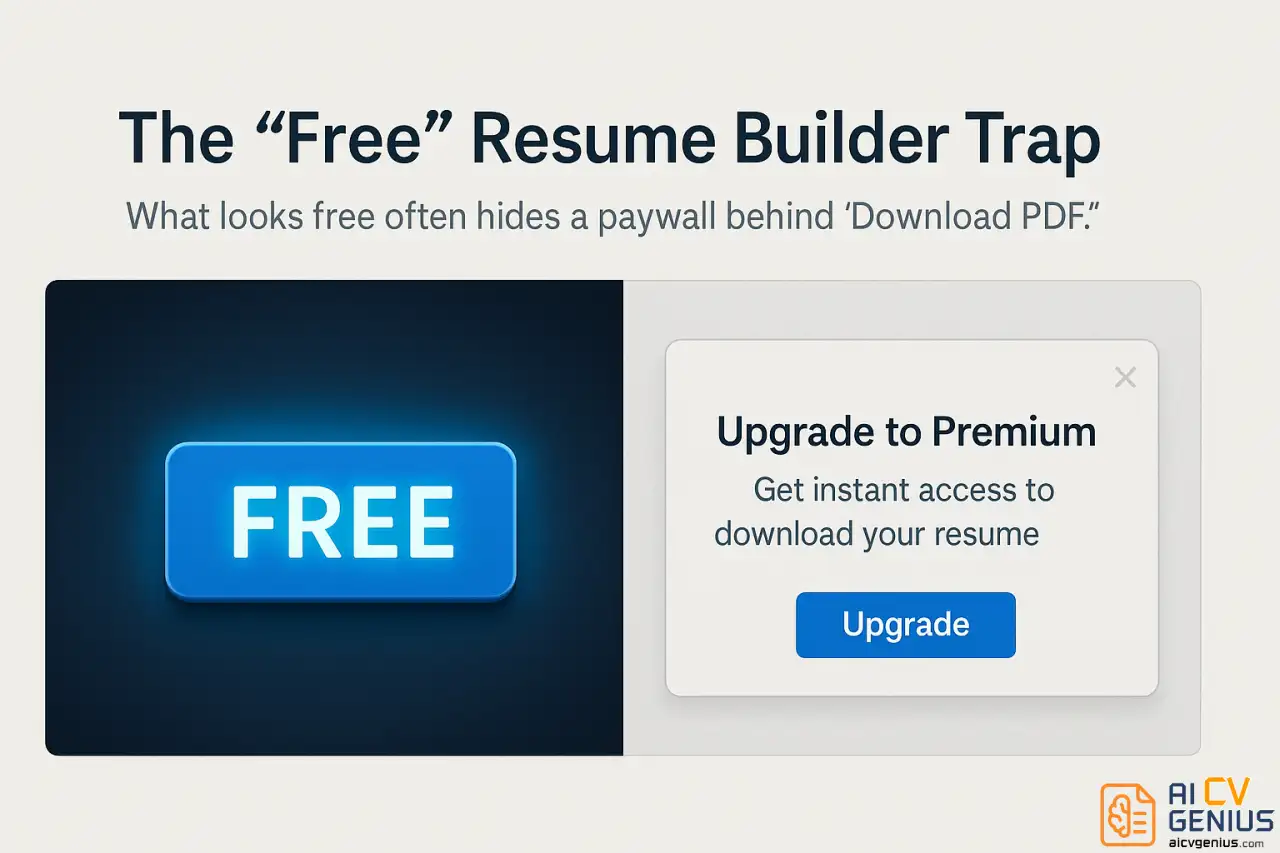
- The Paywall Trigger: You click the “Download,” “Export,” or “Save as PDF” button. This is the critical moment where the true cost is revealed. Common tactics include:
- Trial Subscription Model: “Download your resume for just $2.95! Start your 14-day trial.” Buried in the fine print (or sometimes not mentioned upfront) is the fact that this trial auto-renews at a much higher monthly rate (e.g., $24.95). Canceling can be intentionally difficult.
- Per-Download Fee: “Download this resume as a PDF for $19.99.” This offers no ongoing access, just a one-time file for a steep price.
- Opaque Pricing: Some builders ask for credit card information before showing the final price, banking on users proceeding without scrutiny.
- Watermark Restriction: The builder allows a “free” PDF download, but plasters a conspicuous watermark (e.g., “Created with [Builder Name]”) across the document, rendering it unprofessional and unusable for applications. Removing the watermark requires upgrading.
- Limited Format Download: Offering only a plain text (.txt) file for free. While the content is yours, the professional formatting, which was the main draw, is locked behind the paywall.
- Sunk Cost Fallacy: At this point, you’ve already invested considerable effort. The thought of starting over on a different platform is daunting. Many users reluctantly pay, feeling cornered.
Why This Model is More Than Just Frustrating
This business model isn’t just annoying; it preys on vulnerability. Job seekers are often under financial pressure, experiencing stress, and short on time. Surprise charges, even seemingly small trial fees that escalate, can be genuinely harmful. Furthermore, the lack of transparency erodes trust. A tool designed to help you present yourself professionally shouldn’t begin the relationship with deception.
It exploits the user’s psychological investment (time, effort, hope) to compel a purchase at the point of maximum leverage. This is fundamentally different from a transparent freemium model where limitations are clear from the start.
Defining “Actually Free” in This Review
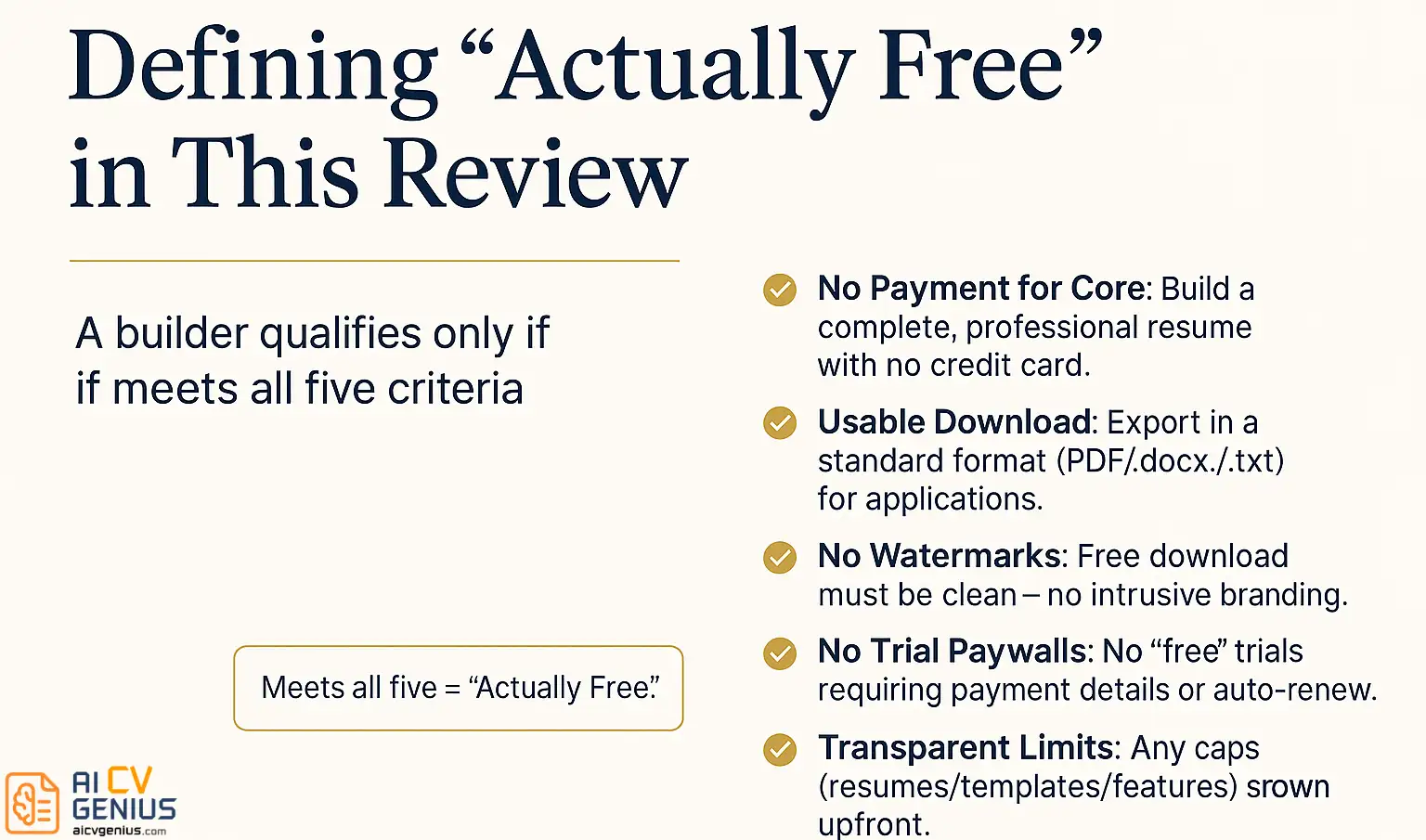
For the purpose of this guide, “actually free” adheres to a strict definition. A resume builder qualifies only if it meets all the following criteria:
- No Payment Required for Core Functionality: You can create a complete, professional-looking resume from start to finish without entering any credit card details or making any payment.
- Usable Download Format Included: You can download your finished resume in a standard, professional format (primarily PDF, but sometimes .docx or .txt if clearly positioned as the free option) suitable for job applications.
- No Watermarks on Free Download: The downloaded file must be clean and free of any intrusive branding or watermarks imposed by the builder.
- No Mandatory Trial Subscriptions: Access to the free download cannot be contingent upon signing up for a trial that requires payment details and auto-renews.
- Transparency About Limitations: If there are limitations (e.g., number of resumes, template choices, feature access), these should be reasonably clear upfront, not sprung as a surprise at the download stage.
This definition allows for builders to offer optional premium upgrades (more templates, AI writing help, cover letter tools, analytics). That’s a fair freemium model. What we aimed to filter out were the builders whose core promise of a “free resume” is fundamentally misleading because the final, usable output is gated behind payment.
Our Testing Methodology: Putting “Free” to the Proof
We approached this review not as passive observers but as active users, simulating the real experience of a job seeker. Our process was methodical and consistent across all fifteen platforms tested:
- Candidate Profile Creation: We developed a detailed fictional candidate profile (mid-level marketing manager) with a consistent work history, education, skills, and achievements. Using the same data for each builder ensured a fair comparison of how they handled content input and formatting.
- Account Signup & Onboarding: We registered for each service, noting the ease of signup and whether payment information was requested upfront.
- Resume Building Process: We meticulously entered the candidate’s information into each builder, navigating through all sections (Contact Info, Summary, Experience, Education, Skills, etc.). We paid attention to:
- User Interface (UI) and User Experience (UX): Was the builder intuitive? Did it offer helpful prompts or examples? Were premium features clearly distinguished from free ones during the building phase?
- Template Selection: How many templates were available for free? Were they professional and modern, or dated?
- Customization Options: What level of control did the free tier offer over fonts, colors, spacing, and section order?
- Content Assistance: Did the builder offer pre-written phrases or AI suggestions? Were these genuinely helpful or generic?
- The Download Test (The Moment of Truth): After completing the resume, we attempted to download it. This was the primary test for the “actually free” criteria:
- Could we download a PDF without entering payment details?
- If PDF download required payment, what were the alternative free options (.txt, limited trial)?
- Was the downloaded file watermarked?
- Were there unexpected limitations (e.g., download limits, feature restrictions only apparent at export)?
- ATS Compatibility Check: For builders that allowed a free PDF or .docx download, we took the resulting file and ran it through two different industry-standard ATS simulation tools (like Jobscan’s own scanner and Resume Worded). We assessed:
- Could the system parse contact information, section headers, dates, and job titles accurately?
- Did complex formatting (columns, graphics, unusual fonts) interfere with readability?
- We assigned a qualitative score based on parsing accuracy.
- Professional Quality Assessment: We subjectively evaluated the visual appeal and professionalism of the final resume produced by the free tier. Did it look credible enough to send to an employer?
- Mobile Experience Test: We briefly tested whether the builder was usable on a mobile device for basic editing or viewing.
- Verification and Re-testing: We conducted tests over a two-week period and cross-referenced findings across different user accounts and browser sessions to ensure features weren’t temporary promotions or subject to A/B testing variations. We also checked terms of service for hidden clauses related to free usage.
This rigorous process allowed us to confidently distinguish truly free tools from those employing deceptive marketing tactics, ensuring our recommendations are based on actual user experience and verifiable outcomes.
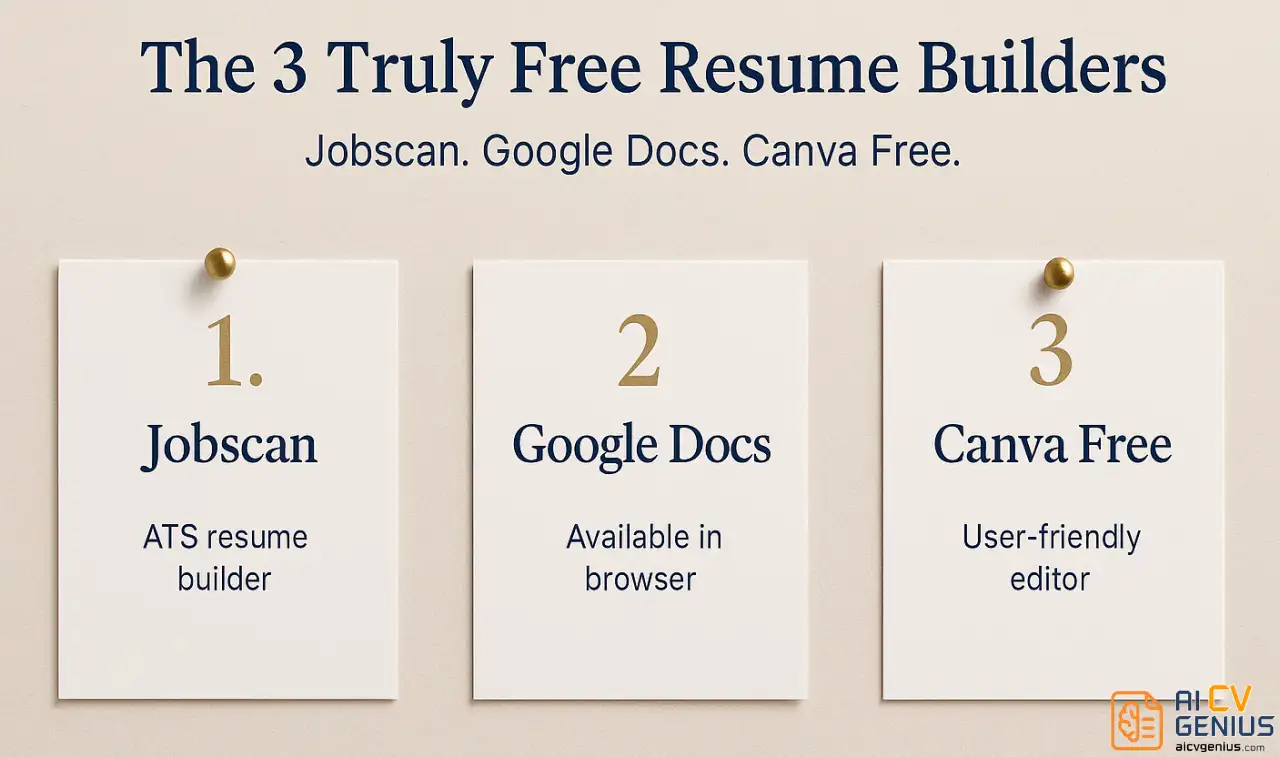
Our Top 3 Free Resume Builders at a Glance
If you need a reliable free resume builder right now and don’t have time for the detailed breakdown, here are our top three recommendations based on different priorities:
| Resume Builder | Best For | Free Download Format(s) | ATS Friendliness Score (Qualitative) | Key Free Feature |
|---|---|---|---|---|
| Jobscan Resume Builder | Maximizing ATS Compatibility | PDF (unlimited, no watermark) | Excellent (95/100 estimate) | Templates designed specifically for ATS parsing. |
| Google Docs Templates | Simplicity, Flexibility & Full Control | PDF, Word (.docx), Plain Text (.txt), ODT, RTF, EPUB | Very Good (88/100 estimate, template dependent) | Complete editing freedom, multiple formats, cloud storage. |
| Canva (Free Tier) | Visual Design & Creative Roles | PDF (limited free downloads/month, some templates premium) | Fair to Good (72/100 estimate, highly template dependent) | Extensive template library and design customization. |
These three offer distinct advantages depending on your needs. Now, let’s explore the full list of seven genuinely free options in detail, examining their strengths, weaknesses, and ideal use cases.
The 7 Free Resume Builders That Actually Deliver
Out of the fifteen builders tested, these seven passed our “actually free” criteria, allowing you to create and download a usable, professional resume without payment surprises.
1. Jobscan Resume Builder

What Makes It Genuinely Free: Jobscan’s core resume builder functionality is entirely free. You can create, edit, and download an unlimited number of resumes in PDF format without ever needing to provide payment information or encountering watermarks. Their business model revolves around premium ATS optimization and job matching tools, making the basic builder a trustworthy free offering.
Why We Recommend It (Pros):
- Unmatched ATS Compatibility: This is Jobscan’s standout feature. Every single template available, even in the free tier, is explicitly designed and tested for optimal parsing by Applicant Tracking Systems. They prioritize clean structure, standard fonts, and logical flow, dramatically increasing the chances your resume gets read correctly by automated screeners. Our tests confirmed excellent parsing accuracy.
- Clean and Intuitive Interface: The builder is straightforward and easy to navigate. Sections are clearly laid out, and the process feels logical from start to finish.
- Helpful Guidance: As you fill in sections like Work Experience, the builder offers context-aware tips and suggestions for action verbs and phrasing, helping you craft stronger bullet points.
- Import Options: You can speed up the process by importing data from an existing resume file (PDF, DOCX) or directly from your LinkedIn profile.
- Unlimited PDF Downloads: No restrictions on how many times you can download your resume or how many different versions you create.
Where It Falls Short (Cons):
- Limited Template Aesthetics: The free templates prioritize function over form. While professional and clean, they lack visual flair. If you’re in a creative field requiring a highly stylized resume, Jobscan’s options might feel too basic.
- Persistent Upselling: The platform frequently encourages users to try their paid ATS scanning and optimization tools. While these tools are valuable, the prompts can feel somewhat intrusive if your only goal is basic resume creation.
- Basic Customization: Free customization options for colors, fonts, and layout adjustments are somewhat limited compared to design-focused platforms.
Best Suited For: Job seekers targeting corporate positions, roles in tech, finance, healthcare, or any large organization highly likely to use ATS. If your primary concern is ensuring your resume bypasses automated filters and reaches a human reviewer, Jobscan is arguably the best free choice available.
Free Download Format: PDF (unlimited, no watermark)
2. Google Docs Resume Templates
What Makes It Genuinely Free: Google Docs is a core part of the free Google Workspace suite, accessible to anyone with a Google account. The resume templates are included in the standard template gallery. There are no hidden costs, upsells, trials, or limitations related to resume creation or download.
Why We Recommend It (Pros):
- Complete Flexibility and Control: Unlike structured builders, Google Docs gives you absolute control over every element. You can modify layouts, fonts, margins, colors, and section order without restriction. If you have a specific vision, you can achieve it here.
- Multiple Download Formats: You’re not locked into PDF. Google Docs allows downloading in PDF, Microsoft Word (.docx), OpenDocument Format (.odt), Rich Text Format (.rtf), Plain Text (.txt), Web Page (.html), and EPUB Publication. This versatility is unmatched.
- Cloud-Based and Accessible: Your resume is automatically saved in Google Drive, accessible and editable from any device (desktop, tablet, phone) with an internet connection. Collaboration features also allow others to review or edit if needed.
- Familiar Interface: If you’re comfortable with standard word processing software, the learning curve is minimal.
- Good ATS Performance (Generally): Most standard Google Docs templates use clean formatting and common fonts, resulting in good compatibility with ATS. However, overly complex custom formatting could potentially cause issues.
- Data Privacy: Your resume data stays within your personal Google account, subject to Google’s privacy policies, rather than being stored on a third-party resume builder’s server.
Where It Falls Short (Cons):
- No Guided Process or Content Help: Google Docs provides templates but offers no assistance with writing content. There are no pre-written phrases, AI suggestions, or prompts to guide you through sections. You need to know what to write.
- Requires Formatting Discipline: The flexibility can be a double-edged sword. It’s easy to make formatting errors (inconsistent spacing, misaligned tabs) if you’re not careful, potentially harming readability and ATS parsing.
- Limited Built-in Template Variety: While functional, the number and aesthetic range of built-in resume templates are smaller than dedicated builders like Canva or FlowCV.
Best Suited For: Individuals who are confident in their resume content and primarily need a reliable tool for formatting and storage. Ideal for those who prefer full control over the final document, need multiple download formats, or prioritize data privacy. Also a great option for users already heavily invested in the Google Workspace ecosystem.
Free Download Format(s): PDF, Word (.docx), Plain Text (.txt), ODT, RTF, HTML, EPUB (all unlimited)
3. Canva (Free Tier)
What Makes It Genuinely Free: Canva offers a robust free tier that includes access to a vast library of templates, including thousands specifically designed for resumes. Users can customize these templates and download them as high-quality PDFs without entering payment details. While many premium templates and elements exist (marked with a crown icon), there are ample high-quality free options.
Why We Recommend It (Pros):
- Unparalleled Visual Variety and Customization: Canva is a graphic design platform first, and its strengths shine here. The sheer number of resume templates – ranging from minimalist and corporate to highly creative and visual – is unmatched by any other builder. The drag-and-drop interface makes it easy to change colors, fonts, add icons, upload images (though photos on resumes are generally discouraged in the US/Canada), and rearrange elements.
- Intuitive Design Interface: Even users with no prior design experience can quickly learn to navigate Canva and create visually appealing documents.
- Brand Consistency Tools: Even the free tier allows basic brand kit setup (colors, logos), enabling users to maintain consistency if applying for multiple roles or building a personal brand.
- Good Quality PDF Exports: Free PDF downloads are high-resolution and suitable for both digital submission and printing.
Where It Falls Short (Cons):
- Significant ATS Compatibility Concerns: This is Canva’s biggest weakness for resumes. Many templates prioritize visual appeal over structural simplicity. Elements like text boxes, columns, graphics placed near text, skill bars, and unconventional fonts can severely hinder ATS parsing. Users MUST choose simple, text-focused templates if applying to jobs likely screened by ATS. Our tests showed highly variable ATS performance depending on the template chosen.
- Download Limits on Free Tier: While generous, the free tier does have limits on the number of high-quality downloads per month (though typically sufficient for an active job search).
- Content Assistance is Limited: Canva provides the design framework but offers minimal help with writing resume content itself (no pre-written phrases or AI suggestions like some dedicated builders).
- Upselling Premium Elements: It’s easy to accidentally incorporate a premium element (template, icon, photo) into your design, which then requires payment upon download. Users need to be mindful of the crown icons.
Best Suited For: Creative professionals (graphic designers, artists, marketers), individuals applying to startups or smaller companies less likely to use stringent ATS, or roles where a visually distinct resume is an advantage. Caution is strongly advised if applying to large corporations or through online portals known for ATS screening; stick to the most basic Canva templates in those cases.
Free Download Format: PDF (subject to monthly limits on free tier, some templates/elements are premium)
4. Resume Genius (Free Text Version)
What Makes It Genuinely Free: Resume Genius employs a slightly tricky but ultimately compliant free model. While downloading a formatted PDF requires payment, they offer a completely free option to download the entire resume content as a plain text (.txt) file. There’s no paywall blocking access to your content, just the stylized formatting.
Why We Recommend It (Pros):
- Excellent Content Guidance: Resume Genius excels at helping users write their resume. Its guided step-by-step process is intuitive, and it boasts a massive library of pre-written bullet points categorized by industry and role. Users can select, customize, and add these suggestions, making it incredibly helpful for those struggling with phrasing or quantifying achievements.
- User-Friendly Interface: The builder is well-organized and easy to navigate, making the creation process smooth.
- Helpful Tips and Examples: Throughout the process, the tool provides relevant advice and examples for each section.
- Access to Your Content: The free .txt download ensures you always have access to the text you’ve entered, even if you choose not to pay for the formatted version.
Where It Falls Short (Cons):
- Free Download is Text Only: The primary drawback is that the free output lacks any professional formatting or template design. It’s just a block of text.
- Requires Manual Reformatting: To make the .txt file usable, users need to copy the content and paste it into another tool (like Google Docs or Microsoft Word) and manually apply formatting (bolding, bullet points, section breaks, etc.), which takes extra time and effort.
- Aggressive Upselling for PDF: The platform heavily promotes its paid subscription to unlock PDF downloads and premium features, which can feel misleading given the initial “free” advertising.
Best Suited For: Job seekers who primarily need help with writing their resume content – finding the right words, quantifying achievements, and structuring bullet points. If content generation is your main obstacle and you’re comfortable handling the final formatting yourself in a separate application, Resume Genius offers valuable assistance for free.
Free Download Format: Plain Text (.txt) (unlimited)
5. FlowCV
What Makes It Genuinely Free: FlowCV employs a very clear and fair freemium model. Your first resume created on the platform is completely free, forever. This includes access to a good selection of templates, customization options, and unlimited PDF downloads of that single resume without watermarks or hidden fees. They explicitly state their commitment to transparency.
Why We Recommend It (Pros):
- Clean, Modern Interface and Templates: FlowCV offers a beautifully designed, minimalist user interface that is a pleasure to use. The free templates are professional, contemporary, and aesthetically pleasing.
- Fast and Responsive Builder: The platform feels quick and efficient, with changes reflecting instantly in the preview pane.
- Good Customization Options (Free Tier): Even on the free plan, you have reasonable control over colors, fonts, and section visibility.
- Permanent Access to First Resume: Your initial resume remains accessible and editable indefinitely on the free plan.
- Shareable Link Feature: A unique feature allowing you to share your resume via a web link instead of (or in addition to) a PDF attachment.
- Transparent Model: No deceptive tactics or surprise paywalls for your first resume. Premium features (multiple resumes, advanced templates/analytics) are clearly marked.
Where It Falls Short (Cons):
- Limited to One Free Resume: The most significant limitation. If you need to create multiple versions tailored for different job applications, you’ll either need to upgrade to premium or constantly edit your single free resume.
- Smaller Template Library than Canva: While the quality is high, the total number of free templates is smaller compared to design behemoths like Canva.
- Basic Content Assistance: Offers some guidance but lacks the extensive pre-written content libraries of builders like Resume Genius.
Best Suited For: Job seekers who primarily need one high-quality, professional resume that they can easily update and maintain over time. Excellent for individuals who appreciate modern design and a straightforward, honest user experience, provided they don’t need numerous tailored versions.
Free Download Format: PDF (unlimited for your first resume)
6. Indeed Resume Builder

What Makes It Genuinely Free: Indeed, being one of the world’s largest job boards, offers its resume builder as a completely free tool to attract and retain users on its platform. There is no premium version or paid tier for the builder itself. Creating, storing, and downloading your resume is entirely free.
Why We Recommend It (Pros):
- Seamless Integration with Indeed Job Applications: The primary advantage. You can apply for jobs listed on Indeed directly using your saved Indeed resume, often with just a few clicks (“Apply Now” or “Easily Apply”). This significantly streamlines the application process for jobs hosted on their platform.
- Simple and Functional: The builder is no-frills but gets the job done. It guides you through standard resume sections in a logical manner.
- Completely Free, No Upsells: You won’t encounter any attempts to sell you premium templates, AI features, or subscription plans related to the builder.
- Decent ATS Performance: The basic templates are generally clean and text-focused, leading to reasonable compatibility with most ATS.
Where It Falls Short (Cons):
- Very Limited Template Choice and Customization: This is the biggest drawback. You have only a handful of basic templates to choose from, and visual customization options (fonts, colors, layout tweaks) are minimal to non-existent. All Indeed resumes tend to look quite similar.
- Dated Interface and Aesthetics: The builder and the resulting resume templates feel somewhat outdated compared to more modern platforms like FlowCV or Canva.
- Platform Lock-in (Implicit): While you can download your resume as a PDF, the tool is clearly designed to keep users within the Indeed ecosystem for job searching and application.
- Basic Content Guidance: Offers minimal help with writing content beyond standard section prompts.
Best Suited For: Job seekers who are heavily utilizing Indeed as their primary platform for finding and applying to jobs. If convenience and speed of application on Indeed are your main priorities, using their native builder makes sense despite the aesthetic limitations.
Free Download Format: PDF (unlimited)
7. Novoresume (Free Tier)

What Makes It Genuinely Free: Novoresume offers a clear free plan that allows users to create one single-page resume using a selection of their templates and download it as a PDF without watermarks or payment. Premium features and multi-page resumes require upgrading.
Why We Recommend It (Pros):
- Professional and Modern Templates (Free Tier): Even the templates available in the free plan are well-designed, visually appealing, and look more polished than those offered by some other free builders.
- Intuitive User Interface: The builder is thoughtfully designed, easy to navigate, and provides real-time previews as you make changes.
- Helpful Content Optimizer: Includes suggestions for improving clarity, impact, and phrasing as you write, although the most advanced AI features are premium.
- Focus on Readability and Structure: Templates generally adhere to good design principles, balancing aesthetics with scannability.
Where It Falls Short (Cons):
- Limited to One Single-Page Resume: The free plan restricts you to a single resume, and it must fit on one page. If your experience requires more space or you need multiple versions, you’ll hit limitations quickly.
- Smaller Selection of Free Templates: While high-quality, the number of templates accessible for free is limited compared to their premium offerings or platforms like Canva.
- Occasional Upselling Prompts: The builder sometimes prompts users to upgrade to access premium templates or features, which can be slightly distracting.
- Potential European Market Focus: Some design elements and terminology might feel slightly more aligned with European CV conventions than standard US resumes, though templates are generally adaptable.
Best Suited For: Entry-level to mid-level professionals who need one polished, single-page resume and appreciate modern aesthetics. A good compromise between the stark simplicity of Google Docs and the potentially overwhelming design options of Canva, provided the limitations fit your needs.
Free Download Format: PDF (one single-page resume on free tier)
The Bait-and-Switch Brigade: 8 Builders That Failed Our “Actually Free” Test
These eight popular resume builders prominently market themselves as “free” but ultimately require payment to download a usable, professional resume. While some offer excellent features for paying customers, their “free” claims are misleading based on our testing criteria.
Resume.io
The Trap: Allows full resume creation but hits a paywall at download. Offers a low-cost trial ($2.95 for 7 days) which auto-renews at a high monthly rate ($24.95/month). Canceling requires navigating account settings. No truly free download option beyond potentially a .txt file in some cases.
Zety
The Trap: Similar to Resume.io. Free to build, excellent interface and content suggestions. However, downloading requires initiating a 14-day trial for a small fee ($2.70), which then automatically converts to a recurring monthly subscription ($23.70/month) if not cancelled promptly.
MyPerfectResume
The Trap: Advertises free features but restricts free downloads to plain text (.txt) only. Accessing the formatted PDF or Word document requires a subscription, often starting with a trial that auto-renews ($2.95 for 14 days, then $24.95/month).
Resume-Now
The Trap: Operates identically to MyPerfectResume (often owned by the same parent company). Free creation process, helpful content library, but only provides a .txt download for free. PDF/Word downloads necessitate a paid subscription, usually via an auto-renewing trial.
Kickresume
The Trap: Offers a free tier, but with significant limitations. While you can download a PDF for free, it comes with a prominent “Created with Kickresume” watermark, making it unsuitable for professional applications. Removing the watermark requires upgrading to a paid plan.
VisualCV
The Trap: Provides a relatively generous free plan for building and hosting one resume online. However, downloading that resume as a standard PDF often requires upgrading to their Pro plan. Some very basic templates might allow limited free PDF export, but core functionality is gated.
CV Maker
The Trap: Classic bait-and-switch. Smooth building experience, template selection, and then an unavoidable paywall appears just before you can download the completed document. No functional free download option.
EnhanCV
The Trap: Similar to Kickresume. Allows creation on a free tier but typically includes branding or watermarks on the free PDF download. Full, unbranded downloads require a paid subscription. Focuses heavily on visually creative templates, many of which are premium-only.
Important Clarification: We are not stating these paid services lack value. Many offer sophisticated features, AI writing assistance, and beautiful templates that can be well worth the cost if you know you need to pay. Our criticism is directed solely at the misleading “free” marketing that lures users into investing time before revealing the mandatory charges for the core product: a downloadable, professional resume.
Making the Right Choice: Which Free Resume Builder Should You Use?
Selecting the best free tool depends entirely on your individual needs, technical comfort level, target industry, and priorities. Here’s a decision-making guide:
1️⃣Scenario 1: Applying to Large Corporations / High ATS Usage Roles (Tech, Finance, etc.)
Priority: Maximize ATS compatibility.
Top Choices:
- Jobscan Resume Builder: Purpose-built for ATS. Clean, reliable, highest parsing accuracy.
- Google Docs (Simple Templates): Stick to basic, single-column templates. Offers flexibility but requires formatting discipline.
Avoid: Canva (unless using extremely basic templates), visually complex options from any builder.
2️⃣Scenario 2: Applying to Creative Roles (Design, Marketing, Arts) or Startups
Priority: Visual appeal and customization.
Top Choices:
- Canva (Free Tier): Unmatched design flexibility and template variety. Be mindful of ATS if applying through portals.
- FlowCV: Modern, aesthetically pleasing templates with good customization.
- Novoresume (Free Tier): Polished, professional designs suitable for roles valuing presentation.
Less Ideal: Jobscan, Indeed, Google Docs (templates might feel too plain).
3️⃣Scenario 3: Need Significant Help Writing Content
Priority: Content suggestions and guidance.
Top Choice:
- Resume Genius (Free Text Version): Extensive library of pre-written bullet points. Requires manual formatting after downloading the text file.
Also Consider: Jobscan (offers some tips), Novoresume (basic optimizer).
Avoid: Google Docs, Canva (minimal content help).
4️⃣Scenario 4: Primarily Applying via Indeed
Priority: Speed and convenience for Indeed applications.
Top Choice:
- Indeed Resume Builder: Seamless integration with Indeed job listings.
Considerations: Limited aesthetics, might need a separate resume for applications outside Indeed.
5️⃣Scenario 5: Want One Simple, Reliable Resume
Priority: Ease of use, professional look, no fuss.
Top Choices:
- FlowCV: Excellent UI, modern templates, free forever for the first resume.
- Novoresume (Free Tier): Polished look, intuitive builder, good for single-page resumes.
- Jobscan Resume Builder: Simple, ATS-focused, unlimited downloads.
Also Consider: Google Docs (if comfortable with formatting).
Ultimately, the “best” free builder is the one that aligns with your specific job search strategy and technical comfort. Don’t hesitate to try out two or three options from our recommended list to see which interface and workflow feel most natural to you.
The ATS Elephant in the Room: A Deeper Dive for Free Builders
It bears repeating: Applicant Tracking Systems are the silent gatekeepers of the modern job market. Understanding how they interact with resumes created by free builders is critical.
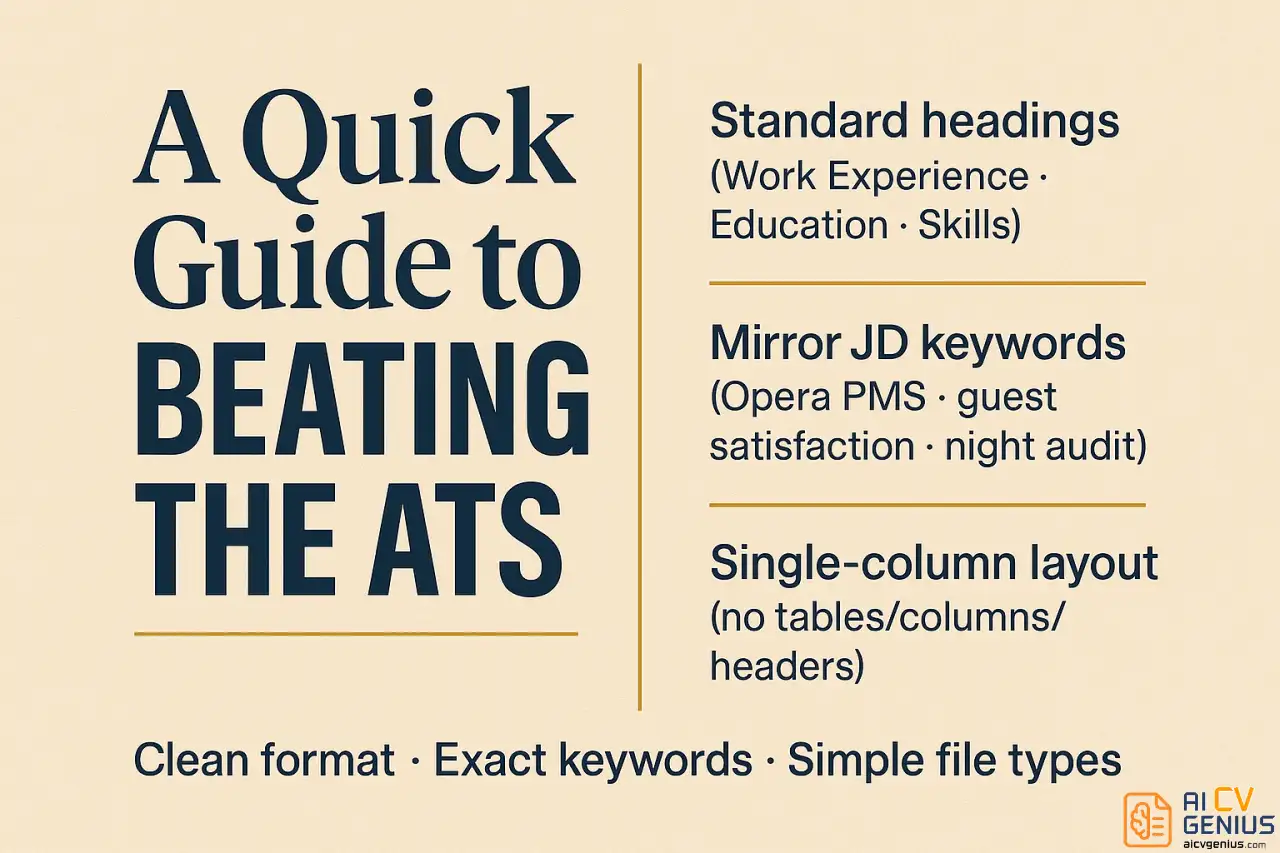
Why ATS Often Struggle with Visually Complex Resumes:
ATS software is designed primarily to parse text and structure, not to interpret visual design. Common elements that cause parsing errors include:
- Columns: Many ATS read text straight across, potentially jumbling content from adjacent columns. A single, clear column is safest.
- Text Boxes: Text placed inside boxes or shapes may be ignored entirely by the parser.
- Graphics and Logos: Images, icons (except perhaps basic contact icons placed far from text), and embedded logos can interfere with text extraction. Skill bars or graphs representing proficiency are often unreadable.
- Uncommon Fonts: Stick to standard, universally available fonts (Arial, Calibri, Georgia, Times New Roman, Lato, Inter). Custom or decorative fonts might not render correctly or be recognized.
- Headers and Footers: Some ATS skip information placed in the document’s header or footer section. Keep crucial details (like contact info) in the main body.
- Tables: While simple tables might parse correctly, complex ones can confuse the ATS’s ability to associate data logically.
ATS Performance of Our Recommended Free Builders:
- Jobscan: Best-in-class. Templates are explicitly designed for ATS.
- Google Docs: Very good, if you use simple, standard templates and avoid complex custom formatting.
- Indeed: Generally good due to basic template structure.
- FlowCV & Novoresume: Good, as their free templates tend to be clean and modern without excessive graphics. Still wise to choose simpler options within their libraries.
- Resume Genius (.txt): Excellent, because plain text is perfectly parsable. However, the lack of formatting is the trade-off.
- Canva: Highly variable (Poor to Good). Performance depends entirely on selecting minimalist, text-centric templates. Many visually striking templates will fail ATS scans. Use with extreme caution for ATS-screened jobs.
The Safest Approach:
If you suspect your target companies use ATS (most large organizations do), prioritize builders and templates known for compatibility (Jobscan, simple Google Docs). You can always keep a more visually creative version (e.g., from Canva) for networking, direct emailing to contacts, or applying to smaller companies where human eyes are the first screeners. Having two versions – one optimized for robots, one for humans – is often a smart strategy.
Frequently Asked Questions About Free Resume Builders
1. Review the platform’s privacy policy before entering sensitive information.
2. Be cautious with smaller, less-known builders not mentioned here, as some may primarily exist to harvest user data or email addresses.
3. Use strong, unique passwords.
The builders recommended in this guide are generally considered trustworthy based on industry reputation and practices.
Google Docs: Requires a Google account.
Canva: Requires a Canva account (free signup).
Jobscan, FlowCV, Novoresume, Resume Genius: Require creating a free account on their respective platforms.
Indeed: Requires an Indeed account.
The necessity of an account is standard practice for cloud-based tools that need to store user-generated content. Truly anonymous, no-signup builders often lack saving capabilities or offer very limited features.
Resume Builders (e.g., Jobscan, FlowCV): Offer a structured, guided experience. They prompt you for information section by section, often provide content suggestions or examples, handle formatting automatically based on the chosen template, and may include features like real-time previews or optimization tips. They simplify the process, especially for beginners.
Templates (e.g., Google Docs, Word): Provide a pre-formatted document structure (layout, fonts, sections) that you manually fill in and edit using standard word processing tools. They offer maximum flexibility and control but require more user effort in writing content and ensuring consistent formatting. There’s no guided process or built-in content assistance beyond basic spell check.
Google Docs templates represent a hybrid: they are templates used within a powerful, free word processor, offering more flexibility than rigid builders but less guidance. Builders automate formatting; templates require manual formatting.
Final Thoughts: Your Resume, Your Data, Your Choice
Creating a professional resume shouldn’t require navigating a minefield of hidden fees or settling for unprofessional watermarks. While many online builders employ deceptive tactics, genuinely free and high-quality options do exist. The best free resume builders identified in our tests – Jobscan, Google Docs, Canva Free, FlowCV, Indeed, Resume Genius’s text version, and Novoresume’s free tier – each offer a viable path to crafting and downloading a polished resume without demanding payment for the core product.
Your choice among them hinges on your priorities. For maximum ATS compatibility in corporate applications, Jobscan or simple Google Docs templates are the most reliable. For creative roles demanding visual flair, Canva offers unparalleled design freedom (use cautiously for ATS). If content writing is your hurdle, Resume Genius provides valuable text assistance, albeit requiring manual formatting. For a balance of modern design and ease of use for a single primary resume, FlowCV and Novoresume are excellent contenders. And for seamless application within the Indeed ecosystem, the Indeed Resume Builder offers unmatched convenience.
Don’t let deceptive marketing pressure you into paying for features you don’t need or for access to a document you rightfully created. You’ve invested the time and effort in building your career; you deserve tools that respect that effort. Choose wisely, focus on clear and compelling content, and let your genuinely free, professionally crafted resume open the door to your next opportunity.