
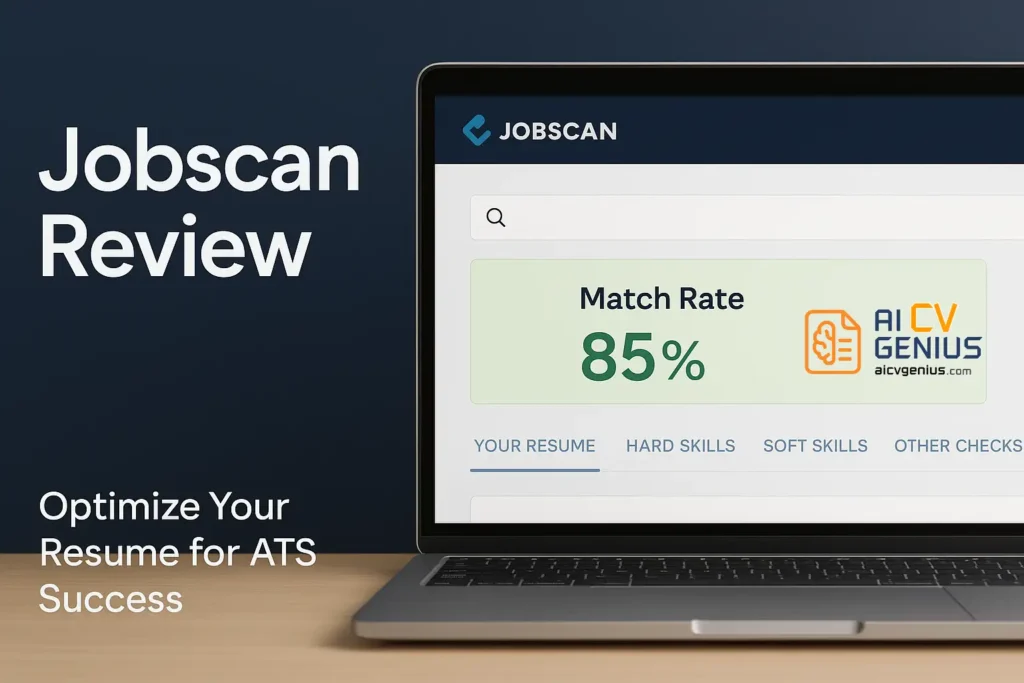
- Jobscan is not a resume builder: It compares your resume to a job description and flags keyword gaps, formatting issues, and a match score.
- The workflow is simple: Upload your resume, paste the posting, scan, then add missing keywords naturally until you reach about 80 to 90 percent.
- The strongest features target ATS visibility: ATS simulation, keyword and skill gap analysis, LinkedIn optimization, and a cover letter check for premium users.
- Pricing is tiered: Free gives 5 scans per month, monthly is $49.95 for unlimited scans plus LinkedIn and cover letter checks, longer plans lower the effective cost.
- Best for heavy applicants and pivots: New grads, mid level pros, executives, career changers, and freelancers going corporate, but it can feel pricey for light use.
If you’ve ever sent out dozens of resumes only to get the same robotic rejection email – “Thank you for your application, but we’ve decided not to move forward” – you’re not alone. Today, more than 90% of Fortune 500 companies use ATS (Applicant Tracking Systems) to filter resumes before they reach human recruiters. That’s where Jobscan enters the story: a tool designed to help you beat the bots and finally land that interview call.
This review won’t just list features and prices. Instead, we’ll walk through the emotional journey of job seekers – what it feels like to be ignored, how Jobscan changes the game, and whether it’s really worth your money.
The Problem: ATS vs. Humans
The ATS Problem
Imagine you’re Sarah, a marketing graduate. You have solid internships, a good GPA, even a few freelance projects. You apply to 50 jobs, carefully tailoring each resume (or so you think). Out of those 50, only two companies reply – and both are rejections.
The culprit? ATS algorithms. These systems scan for keywords, filter out resumes without exact matches, and may even reject resumes with headers, tables, or fancy designs. The result: qualified candidates often don’t get seen.
This is the pain point Jobscan was built to solve.
What Is Jobscan?
Launched in 2013, Jobscan was created by a frustrated job seeker who kept applying without success. The idea was simple but powerful: build a tool that compares your resume against a job description and tells you what’s missing. Over time, it evolved into a full-fledged platform with ATS simulation, LinkedIn checks, and cover letter optimization.
Unlike flashy resume builders (think Canva or Resume.io), Jobscan is a behind-the-scenes optimizer. It doesn’t try to make your resume “prettier.” Instead, it makes sure your resume speaks ATS language.
How Jobscan Works: Features & Process
How Jobscan Works (Step by Step)
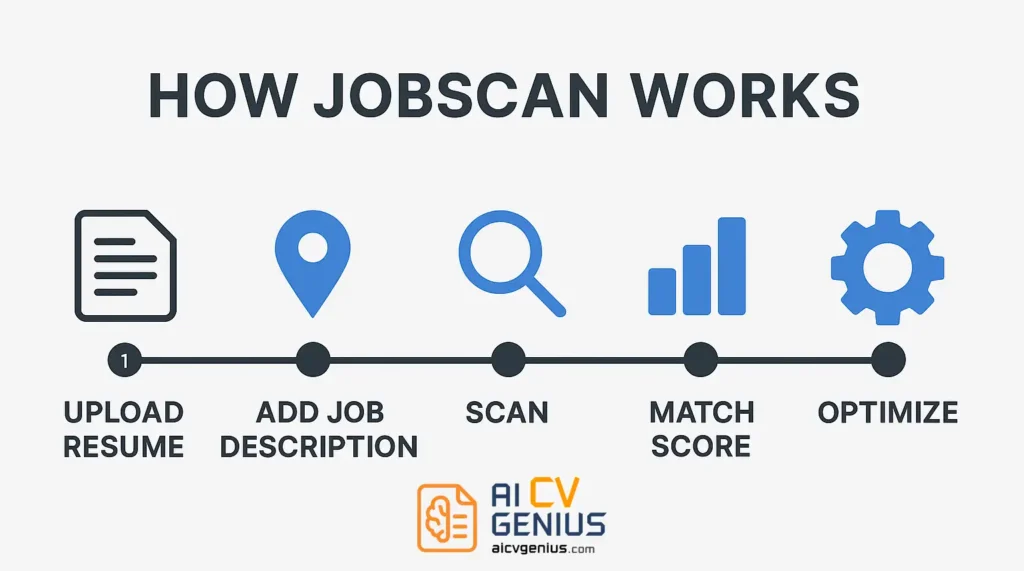
- Upload Your Resume: Paste or upload your document.
- Add a Job Description: Copy the posting you want.
- Scan: The system analyzes keyword match, skills, formatting.
- Match Rate: Get a score out of 100. Under 50%? Don’t apply yet.
- Optimize: Insert missing keywords naturally until you reach 80–90%.
It’s like spellcheck – but instead of grammar, it checks your career language.
Key Features Through a Job Seeker’s Eyes
Resume-Job Match Score
Think of this as your “resume GPA.” Jobscan doesn’t just say “good” or “bad.” It breaks down missing hard skills, soft skills, and industry keywords. For Sarah the marketing graduate, that meant realizing she never once wrote “campaign management,” even though she had done it in internships.
ATS Simulation
Jobscan simulates top ATS like Workday, Taleo, and iCIMS. If your resume formatting breaks the system, it warns you. This saved Ana, a senior executive, from submitting a resume full of tables that ATS couldn’t read.
Keyword & Skill Gaps
Jobscan tells you “This job says ‘SEO’ five times. Your resume says it once.” It’s painfully honest but incredibly useful.
LinkedIn Optimization
Jobscan doesn’t stop at resumes. It scores your LinkedIn profile against job postings. Considering recruiters search LinkedIn before email inboxes, this is a major bonus.
Cover Letter Check
Premium users get cover letter scans too – ensuring your opening line isn’t just polite, but keyword-rich.
Value, Pricing & Target Audience
Pricing (and The Psychology of Paying)
| Plan | Price | What You Get |
|---|---|---|
| Free | $0 | 5 scans/month, limited features. |
| Monthly | $49.95 | Unlimited scans, LinkedIn & cover letter checks, premium support. |
| Quarterly | $89.95 | Same features, discounted. |
| Semi-Annual | $149.95 | Best value for long-term seekers. |
Yes, $50/month feels steep. But if one interview leads to one offer, that cost suddenly looks tiny. For casual users, the free plan may be enough.
Who Benefits Most from Jobscan?
- New Graduates: Translate school projects into employer keywords.
- Mid-Level Professionals: Perfect for tailoring resumes to dozens of openings.
- Executives: Ensures formatting doesn’t kill your chances.
- Career Changers: Highlights transferable skills in ATS-friendly language.
- Freelancers Going Corporate: Converts “clients” into “accounts” and “deliverables.”
Analysis: Case Studies & Competitors
Stories That Show the Difference
Case 1: The Graduate
Emma had 0 replies after 30 applications. Jobscan showed her she was missing basic keywords like “data analysis” and “collaboration.” After adjusting, she got her first callback within two weeks.
Case 2: The Marketing Manager
James used Jobscan to tailor his resume to each role. His match scores went from 45% to 90%. Within a month, he had three interviews lined up.
Case 3: The Executive
Ana’s beautiful two-page resume was invisible to ATS. Jobscan flagged the formatting. A clean, ATS-proof version finally got her through.
Case 4: The Career Changer
David, a teacher, wanted corporate training jobs. Jobscan suggested keywords like “instructional design” and “learning development.” Suddenly, his resume looked like it belonged in HR – and it worked.
Case 5: The Freelancer
Lina had years of freelance design. Jobscan helped her rewrite “clients” as “accounts” and “projects” as “deliverables.” Recruiters finally recognized her experience as professional-grade.
Jobscan vs Competitors (Creative Lens)
| Feature | Jobscan | Resume.io | Kickresume | Enhancv | Zety |
|---|---|---|---|---|---|
| ATS Optimization | ⭐⭐⭐⭐⭐ | ⭐⭐ | ⭐⭐⭐ | ⭐⭐ | ⭐⭐ |
| Resume Design | ⭐ | ⭐⭐⭐⭐ | ⭐⭐⭐⭐ | ⭐⭐⭐⭐ | ⭐⭐⭐ |
| Keyword Analysis | ⭐⭐⭐⭐⭐ | ⭐ | ⭐⭐⭐ | ⭐ | ⭐⭐ |
| Pricing | $49.95/mo | $24.95/mo | $19/mo | $24.99/mo | $23.99/mo |
In short: if you want beauty, go with Canva or Kickresume. If you want results, go with Jobscan.
Pros & Cons
| Pros | Cons |
|---|---|
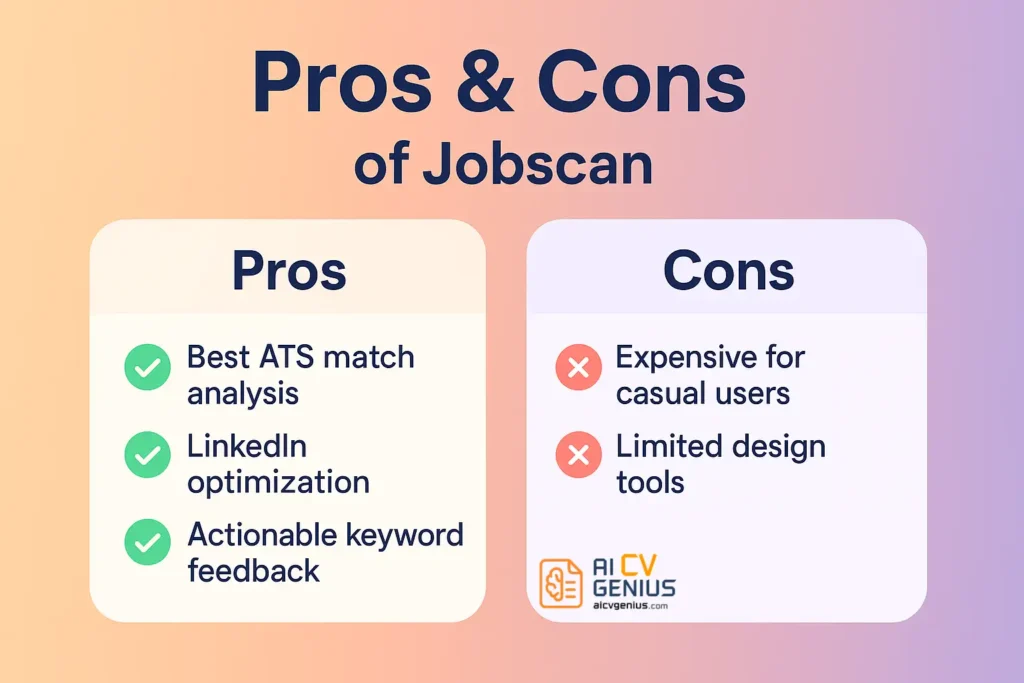
| ✅ Best ATS optimization available | ❌ Expensive for light users |
| ✅ Keyword gap analysis is invaluable | ❌ Design/templates are basic |
| ✅ Works for LinkedIn & Cover Letters | ❌ Free plan is too limited |
Final Verdict & FAQ
FAQ
Final Verdict
Jobscan isn’t glamorous. It won’t give you a flashy infographic resume. But it will help your resume survive the robots guarding HR inboxes. For job seekers tired of ghosting and rejection emails, it’s less of a luxury and more of a secret weapon. If one interview leads to one job offer, Jobscan pays for itself a hundred times over.