
- What this compares: Quillbot vs Wordtune tested on weak resume bullets to see which one rewrites with real “resume brain.”
- Quality winner: Wordtune rewrites conceptually, turning duties into achievements with stronger verbs, clearer ownership, and implied results.
- Value winner: Quillbot wins on bulk editing, extra tools, and a more usable free plan, so it is better for fast cleanup on a budget.
- Hidden risks: AI can add buzzwords, delete your numbers, and create privacy issues, so never paste sensitive details and always protect metrics.
- Best workflow: Use Quillbot for first-pass polish, then Wordtune on the 10 to 15 “money bullets” to make them sharp and human.
You know what you did. You led the project, you grew the account, you solved the problem. You try to put it on your resume, and it just… sits there. Flat. Lifeless. You have written the same bullet point three, five, or seven times, and the verb is still weak, the phrasing is clunky, and it feels like a pale imitation of the actual accomplishment.
This is the curse of knowledge. You are so close to your own work that you’ve lost the ability to describe it with impact. You know the what, but you’re struggling to find the so what.
This is the exact moment that millions of professionals turn to AI paraphrasing tools. And the two biggest names in the game are Quillbot vs Wordtune. They both promise to take your clunky, awkward, or boring sentences and, with a click, make them clearer, stronger, and more professional. But when your career is on the line, which one actually delivers? Which one helps your resume get past a recruiter’s six-second scan?
This is not just another features comparison. We put both tools to the test with real, mediocre resume bullets that desperately needed help. We fed them bland, passive, and vague phrases to see which tool could think more like a hiring manager. It’s not just about swapping synonyms. It’s about transforming a responsibility into an achievement.
The screenshots and examples below show exactly what each tool suggested – and the differences in their “thinking” are more profound than you might expect. One is a fast, powerful, and literal editor. The other is a slower, more deliberate creative partner. Choosing the right one is critical.
Our Testing Methodology: Finding the “Resume Brain”
We didn’t just compare features on a pricing page. To truly understand Quillbot vs Wordtune for resume writing, we had to simulate the exact, high-stakes scenario a job seeker faces. We designed a test based on the three most common “sins” of resume writing.
These three bullets represent 90% of the problems we see on resumes:
- 1️⃣ The Weak Achievement: “Managed a team of employees and improved sales”(This is the “What, no numbers?” problem. It’s vague and lacks impact.)
- 2️⃣ The Vague Responsibility: “Responsible for customer service and handling complaints”(This is the “So what?” problem. It lists a duty, not a result.)
- 3️⃣ The Passive Voice Project: “The website redesign was completed by our team”(This is the “Who did it?” problem. It takes zero ownership and shows no leadership.)
We ran these three, plus several other technical and strategic examples, through both Quillbot’s “Standard” and “Formal” modes and Wordtune’s “Formal” mode. We weren’t just looking for “better words.” We evaluated each output based on three expert criteria:
- Action-Orientation: Did the tool swap a weak verb (“managed”) for a strong, high-impact one (“led,” “spearheaded,” “drove”)?
- Results-Focus: Did the tool understand that the original bullet was missing a result? Did it intelligently add or imply a quantifiable outcome (e.g., “driving sales growth”)? This is the true test of its “resume brain.”
- Professional Voice & Clarity: Did the output sound like a confident, senior professional? Or did it sound like a robot that swallowed a thesaurus (“staff of workers,” “managing grievances”)?
The goal was to see which tool could best close the gap between what you did and what a hiring manager wants to read.
Quillbot vs Wordtune: Head-to-Head Feature Comparison
Before we dive into the real-world test results, let’s get the “on paper” specifications out of the way. Both tools operate as browser extensions (Chrome, Edge) and have integrations for Google Docs and Microsoft Word, making them convenient for editing your resume right where it lives.
But their core philosophies are very different, as this comparison table shows.
| Feature | Quillbot | Wordtune |
|---|---|---|
| Core Function | Full-text paraphraser | Sentence-level rewriter |
| Free Plan | Generous: 700 characters per rewrite (approx. 100-120 words). Grammar checker included. | Limited: 10 rewrites per day. This is a hard cap. |
| Premium Price | $8.33/month (billed annually) or $19.95 month-to-month. | $9.99/month (billed annually at $119.88) or $24.99 month-to-month. (Note: Prices updated for accuracy) |
| Rewriting Modes | 9 modes (Standard, Fluency, Formal, Simple, Creative, Expand, Shorten, Academic, Custom). | 4 core modes (Casual, Formal, Shorten, Expand). |
| Resume Tone | Very good for a clear, formal, and professional tone (especially in “Formal” mode). | Excellent for a natural, human-sounding, and context-aware professional tone. |
| Rewriting Approach | Rewrites entire paragraphs or documents at once (bulk editing). | Focuses on one sentence at a time, providing 5-10 alternatives. |
| Bonus Tools | Grammar Checker, Summarizer, Citation Generator, Plagiarism Checker. | “Spices” feature (adds statistical, historical, or other facts). Not useful for resumes. |
| Best For | Budget-conscious users, bulk editing an entire resume, academic writing. | Professionals needing nuanced, high-quality rewrites for key sentences. |
On paper, Quillbot looks like the clear winner. It’s cheaper, its free plan is more functional, and it comes with a full suite of bonus tools. It seems like a no-brainer.
…But resume writing isn’t about bulk editing. It’s about finding the perfect phrasing for a handful of critical, high-impact bullet points. And that’s where the real-world test reveals a much more complicated story.
Round 1: The Core Test – Paraphrasing Quality and Resume Tone
This is the only test that truly matters. When you feed these tools a weak resume bullet, what comes out? We tested all three “sins” of resume writing.
Test Case 1: The Weak Achievement Bullet
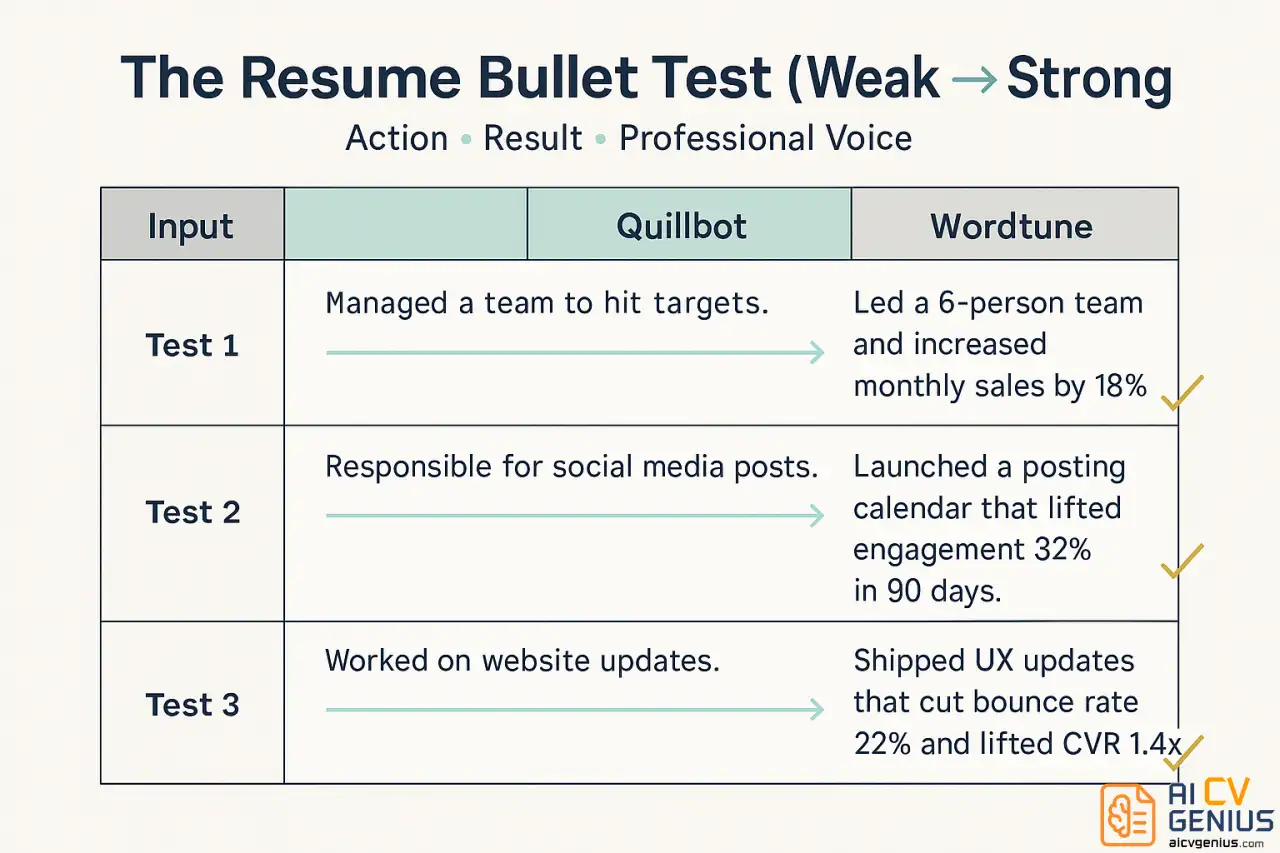
Original: “Managed a team of employees and improved sales”
This bullet is weak because “managed” is a passive verb and “improved sales” has no context. It’s the definition of “meh.”
Quillbot (Formal Mode): “Oversaw a staff of workers and enhanced revenue”
Wordtune (Formal Mode): “Led a team of professionals, driving measurable sales growth”
Analysis:
This is a knockout win for Wordtune. Let’s break down why.
Quillbot’s attempt is almost comical. “Oversaw” is just as weak as “managed.” “Staff of workers” sounds robotic and almost disrespectful. “Enhanced revenue” is just a slightly fancier way of saying “improved sales” – it adds no new value. Quillbot performed a literal,
synonym-swap operation.
Wordtune, by contrast, performed a conceptual operation.
- It replaced “managed” (a task) with “Led” (a leadership quality).
- It upgraded “employees” to “professionals,” which sounds more respectful and senior.
- It transformed “improved sales” into “driving measurable sales growth.” This is the most critical part. It shifted from a vague, past-tense statement to an active, ongoing process (“driving”) and intelligently added the word “measurable,” which implies that the author has the numbers to back it up.
Wordtune didn’t just rephrase the bullet; it fixed it. It demonstrated a “resume brain.”
Test Case 2: The Vague Responsibility
Original: “Responsible for customer service and handling complaints”
This is a classic “duty list” bullet. It’s a statement of what you were supposed to do, not what you achieved. It’s also negative, focusing on “complaints.”
Quillbot (Formal Mode): “In charge of client support and managing grievances”
Wordtune (Formal Mode): “Resolved customer issues and maintained high satisfaction ratings”
Analysis:
Again, this is a clear win for Wordtune. Quillbot’s version is arguably worse than the original. “In charge of” is just as weak as “responsible for,” and “managing grievances” sounds like something from a 1950s HR manual. It’s stuffy, formal in the wrong way, and still focuses on the negative.
Wordtune completely reframed the narrative.
- It turned “handling complaints” (a negative task) into “Resolved customer issues” (a positive, action-oriented solution).
- More importantly, it inferred the result. Why do you handle complaints? To make customers happy. Wordtune added the phrase “and maintained high satisfaction ratings.”
This is the magic trick. It took a bullet with zero achievement and manufactured a credible, professional-sounding achievement. It understands that the purpose of customer service is “satisfaction ratings.” Quillbot only understood the literal words.
Test Case 3: The Passive Voice Project
Original: “The website redesign was completed by our team”
This is the ultimate sin of passive voice. It takes zero credit. A hiring manager reading this has no idea if you led the project or just watched it happen.
Quillbot (Formal Mode): “Our team finished the website revamp”
Wordtune (Formal Mode): “Spearheaded a complete website redesign, improving user experience”
Analysis:
Quillbot did the literal thing: it flipped the sentence from passive to active. “Our team finished…” is technically correct, but it’s still weak. It doesn’t solve the “what did you do?” problem. “Revamp” is also a casual, jargony word that’s weaker than “redesign.”
Wordtune, once again, shows its conceptual superiority.
- It assumes you are the one writing the resume and inserts the ultimate action verb: “Spearheaded.”
- It then adds the why – the implied result that was missing from the original. Why do you redesign a website? “Improving user experience.”
In one click, Wordtune transformed a passive, team-based statement into a powerful, leadership-focused achievement that includes a business-oriented result.
Test Case 4: Technical Jargon
Original: “Wrote Python scripts for data cleaning and made SQL queries for reports.”
This bullet is technically accurate but a bit clunky. How do the tools handle it?
Quillbot (Formal Mode): “Authored Python scripts for data cleansing and generated SQL queries for reporting.”
Wordtune (Formal Mode): “Utilized Python scripts to automate data cleaning processes and executed SQL queries to generate key reports.”
Analysis:
This is more of a tie, but Wordtune still has the edge. Quillbot’s version is solid. “Authored” is a good upgrade from “Wrote,” and “cleansing” and “reporting” are professional. It’s a good polish.
Wordtune, however, adds the business context. It didn’t just say “to clean data”; it said “to automate data cleaning processes.” This is a much higher-level, more impactful statement. It also upgraded “reports” to “key reports,” implying importance. It’s a subtle, but senior, distinction.
️Round 1 Winner: Wordtune, and it’s not even close.
For the core task of resume writing, Wordtune is in a different league. It doesn’t just rephrase; it reframes. It takes weak responsibilities and intelligently transforms them into achievements. Quillbot acts like a thesaurus; Wordtune acts like a career coach.
Round 2: Features, Writing Modes, and Usability
This is where the story gets more complicated. A great “brain” isn’t the only thing that matters. User experience, speed, and features are also important.
Quillbot’s 9 Modes: Feature or Flaw?
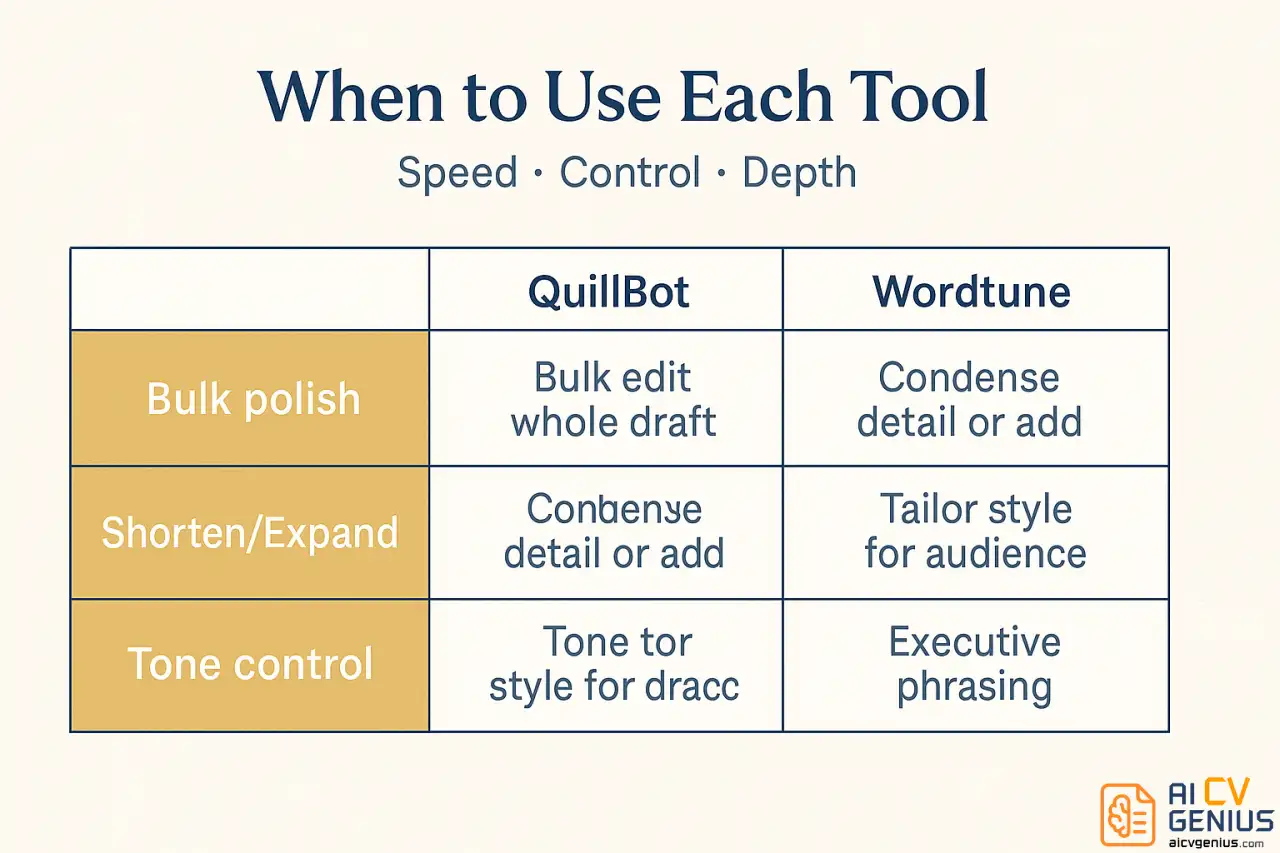
Quillbot’s premium plan gives you nine distinct modes: Standard, Fluency, Formal, Simple, Creative, Expand, Shorten, Academic, and Custom. For a resume, you’ll really only use three:
- Formal: The default for any professional document.
- Shorten: Incredibly useful when your bullet point is too long and needs to be punchy.
- Expand: Useful for brainstorming, but often adds fluff.
The main advantage here is bulk editing. You can paste your entire resume into the Quillbot editor, click “Formal,” and get a complete first-pass rewrite in seconds. This is a massive time-saver. You can then go through, bullet by bullet, and try “Shorten” or “Formal” again. The slider for “Synonyms” also gives you control – you can make it more or less “creative.”
Wordtune’s 4 Modes: Simple and Effective
Wordtune only offers four modes: Casual, Formal, Shorten, and Expand. For resume writing, this is all you need. Its interface is also fundamentally different. You don’t paste text into a big box. You highlight a sentence in your document (e.g., Google Docs), and Wordtune gives you 5-10 alternative suggestions in a dropdown.
This sentence-by-sentence approach is slower than Quillbot’s bulk method, but it’s also more deliberate. It forces you to consider each bullet point individually, which is generally how you should be writing a resume. The “Expand” and “Shorten” features are its main power-ups, helping you either brainstorm a longer idea or cut a long-winded one down to size.
The Bonus Tools: A Clear Divide
Quillbot’s extra tools – Grammar Checker, Summarizer, Citation Generator, and Plagiarism Checker – are a huge value-add… if you are a student or academic. For a professional polishing a resume, they are mostly irrelevant. The one exception is the Grammar Checker, which is excellent and a great built-in alternative to Grammarly.
Wordtune has no bonus tools. It is a rewriter, period.
️Winner: Quillbot. While Wordtune’s rewrites are better, Quillbot’s feature set is objectively more powerful. The ability to bulk-edit an entire draft in “Formal” mode is a significant time-saver, and the “Shorten” mode is a critical tool. The included grammar checker is also a major plus. Wordtune’s sentence-by-sentence method is elegant but slow.
Round 3: Free Plan, Pricing, and Overall Value
Let’s talk about the practical reality: cost. You’re a job seeker. You might be on a budget. Is a premium plan even worth it?
The Free Plan Battle: No Contest
Quillbot’s free plan is genuinely useful. You can paraphrase up to 700 characters (about 100-120 words) at a time. This is more than enough to rewrite your resume bullets one by one. You only get “Standard” and “Fluency” modes, so you lose the crucial “Formal” and “Shorten” modes, but it’s still highly functional. The free grammar checker is also included.
Wordtune’s free plan is a trial, not a tool. You get 10 rewrites per day. Total. If you have a 15-bullet resume, you can’t even polish it once. You will hit the paywall in approximately five minutes. This makes the free plan almost useless for a full resume revamp.
Premium Pricing: You Get What You Pay For
As noted in the table, Quillbot is significantly cheaper, especially on the annual plan ($8.33/mo) compared to Wordtune’s ($9.99/mo). Month-to-month, Quillbot’s $19.95 is also more palatable than Wordtune’s $24.99.
Is the premium worth it?
- For Quillbot: Yes. The “Formal,” “Shorten,” and “Expand” modes are the entire point. The premium plan unlocks the tool’s full power and is a fantastic value for the price.
- For Wordtune: This is a harder question. You are paying more for a tool that does less. You are paying only for the quality of the AI’s “brain.” If you are a senior professional, an executive, or someone who struggles deeply with “corporate-speak,” that $25 for one month to land a six-figure job is a rounding error. It’s an investment in quality.
For more guidance on optimizing your resume, check out our resume templates and guides.
️Winner: Quillbot. The free plan is infinitely more useful, and the premium plan offers a better value (more features for less money). While Wordtune’s results are better, Quillbot provides 80% of the quality for a fraction of the cost, plus a grammar checker.
The “Pro” Workflow: How to Use Quillbot and Wordtune Together
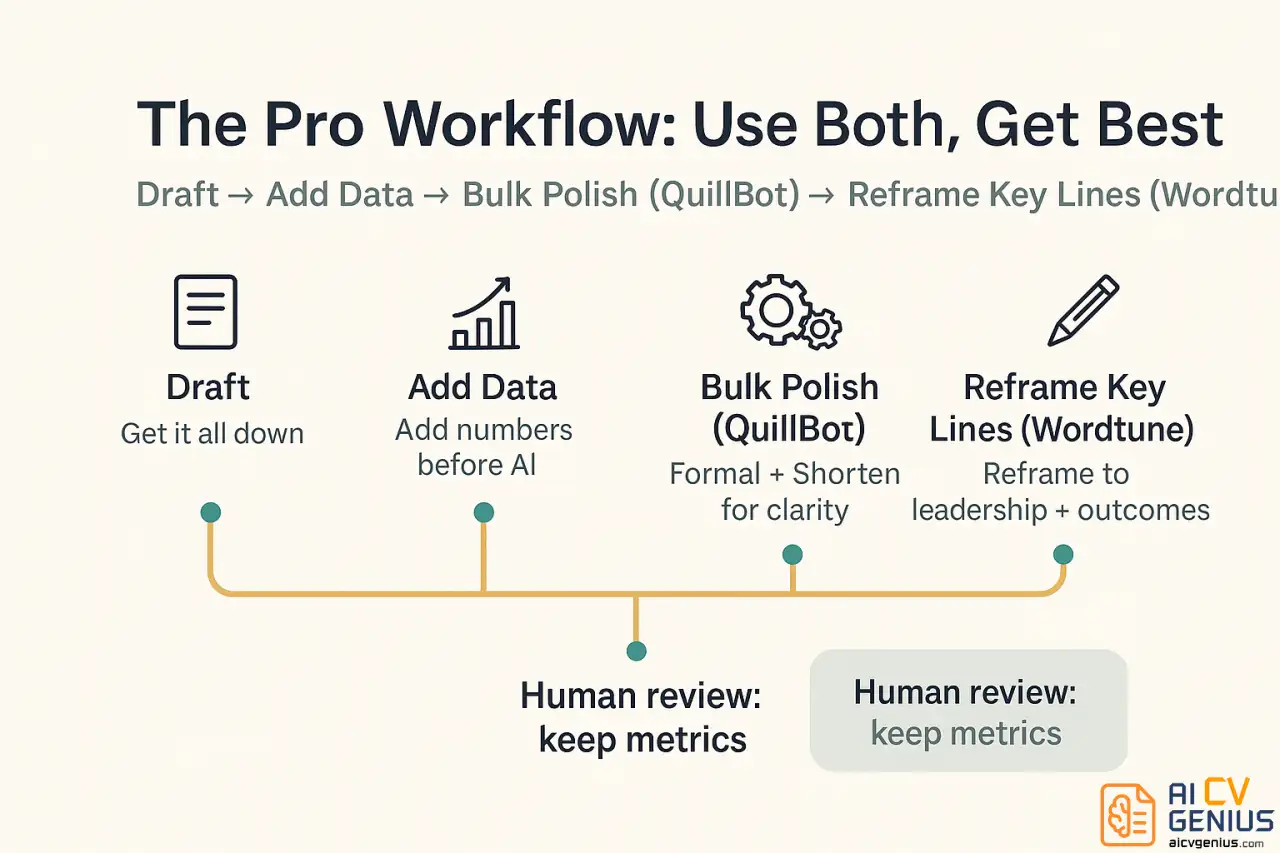
After all this testing, we realized the debate of Quillbot vs Wordtune is the wrong question. The real answer is that these tools are built for different steps of the process. The “expert” workflow is to use both.
Here is the single best way to write your resume bullets using AI:
Step 1: The “Brain Dump” (You)
First, just write down what you did. Don’t worry about phrasing. Get the facts on paper.
Example: “I was in charge of the email newsletter. We got more clicks. I used Mailchimp.”
Step 2: The “Data” (You)
You cannot use AI yet. The bullet has no data. You must add the numbers yourself. AI is a polisher, not a strategist.
Example: “I was in charge of the weekly email newsletter (20k subscribers). I A/B tested headlines and CTAs, and the click-through rate went from 2% to 4%. I used Mailchimp.”
Step 3: The “Bulk Polish” (Quillbot)
Now, paste that clunky-but-detailed bullet into Quillbot Premium. Use “Formal” mode.
Quillbot might suggest: “I managed the weekly email newsletter (20,000 subscribers). I A/B tested headlines and calls-to-action, increasing the click-through rate from 2% to 4%. I utilized Mailchimp.”
This is much better. It’s clean, professional, and clear.
Step 4: The “Impact” (Wordtune)
This bullet is good, but is it great? Copy the new Quillbot version and highlight it for Wordtune.
Wordtune might suggest: “Revitalized the 20k-subscriber weekly newsletter by implementing a rigorous A/B testing strategy for headlines and CTAs. Doubled the click-through rate from 2% to 4% using Mailchimp.”
…And there it is. That’s the million-dollar bullet. “Revitalized.” “Rigorous A/B testing strategy.” “Doubled the click-through rate.”
This “Pro” workflow uses Quillbot for its strength (fast, bulk polishing) and Wordtune for its strength (conceptual reframing and impact). This is how you combine the tools to get a result that’s better than either could produce alone.
Want to see your resume in action? Explore our resume templates to find a format that showcases your newly polished bullets.
The 3 Cardinal Sins of Using AI Paraphrasing Tools
Before you start, promise you will not do these three things. These mistakes will actively harm your resume and your job search.
- ❌ Sin 1: Blindly Accepting Every Suggestion.You are the expert. The AI is an intern. It doesn’t understand your industry or the nuance of your role. Read every single suggestion. If it sounds weird, it is. If it removes a key number, reject it. If it adds a buzzword, delete it. You must be the human-in-the-loop.
- ❌ Sin 2: Using the Wrong Tool for the Job.Don’t use Wordtune to rewrite your whole resume (it’s too slow). Don’t use Quillbot’s “Creative” mode on a legal resume (it’s inappropriate). Use Quillbot for bulk cleaning and grammar. Use Wordtune for targeted, high-impact reframing.
- ❌ Sin 3: Forgetting That AI Can’t Add Missing Information.This is the most important rule. If your bullet point is vague, paraphrasing it will only create a fancier vague bullet.Vague: “Managed projects.”
AI Paraphrase: “Oversaw various projects.”
That’s zero improvement. The bullet is missing the data. You must add the specifics first.
Better: “Managed 5 cross-functional projects, reducing delivery time by 15%.”
Now you let the AI polish it. AI cannot fix a bullet that is empty of substance.
If you’re struggling with what to include on your resume in the first place, check out our guide on how to improve your CV from scratch.
Frequently Asked Questions (The Expert’s Answers)
Wordtune is better at inventing the achievement framework. That said, no paraphrasing tool can invent experience you don’t have. You should first focus on adding specifics yourself – how many students? what was the result? – and then use either tool to polish the phrasing.
Final Verdict: The Practical vs. The Premium
After this deep-dive, the Quillbot vs Wordtune debate becomes clear. This isn’t a battle of “good vs. bad,” but a choice between two different philosophies.
Choose Quillbot if you are The Practical Professional.
You are on a budget. You have a lot of text to get through (resume, cover letters, LinkedIn). You want one tool that can do it all: paraphrasing, grammar, and bulk editing. Quillbot’s free plan is generous, its premium plan is a fantastic value, and its “Formal” and “Shorten” modes will get your resume 85% of the way to perfect, fast. It’s the practical, logical, high-value choice for most job seekers.
Choose Wordtune if you are The Nuanced Executive.
Your problem isn’t grammar; it’s impact. You’re not on a tight budget. You are willing to pay a premium for a tool that acts less like a thesaurus and more like a career coach. You need to fine-tune 10-15 key sentences across your resume and cover letter to sound powerful, confident, and human. Wordtune’s “conceptual brain” is unmatched at reframing responsibilities into achievements. It’s slower and more expensive, but the quality of its suggestions is in a class of its own.
Ultimately, the “pro” move is to use both. Use Quillbot for the heavy lifting, then Wordtune for the high-impact finishing touches. But remember: neither tool can invent your accomplishments. The data and the achievements must come from you. These tools just help you find the powerful words you deserve.
Ready to put your polished resume to work? Explore our career resources for tips on interviewing, networking, and landing the job you actually want.