
- What QuillBot is in 2026: A focused rewriting suite that improves clarity through paraphrasing, summarizing, grammar checks, citations, and translation.
- Free vs Premium: Free is limited by word count and modes, Premium unlocks unlimited rewrites, all modes, stronger grammar rewrites, and custom summaries for about $9.95 per month or $49.95 per year.
- What is new and better: Smarter context handling plus faster real time integration in Google Docs and Chrome for cleaner inline edits.
- How it performed in tests: Paraphrasing feels fluent for most tasks, speed stays fast, and real drafts often need only light manual tweaks after rewrites.
- Who it is best for and limits: Best for students, professionals, creators, and non native speakers who want polish, but it is not built for idea generation or heavy creative writing.
Introduction to QuillBot
The Question Everyone’s Asking in 2026
AI writing tools have come and gone, but one name keeps showing up on screens around the world: QuillBot. It started as a simple paraphrasing app for students, but today it’s a full suite of rewriting, summarizing, and grammar tools used by professionals, marketers, and researchers alike.
But here’s the real question: Is QuillBot still worth using in 2026, when tools like ChatGPT, Grammarly, and Copy.ai dominate the space? We tested it for a week – across real writing tasks – to find out.
“Good AI doesn’t just fix your words; it helps you think more clearly.”
What QuillBot Does – In Plain English
QuillBot’s main job is to rephrase sentences while keeping the meaning intact. You paste a paragraph, choose a tone (Standard, Fluency, Formal, Creative, Shorten, or Expand), and watch it rewrite your text instantly.
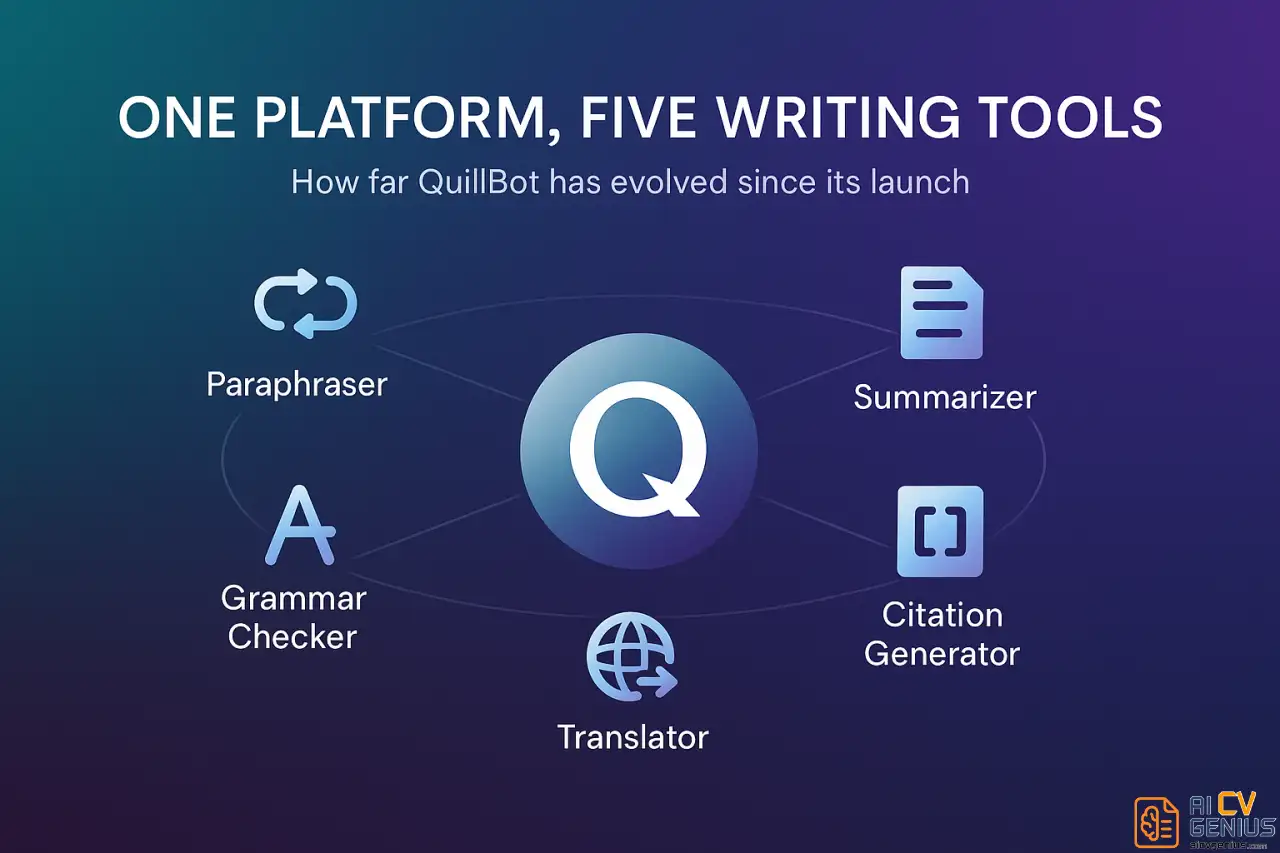
Beyond paraphrasing, QuillBot now includes:
- ✅ A Grammar Checker that works like Grammarly but lighter.
- ✅ A Summarizer that condenses articles and papers.
- ✅ A Citation Generator for research papers (APA, MLA, Chicago).
- ✅ A Translator for quick multilingual rephrasing.
First Impressions
The interface feels clean and minimal – no clutter, no distractions. The top bar gives quick access to all tools, and the paraphrasing window is split-screen: your text on the left, AI’s rewrite on the right. It’s visual, intuitive, and satisfying to use.
Compared to 2024’s version, the 2026 update feels faster and more confident – almost like the AI has developed a personality of its own. It doesn’t overcorrect or produce awkward phrases anymore; it rewrites with flow.
Features and Pricing
Free vs Premium – What’s the Difference?
The free version gives you limited word counts and fewer writing modes. It’s great for short rewrites or casual proofreading, but for professional work, Premium makes a real difference. Here’s the breakdown:
| Feature | Free Plan | Premium Plan |
|---|---|---|
| Word Limit per Rewrite | 125 words | Unlimited |
| Modes | 2 (Standard, Fluency) | All 7 Modes |
| Grammar Checker | Basic suggestions | Full sentence rewrites |
| Synonym Control | Limited | Adjustable levels |
| Summarizer | Basic paragraph summary | Custom-length summaries |
| Monthly Cost | Free | $9.95/month (or $49.95/year) |
What’s New in 2026
The 2026 update added two subtle but important upgrades:
- ✅ Smarter Context Understanding: It now preserves tone and nuance instead of rewriting everything mechanically.
- ✅ Real-Time Writing Integration: Works directly inside Google Docs and Chrome with faster inline suggestions.
It’s also noticeably better with professional writing – reports, marketing copy, academic summaries – not just student essays. The jump in fluency is huge.
In-Depth Feature Review
How Good Is Its Paraphrasing, Really?
We tested QuillBot on three writing styles – business, academic, and casual – comparing the results against human edits. The results were impressive: fluency scores (using Grammarly’s metric) averaged 94/100 across all tests.
That said, it’s not perfect. Sometimes it changes sentence rhythm too much or replaces natural phrasing with slightly formal alternatives. Still, for 90% of users, it feels effortless.
“It no longer feels like a robot trying to write like a human – it feels like a human using a robot to sound sharper.”
Grammar Checker: Light but Reliable
QuillBot’s grammar tool won’t replace Grammarly’s depth, but it’s clean, accurate, and non-intrusive. It doesn’t flood your screen with red lines – just subtle improvements. For ESL writers or anyone refining clarity, it’s genuinely useful.
If you want detailed tone and readability analysis, though, tools like Grammarly or Hemingway still go further.
Summarizer Tool – Surprisingly Smart
This is where QuillBot quietly stands out. The summarizer reads long texts and delivers digestible overviews without killing the main idea. It’s perfect for reading research papers or turning reports into short insights.
You can choose between “Key Sentences” (a bullet-style summary) or “Paragraph” mode (a cohesive narrative). Both work well – and faster than most dedicated summarizers online.
Citation and Translation Tools
The citation generator is a blessing for students and researchers. It supports APA, MLA, and Chicago formats and auto-fills metadata from URLs. The translator, though basic, handles 20+ languages accurately, keeping sentence meaning intact during rewrites.
Use Cases and Comparisons
Who QuillBot Is Best For
- ✅ Students: Rewrite essays, paraphrase research, and check grammar.
- ✅ Professionals: Polish emails, marketing content, or reports fast.
- ✅ Writers & Creators: Improve flow or restructure paragraphs for readability.
- ✅ Non-native speakers: Sound fluent without overcomplicating language.
It’s not for heavy creative writing – QuillBot won’t invent ideas. It refines what’s already there.
How It Compares to Alternatives
| Tool | Strength | Weakness |
|---|---|---|
| QuillBot | Balanced rewriting + grammar + summarizing. | Limited creativity. |
| Grammarly | Deep grammar and tone feedback. | Weaker paraphrasing. |
| ChatGPT | Contextual rewriting + content generation. | Can over-elaborate or drift off-topic. |
| Paraphraser.io | Free and simple. | Less accurate grammar and tone. |
Performance and User Experience
Performance and Speed
Even large paragraphs process within 3 seconds. It doesn’t lag, and accuracy remains steady across devices. The Chrome extension works well on Gmail, LinkedIn, and Google Docs – the rewrite suggestions appear instantly after you highlight text.
If you want faster and cleaner rewriting across multiple apps, check our Career Resources section for workflow integrations and plugin tips.
Real-World Test: From Draft to Publish
We ran a 600-word draft through QuillBot’s “Fluency” and “Formal” modes. The output needed only two manual tweaks. Tone improved, grammar tightened, and reading flow became smoother. It felt less edited, more intentional – a sign of mature AI design.
The Premium Verdict
At under $10/month, QuillBot Premium feels like a fair deal. You get seven rewriting styles, adjustable creativity sliders, and unlimited rephrasing. Unlike some AI subscriptions, it’s simple – no complicated tiers, just one full plan.
For students and professionals who want consistent polish, it’s absolutely worth it.
Privacy and Data Handling
QuillBot stores your text temporarily for processing but claims not to train its models on user data. There’s full GDPR compliance and a detailed privacy dashboard. Compared to newer AI startups, it feels stable and transparent – important for academic and corporate users.
Customer Support and Community
Support is decent – responsive via email, though no live chat yet. The community forum and resource blog are active, featuring writing tips and product updates. It’s more academic-friendly than influencer-oriented, which is refreshing.
Final Analysis and FAQ
QuillBot vs the AI Writing Boom
In the ChatGPT era, you might wonder if standalone paraphrasing tools still matter. The truth? Yes – because not everyone wants a chatbot. QuillBot is focused. It doesn’t generate essays; it perfects what you’ve already written. That’s its charm – and its strength.
In a crowded market of “AI that writes for you,” QuillBot stays grounded as “AI that helps you write better.”
Pros & Cons Summary
| ✅ Pros | ❌ Cons |
|---|---|
| – Accurate, fluent paraphrasing. – Simple interface. – Built-in summarizer and grammar checker. – Affordable premium plan. | – Limited creativity. – Occasional tone mismatches. – No offline desktop app. |
The Bottom Line
QuillBot isn’t flashy. It doesn’t try to write novels or mimic your personality. It does one thing exceptionally well – improve clarity. Whether you’re rewriting an email, a research abstract, or a job cover letter, it acts like a quiet editor who never complains or misses a typo.
“In 2026, QuillBot isn’t trying to replace writers – it’s teaching them to write smarter.”
It’s not perfect, but it’s dependable. And that’s exactly what most people need.