
- A professional CV template is defined by one priority: Clarity that makes your CV easy to scan, easy to trust, and easy for ATS to parse in the right order.
- Professional design works because it removes friction: Single-column structure, readable standard fonts, consistent headings, reverse-chron order, and balanced white space that keeps your achievements front and center.
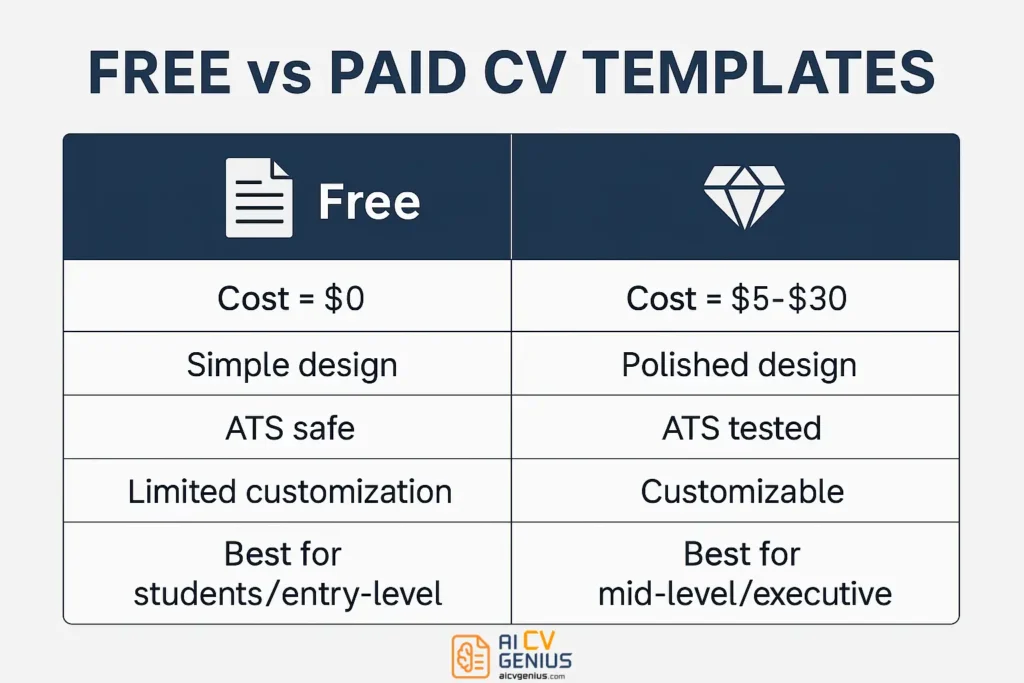
- Free vs paid is a strategic choice: Free templates are the safest baseline for students, conservative industries, and ATS portals, while paid templates can add polish and easier customization for mid-level, senior, executive, and career-change cases.
- Use the checklist before committing: Run the Notepad test, confirm clean PDF export, keep standard section headers, avoid skill bars, photos, and junk graphics, and make sure the layout gives space for 3 to 5 achievement bullets per role.
- Real examples show the impact: Switching from cluttered or ATS-breaking layouts to clear professional templates increased interview results for a graduate, a manager, and an executive, because the template made the content readable and credible faster.
A Curriculum Vitae (CV) is more than a document – it is your personal marketing tool, your professional handshake, and your career story told in two pages or less. In a competitive job market, employers don’t just read CVs; they scan them. Many applicants now rely on an ATS-friendly professional CV template to ensure their information is not only seen but understood, first by a machine, then by a human.
Whether you are applying for a graduate role, a management position, or an executive opportunity, the template you choose is a strategic decision. Professional CV templates – whether free or paid – are the foundation upon which you build your argument for why you are the right candidate. They signal clarity, seriousness, and an understanding of the unwritten rules of your industry.
This comprehensive guide will deconstruct what truly defines a “professional” template, moving beyond aesthetics to explore the psychology of readability. We will compare free and paid options, provide an actionable checklist, and share real case studies of candidates who transformed their job search not by changing their experience, but by changing their presentation.
What Truly Defines a Professional CV Template?
A professional CV template is defined by one word: clarity. It is an exercise in strategic minimalism. Unlike creative templates, which prioritize visual flair, professional templates are built to be scanned, parsed, and understood with zero friction. Their hallmarks are not about what they add, but what they intelligently remove.
The Psychology of Professional Design: Why It Works
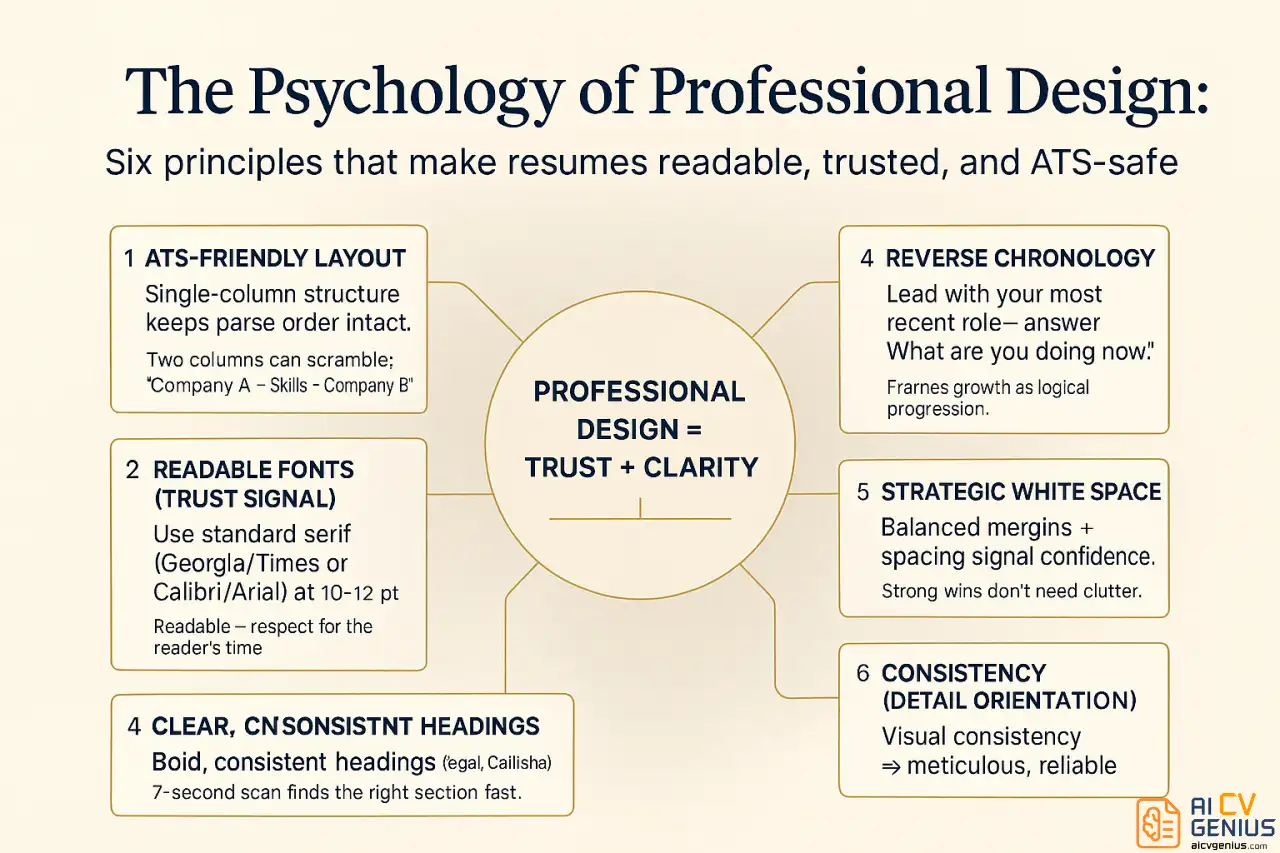
- ATS-Friendly Layout: This is the non-negotiable foundation. A simple, single-column structure ensures that Applicant Tracking Systems (ATS) parse your career history in the correct order. A two-column template might look good to you, but an ATS may read it out of sequence (e.g., “Company A,” “Skills,” “Company B”), rendering your application as nonsense.
- Readable Fonts (The Trust Signal): Using standard, serif (like Georgia, Times New Roman) or sans-serif (like Calibri, Arial) fonts in a 10-12 point size is not boring; it’s a sign of respect for the reader’s time. It builds trust by making information accessible, signaling that you are a clear and direct communicator.
- Clear, Consistent Headings: Sections like “Professional Experience,” “Education,” and “Technical Skills” must be bold, clear, and consistent. This acts as a set of signposts, allowing a recruiter doing a 7-second scan to immediately find the section they care about most.
- Reverse Chronology (The Story of Your Growth): Listing your most recent job first is the universal standard. It answers the recruiter’s most urgent question: “What are you doing now?” It frames your career as a logical progression, with each role building on the last.
- Strategic White Space (The Signal of Confidence): A cluttered CV signals panic – a desire to cram in every detail. A template with balanced margins and space between sections signals confidence. It implies that your achievements are strong enough to stand on their own without being crowded by filler.
- Consistency (The Mark of Detail-Orientation): Are all your dates formatted the same way (e.g., “Jan 2024 – Present” vs. “1/24-Now”)? Are all your bullet points aligned? This visual consistency is a powerful, subconscious signal that you are detail-oriented and thorough – a core trait for any professional role.
In short, a professional template is an invisible framework that makes your content the hero. It never distracts from your achievements.
The Strategic Choice: Free vs. Paid CV Templates
The choice between a free and a paid template is a strategic one, based on your industry, career level, and the specific impression you need to make.
Free CV Templates: The Reliable Foundation
Free templates are accessible, widely available, and often built into platforms you already use, like Google Docs and Microsoft Word. These are the dependable workhorses of the job market.
- ✅Pros:
- Cost-Free: This is the obvious and most significant benefit.
- Often ATS-Safe: Most default templates (especially in Google Docs) are single-column and text-based, making them perfect for passing through automated systems.
- Meet Industry Standards: They are simple, clean, and perfectly suitable for conservative industries (law, finance, academia, government) where substance is valued far more than style.
- ❌Cons:
- Generic Design: Your CV may look identical to hundreds of others, lacking a unique visual identity.
- Limited Customization: Adjusting sections or layouts can be clumsy and time-consuming, often breaking the formatting.
- Basic Visuals: They lack the polished, modern typographic touches (like perfect line spacing and font pairing) that paid templates offer.
- Who Should Use Them?
- Students & Recent Graduates: Your focus is on education, projects, and internships. A clean, free template is all you need to present this information clearly.
- Conservative Industry Professionals: In law, finance, or government, a “fancy” template can be seen as unprofessional. A standard, text-based template is the expected format.
- Anyone Applying Through a Major ATS Portal: If you are applying to a Fortune 500 company, a simple, free, single-column template is often your safest bet.
For those starting out, free professional CV templates for job seekers are a practical, smart, and safe way to create a strong first impression without any cost.
Paid CV Templates: The Strategic Investment
Paid templates, offered by specialized platforms (like Resume.io, Zety, Kickresume) or design marketplaces (like Etsy), are a small investment in your personal brand. They are designed by professionals who understand visual hierarchy and modern aesthetics.
- ✅Pros:
- Polished, Modern Layouts: They feature superior typography, visual balance, and subtle design accents that make your CV look curated and high-effort.
- Easy Customization: Most paid builders allow you to easily add, remove, or reorder sections without the entire document formatting breaking.
- Tested for ATS Compatibility: Reputable paid template providers explicitly test their designs for ATS parsing, giving you the best of both worlds: design and function.
- Unique Identity: They help you stand out from the stack of default Word templates, showing a higher level of care.
- ❌Cons:
- Cost: They typically involve a one-time fee ($5–$30) or a recurring subscription.
- Risk of Over-Designing: Some paid templates are too creative, featuring icons, graphs, or columns that will fail an ATS. You must still choose wisely.
- Who Should Use Them?
- Mid-Level & Senior Professionals: When you have a complex career history, a polished template can help organize it beautifully, guiding the reader’s eye to your most impressive achievements.
- Competitive Industries: In fields like tech, marketing, and consulting, a modern, professional look is expected. A default template can look low-effort.
- Executives: For C-level roles, a premium template is standard. It needs to accommodate sections for executive summaries, P&L management, and strategic impact, which free templates handle poorly.
- Career Changers: A well-designed template can help visually prioritize your new skills and projects above your less relevant past experience.
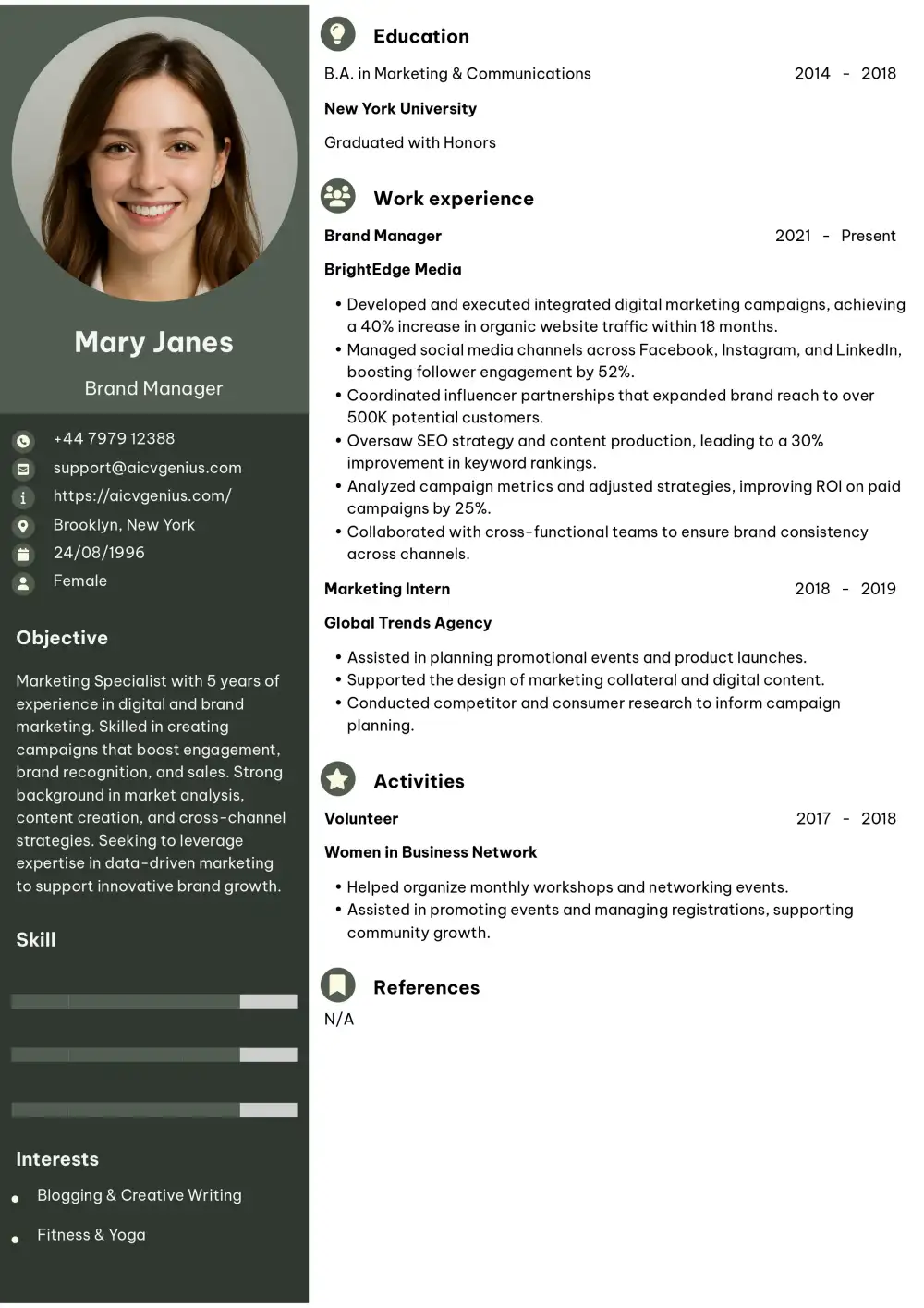
The Right Context: When to Use Professional CV Templates
A professional CV template is the default and safest choice for nearly every job application. While creative fields might allow for more artistic layouts, a professional template is never the wrong choice. It is the universal standard for:
- Conservative Industries: Non-negotiable for law, finance, accounting, government, education, and healthcare. In these fields, your CV’s design should be invisible, allowing your credentials to speak for themselves.
- Mid-Level to Executive Roles: At this level, you are judged on gravitas, achievements, and strategic impact. A clean, structured template conveys this seriousness.
- All ATS Applications: This is the most important rule. When you apply through an online portal (Workday, Taleo, etc.), a simple, single-column professional template is the only way to guarantee your data is parsed correctly.
- Technical & STEM Roles: Engineers, scientists, and IT professionals are judged on technical skills and project outcomes. A logical, clear, text-based format is preferred.
Using an AI CV builder for professionals can further enhance this by helping you populate a strong template with industry-specific keywords and achievement-oriented bullet points, ensuring the content is as professional as the layout.
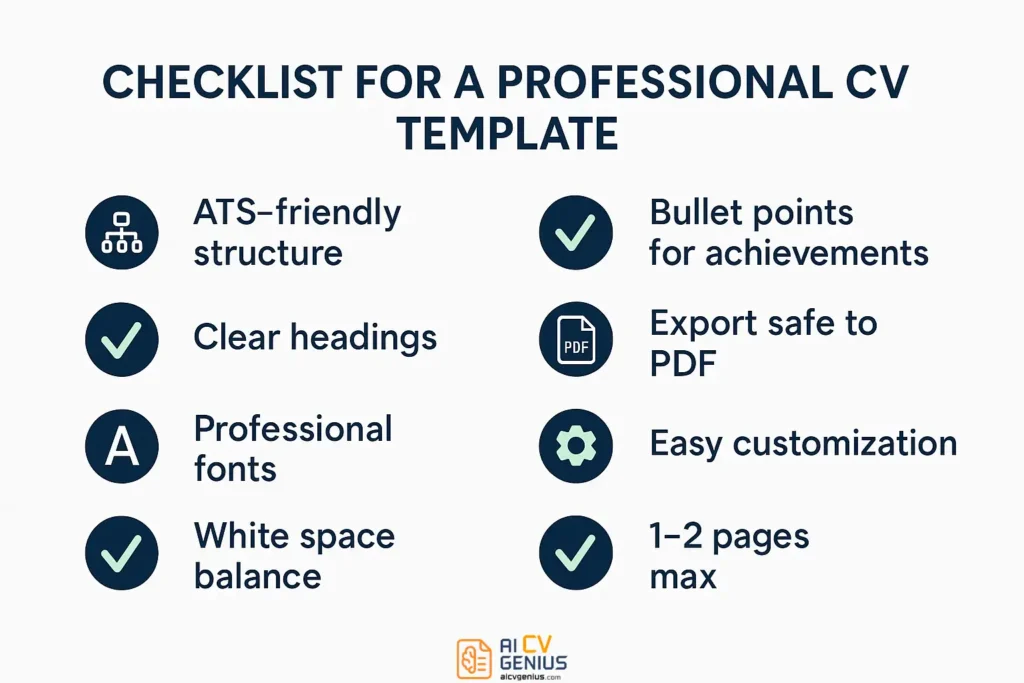
The Ultimate Professional CV Template Checklist
Before you commit to a template (free or paid), run it through this quality-control checklist.
- ✅ The ATS “Notepad Test”: Can you copy the entire CV (from the PDF version) and paste it into a plain text editor (like Notepad or TextEdit)? Does the text appear in a logical order (e.g., Summary, then Job 1, then Job 2)? If it’s a jumbled mess, the ATS will reject it.
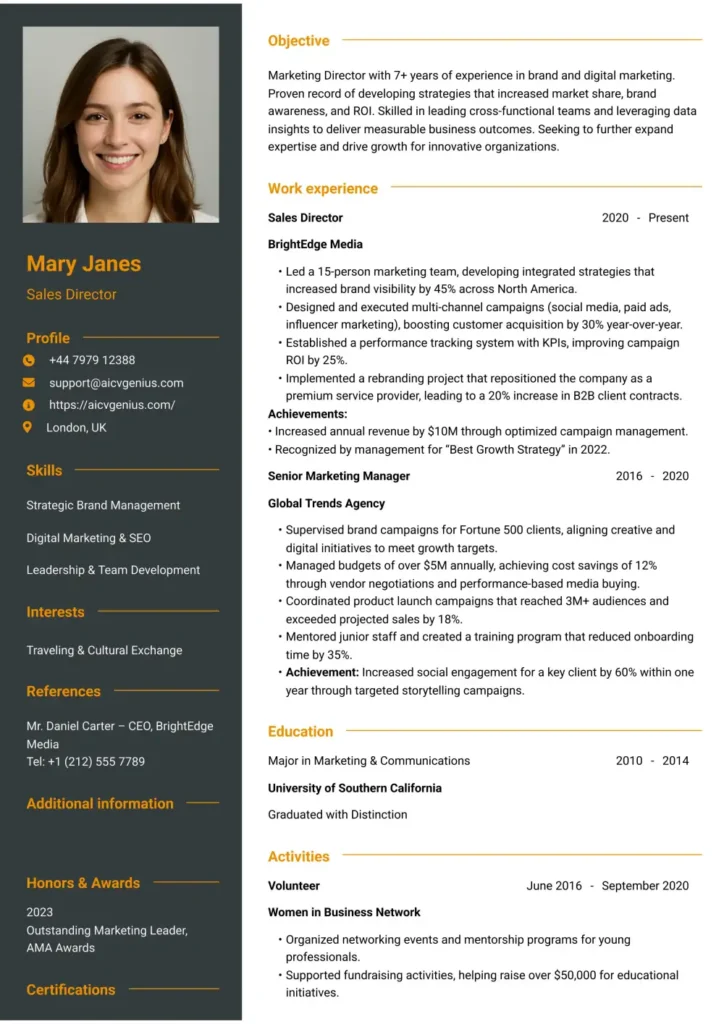
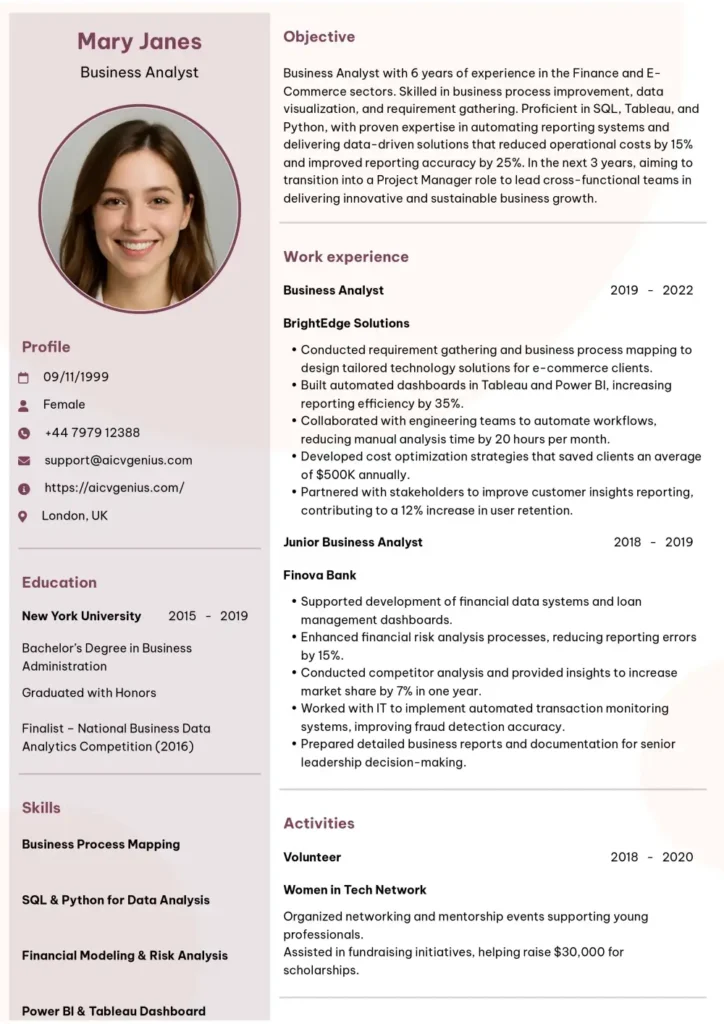
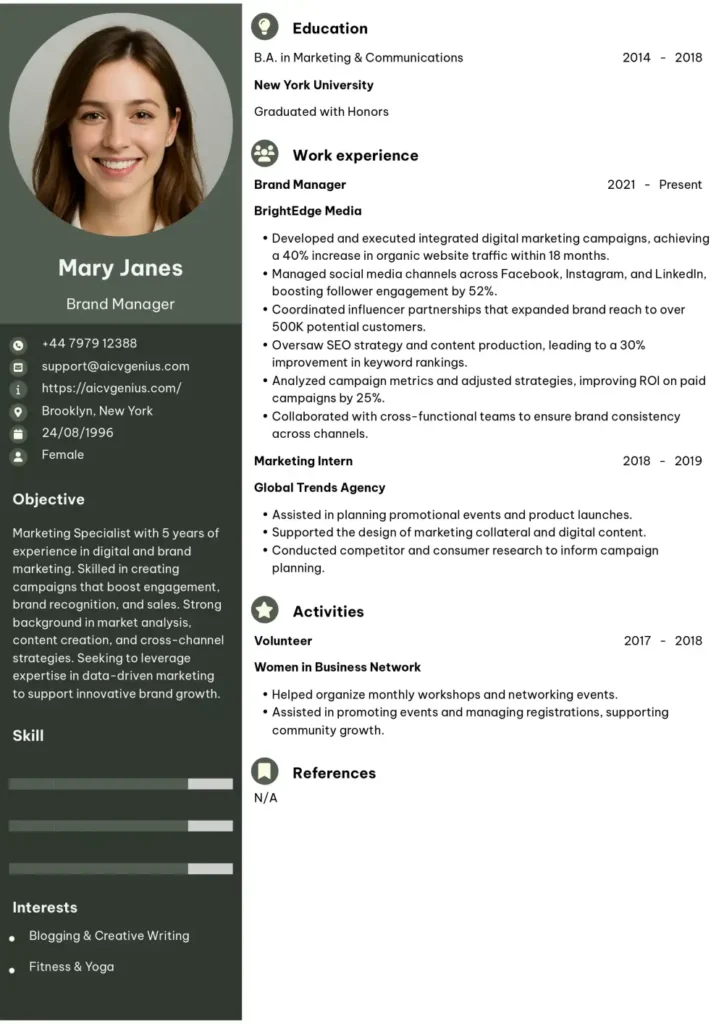
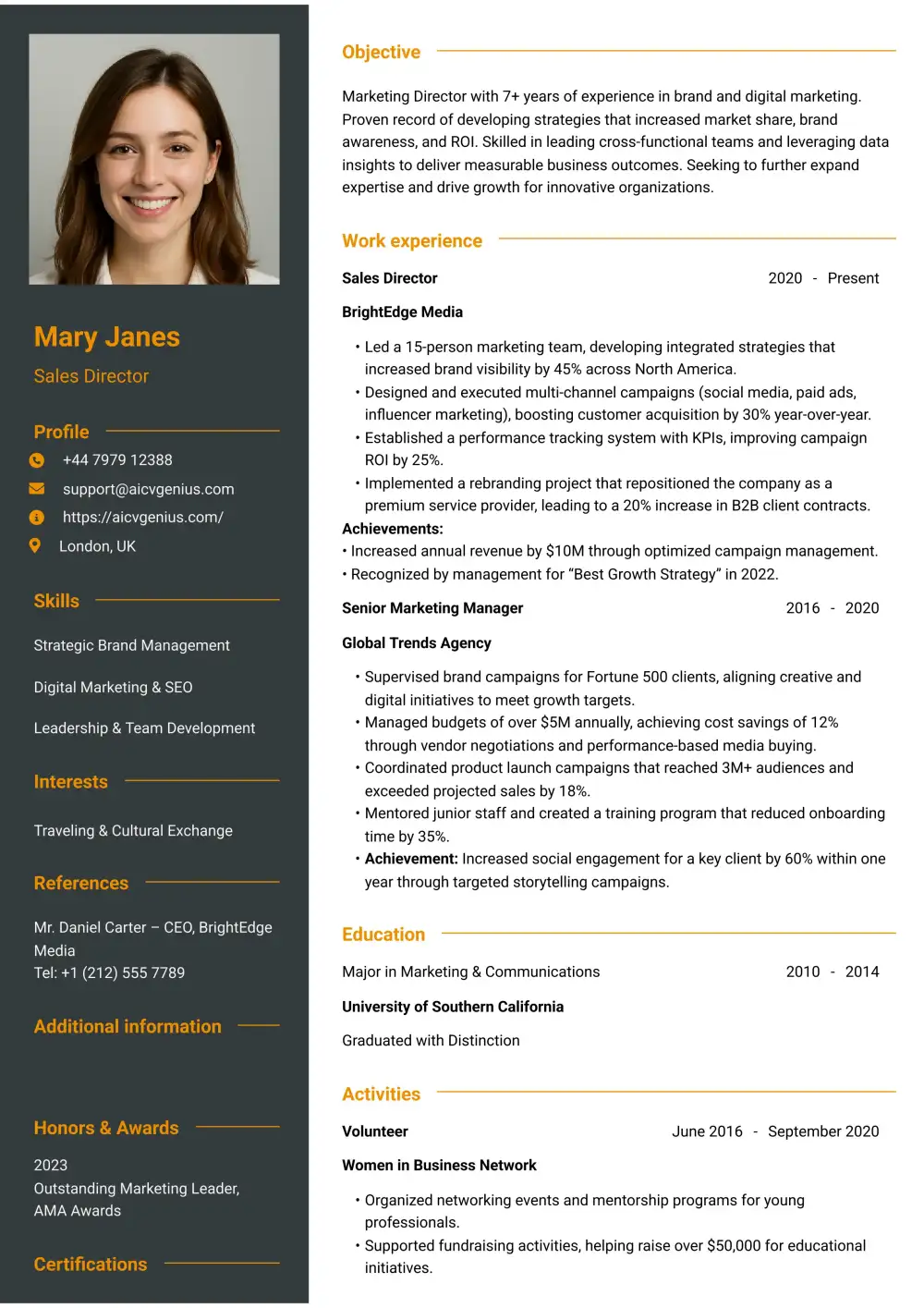
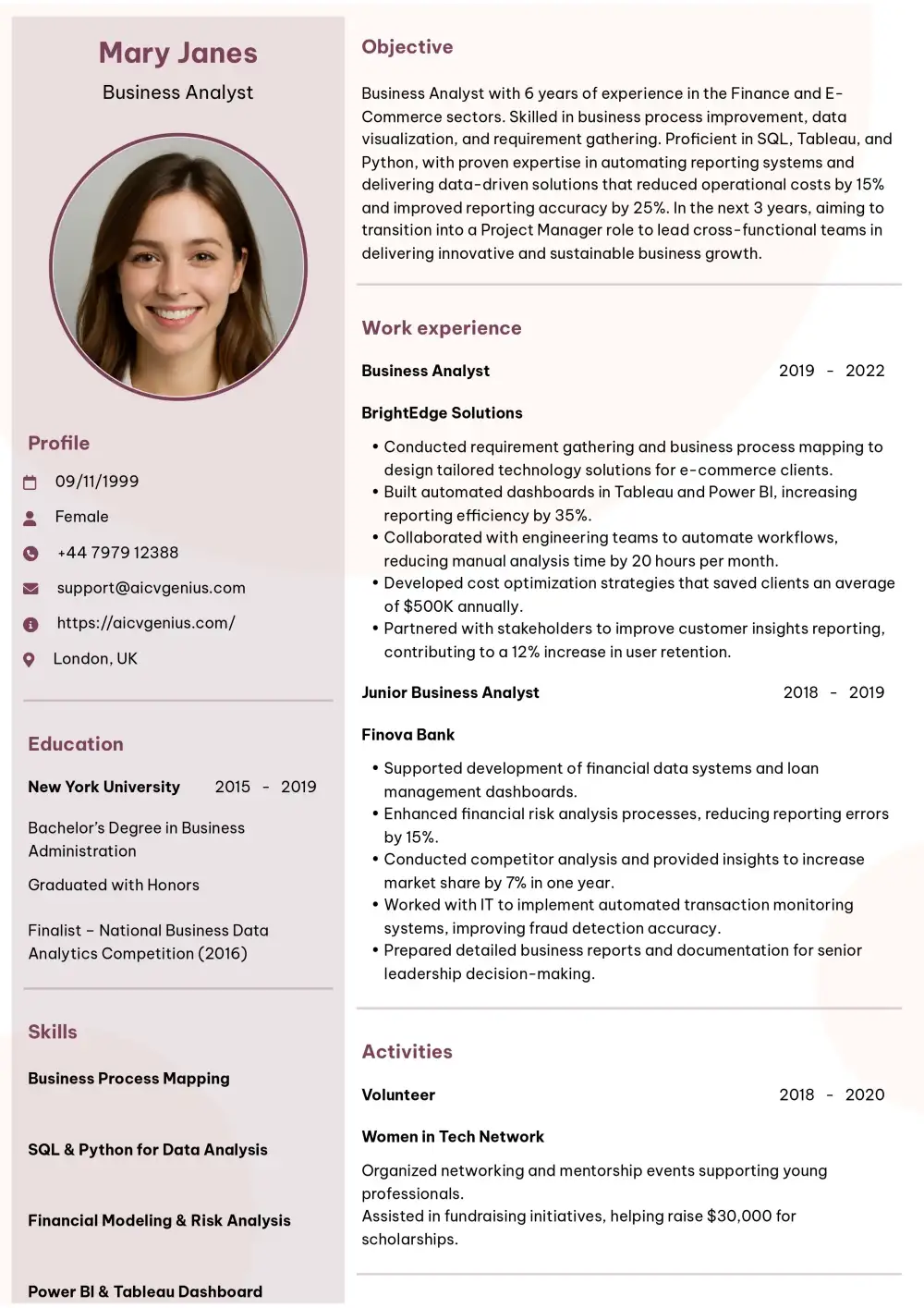
- ✅ Single-Column Dominance: Does the main content (Work Experience, Education) exist in a single, clear column? A simple sidebar for contact info or skills is sometimes acceptable, but a 50/50 split is a major ATS risk.
- ✅ Standard Fonts: Does it use a professional, readable font (like Calibri, Arial, Georgia) between 10-12 points for the body text?
- ✅ Standard Section Headers: Are the section headers clear and standard (e.g., “Professional Experience” or “Work History,” not “Where I’ve Been”)?
- ✅ No “Junk” Graphics: Does it avoid skill bars, rating systems (e.g., 5-star graphics), or embedded images/logos? These are unreadable by ATS and look unprofessional to recruiters.
- ✅ Achievement-Oriented Layout: Does the design give ample space for 3-5 bullet points under each role? The template’s job is to highlight your achievements, not just your job title.
- ✅ Clean PDF Export: Does it export cleanly to PDF without breaking the layout, embedding text as images, or creating strange artifacts?
If your CV template passes all these tests, you have a robust, professional, and safe foundation.
Critical Mistakes to Avoid (Even with “Professional” Templates)
Many templates are labeled “professional” but contain critical, job-killing flaws. Here’s what to watch out for.
- ❌Mistake 1: The Two-Column Trap. This is the most common failure. A template is split 50/50, with “Experience” on the left and “Education/Skills” on the right. An ATS bot will read it line by line, left-to-right, mixing all your content into an unreadable jumble.
- ❌Mistake 2: The Skill Bar/Graph Gimmick. Templates that use “5-star ratings” or progress bars to show your proficiency in a skill (e.g., “Photoshop: 4/5 stars”). This is a critical error. It is meaningless to a recruiter (what does 4/5 mean?) and unreadable by an ATS. Prove your skills with achievements, not graphics.
- ❌Mistake 3: Inconsistent Formatting. Using a different font size for one job title, mixing up date formats, or having misaligned bullet points. These small errors signal a lack of attention to detail – a major red flag for any professional role.
- ❌Mistake 4: Focusing on “Duties” not “Results.” This is a content mistake, but the template can encourage it. If a template only gives you 1-2 lines per job, it forces you to write “Responsible for reports.” A good template gives you space for 3-5 bullet points, encouraging you to write, “Streamlined reporting process, saving 10 hours/week.”
- ❌Mistake 5: A Photo. Unless you are in a country where CV photos are standard (e.g., Germany) or you are an actor/model, never include a photo on a professional CV. It invites bias and is unprofessional in the US, UK, and many other markets.
Case Studies: The Real-World Impact of a Template Change
Case 1: The Graduate (The ATS Failure)
Before: Emma, a new graduate, used a “creative” two-column template from a free online builder. She had applied to 50+ roles with no responses.
The Problem: Her template was unreadable by ATS. Her “Education” and “Projects” sections were being jumbled with her “Internship Experience.”
The Fix: Emma switched to a clean, single-column free professional CV template from Google Docs. She placed her “Internship Experience” front and center, highlighting metrics like “…helped increase social engagement by 15%.”
The Result: Within two weeks of using the new, ATS-friendly template, she received three interview invitations.
Case 2: The Manager (Lost in the Clutter)
Before: David, a marketing manager with 8 years of experience, was using a dense, two-page resume that was just a “wall of text.” It listed his duties but failed to highlight his impact.
The Problem: Recruiters, in their 7-second scan, couldn’t find his key achievements. His resume looked overwhelming.
The Fix: David invested in a paid, professional template that used white space effectively and had a clear “Key Achievements” call-out section at the top. He was forced to be concise, focusing only on quantified metrics (e.g., “Managed $2M budget,” “Increased team efficiency 25%”).
The Result: His interview rate doubled. Recruiters later told him his new CV was “refreshingly clear” and “easy to digest.”
Case 3: The Executive (Lacking Gravitas)
Before: Sophia, a finance executive, was still using a basic, one-page template she had used for a decade. It was too simple for her level of experience.
The Problem: The template failed to convey her senior-level strategic impact. It made her look like a mid-level manager, not an executive.
The Fix: Sophia chose a premium, two-page CV template specifically designed for executives. It featured a prominent “Executive Summary” at the top and dedicated sections for “Strategic Impact” and “P&L Management.”
The Result: The new, more substantial template gave her the space to detail high-level strategy (e.g., “Led $50M M&A”). She was shortlisted for roles in two Fortune 500 companies, a level she had struggled to reach with her old template.
In-Depth FAQs About Professional CV Templates
- 0-7 years of experience: Strictly one page.
- 8-15+ years of experience: Two pages are standard and acceptable.
- Executives & Academia: Three pages or more can be appropriate, but the information must be highly relevant (e.g., lists of publications, major strategic initiatives).
Never add a second page just to fill space.
However, in most of the world (including the UK, Europe, Australia, and New Zealand), the term “CV” is used to mean what Americans call a “resume.” In this article, we use the terms interchangeably to mean a 1-2 page professional summary.
- You are in a creative industry (like design or marketing) where visual layout is valued.
- You are 100% certain you are bypassing an ATS and sending it directly to a human’s email inbox (e.g., to a recruiter you know).
For any online application portal, avoid them completely.
Conclusion: The Template is Your First Signal
A professional CV template is your silent ambassador. It is the first signal you send to an employer, and it communicates respect for their time, an understanding of your industry, and a high level of personal standards. Whether you choose a robust free template or invest in a premium paid design, the goal is the same: to create a frictionless experience for the reader.
The key is to tailor your CV to the role, ensure it is ATS-friendly, and fill it with measurable, powerful achievements. With the right professional template, your CV becomes more than just a document – it becomes your most powerful argument for why you deserve the interview.