
- Why it matters: Your application email is the first real test of professionalism, detail, and genuine interest.
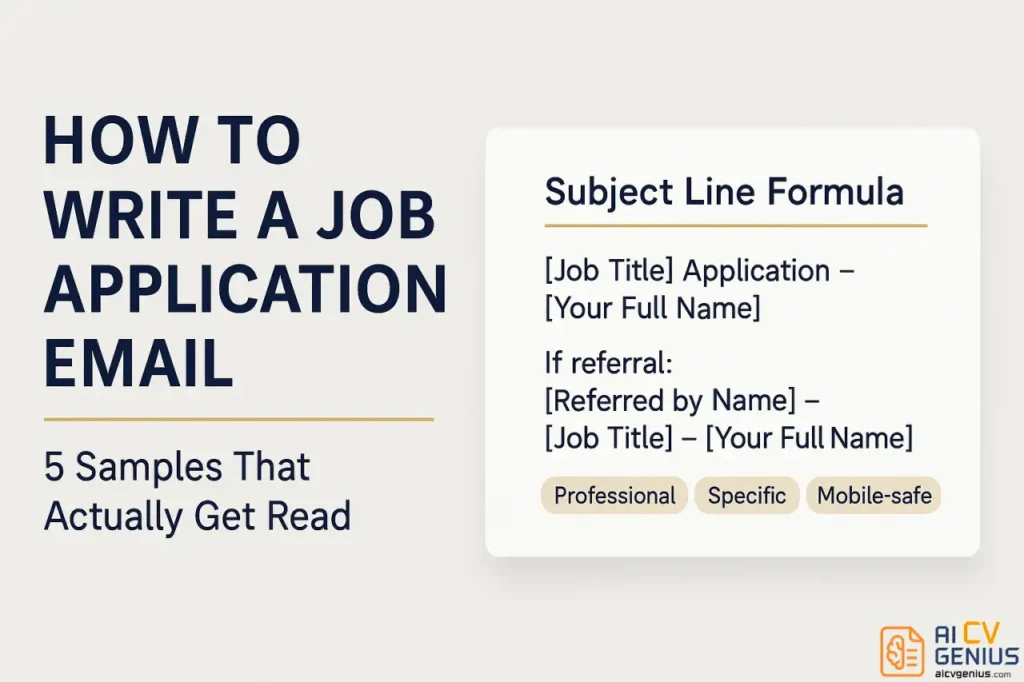
- Subject line rule: Use a clear formula like “[Job Title] Application – [Full Name]”, or include Ref ID or referral when relevant.
- Email body structure: Write a tight 3 paragraph pitch, Hook, Proof with 1 to 2 quantified wins, Close with a confident ask and clean signature.
- Attachments that protect you: Send PDFs, name files professionally, double check the right documents, and keep file size reasonable.
- Execution that avoids instant rejection: Don’t copy paste, don’t paste the whole cover letter into the email, avoid sloppy tone, and follow up once after 7 to 10 business days.
The Critical First Impression: Your Job Application Email
Introduction: Why Your Email Is Your First Test
You spent hours, maybe even days, perfecting your resume. You crafted a compelling cover letter that tells your career story perfectly. You’re qualified. You’re motivated. You’re the right person for the job. Then you attach those documents to a three-line email that says, “Please see attached resume,” and you wonder why you never hear back. Here’s the brutal truth: your job application email sample 2026 strategies need a serious update because that email is your first impression. It’s the handshake before the handshake. And most people get it completely, damagingly wrong.
Think about it from the hiring manager’s perspective. It’s 10:00 AM on a Tuesday. They have 17 unread Slack messages, a budget meeting in 30 minutes, and an inbox overflowing with 75 applications for the one position you just applied for. Your email is competing for attention against client emergencies, team requests, and a mountain of other tasks. If your subject line is vague (“Job application”), your message is generic (“To Whom It May Concern…”), or your attachment isn’t properly labeled (“resume_final_v2.pdf”), you’re not just being neutral – you are actively making their job harder. You are creating friction. And in a crowded field, friction is the same as failure.
This guide breaks down the psychology of that overflowing inbox. We’ll show you exactly what hiring managers and recruiters need to see to stop, open your email, and move your application to the “interview” pile. You’ll get five complete, expert-level templates you can adapt for any situation – whether you’re responding to a job posting, reaching out cold, or leveraging a referral. This is the formula that gets your email opened, read, and acted upon.
Why Your Application Email Is Your First, Most Important Test
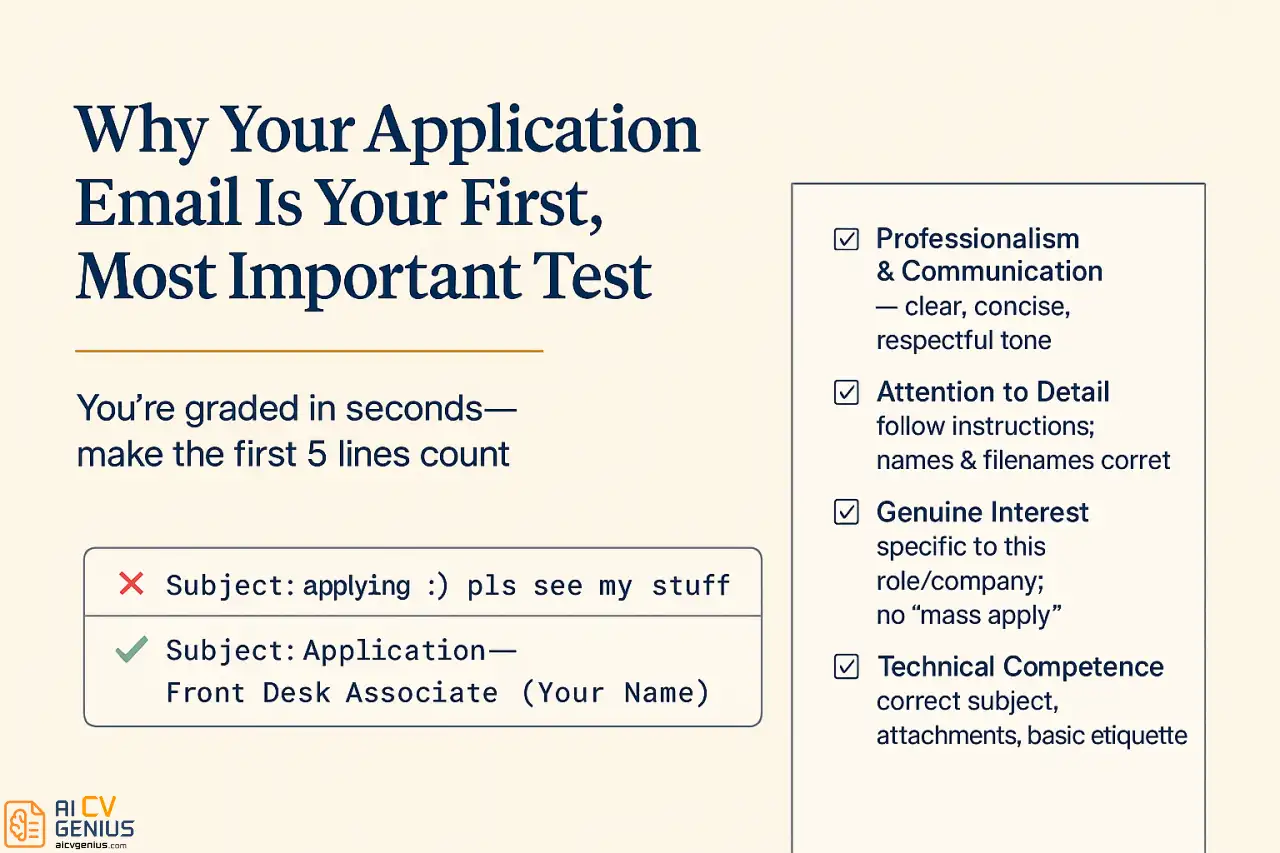
You might think the email is just a digital envelope – a formality to transport your “real” application. This is a critical misunderstanding. The email itself is being evaluated. It is the first test of your professional competence, and you’re being graded in seconds.
Here’s what hiring managers told us they assess in those first few seconds:
- Professionalism & Communication: Can you write a clear, concise, professional email? Or is your writing style sloppy, overly casual, or rambling? Your written communication skill is on trial from the very first sentence.
- Attention to Detail: Did you follow instructions from the job posting? Did you proofread your email? Is the hiring manager’s name spelled correctly? Is your attachment labeled properly? If you’re careless here, they assume you’ll be careless with client work or financial reports.
- Genuine Interest vs. Desperation: Does this email feel personalized to this company and this role? Or does it have the generic, “copy-paste” feel of a mass-application spree? They can tell. A personalized email signals genuine interest, which is a key predictor of a good employee.
- Technical Competence: Can you handle basic email etiquette? Do you know how to format a subject line? Did you remember to attach the files you mentioned? Failing at these simple tasks raises serious red flags.
A weak, lazy, or generic email signals that you might be sloppy, careless, or just don’t care about this specific opportunity. A strong, sharp, personalized email demonstrates that you are organized, thoughtful, respectful of their time, and serious about this role. It makes them want to open your resume.
Crafting the Perfect Email: Structure and Strategy
The Subject Line: Your 3-Second Audition
Your subject line is not just a title; it’s a password. It determines whether your email gets opened immediately, flagged for later, routed to a spam filter, or deleted unread. Its only job is to clearly and professionally state its purpose. This is not the place for creativity, humor, or cleverness.
The Perfect Subject Line Formula
Stop guessing. Use this exact format unless the job posting specifically tells you to use a different one.
Standard Formula:
[Job Title] Application - [Your Full Name]
If a Job ID or Reference Number is provided:
Application for [Job Title] (Ref: #12345) - [Your Full Name]
If you are being referred (Critical):
Referred by [Referrer's Name] for [Job Title] - [Your Full Name]
Real Examples:
- Good: “Marketing Manager Application – Sarah Chen”
- Good: “Application for Senior Developer Position – James Wilson”
- ✅ Better: “Data Analyst Role (Ref: #DA-2026-45) – Maria Rodriguez”
- Best (if applicable): “Referred by Michael Zhang for Senior Accountant – Lisa Park”
What NOT to do (Real Examples That Get Deleted):
- “Application” (Too vague. Application for what? Deleted.)
- “Resume for Your Review” (Generic. Makes the manager do the work of figuring out what you want.)
- “Your Next Star Employee!” (Unprofessional, arrogant, and cringey.)
- “Re: Job Opening” (Looks like spam and shows zero effort.)
- (no subject) (The digital equivalent of a silent phone call. Immediately deleted.)
- “applying for the marketing job” (Unprofessional. No capitalization, no details.)
Subject Line Best Practices
- Follow Instructions: If the job posting says, “Subject line must read: ‘Marketing 2026’,” you must use that exact subject line. They are testing your ability to follow simple directions.
- Keep it under 50 characters: This ensures it doesn’t get cut off on a mobile phone.
- Match the Job Title: Use the exact title from the posting. Don’t call it “Marketing Guru” if they called it “Marketing Coordinator.”
- Use Your Full, Professional Name: Not “S. Chen” or your nickname.
- Avoid Spam Triggers: Never use all caps, excessive punctuation (!!!), or words like “Urgent.”
The Email Body: The 3-Paragraph “Elevator Pitch”
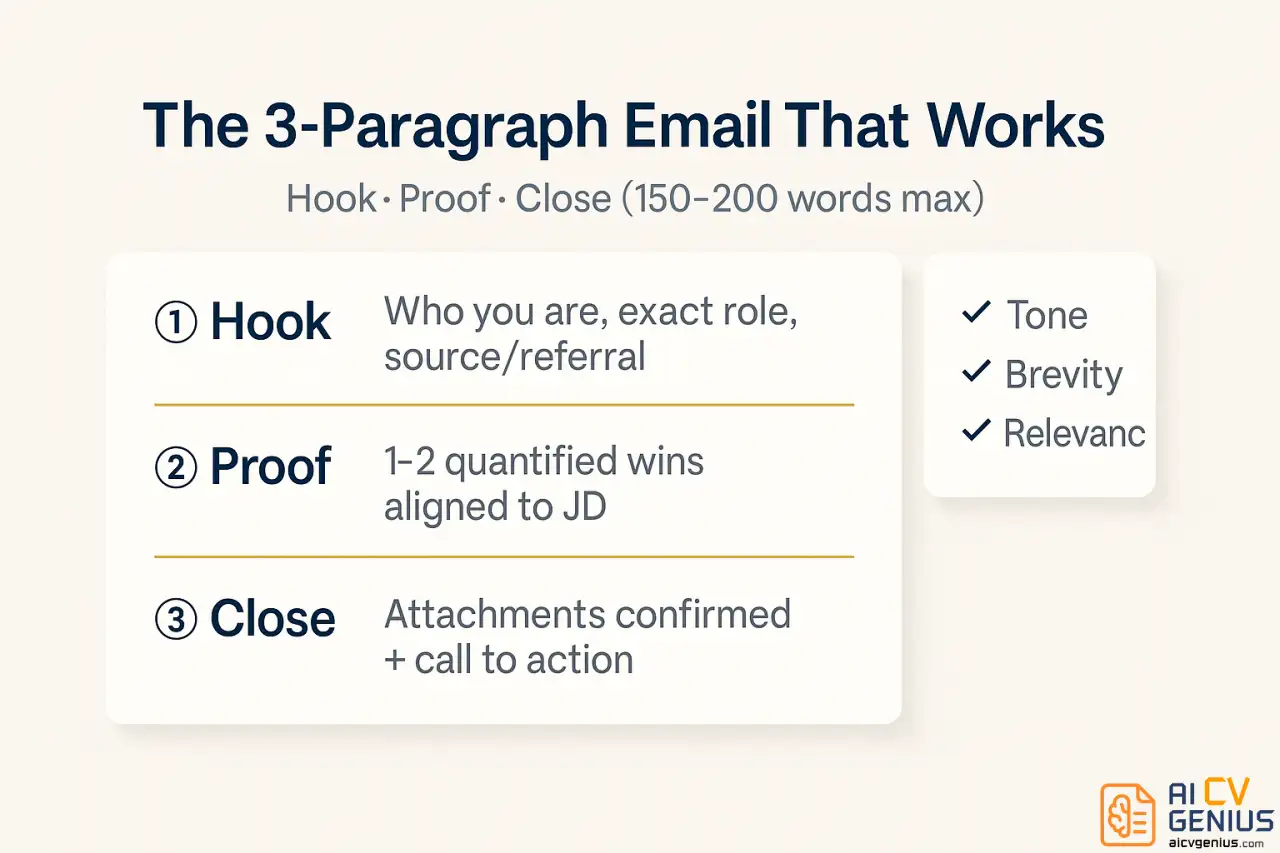
Your email body should be concise, scannable, and powerful. Aim for 150-200 words maximum. The hiring manager is not reading, they are scanning. Use short paragraphs and get to the point.
Paragraph 1: The Hook (Who You Are & What You Want)
Get to the point in the first sentence. State who you are, the exact position you’re applying for, and where you found the posting. If you have a referral, this is where it goes.
Standard Formula:
"I am writing to apply for the [Job Title] position, which I found listed on [Platform, e.g., LinkedIn/company website]. Based on my [X years] of experience in [Field], I am confident I would be a strong asset to your team."
Referral Formula (Better):
"I am writing to apply for the [Job Title] position, on the recommendation of [Referrer's Name] in your [Department]. [Referrer's Name] and I worked together at [Old Company], and they believed my experience in [Skill] would be a great fit for your team."
Cold Email Formula:
"I am writing to inquire about [Job Title, e.g., UX Designer] opportunities at [Company Name]. I have been following your agency's work for some time, and I was particularly impressed by [Specific Project or Achievement]."
Paragraph 2: The Proof (Why You’re a Great Fit)
This is your “3-Sentence-Pitch.” Do not rehash your resume or cover letter. Pick one or two of your most impressive, relevant accomplishments and quantify them. This is the hook that makes them open the attachment.
Formula:
"In my current role at [Company], I [Specific, quantifiable achievement]. I believe this experience, combined with my expertise in [Skill 1] and [Skill 2], aligns perfectly with your requirements for [Specific job responsibility from posting]."
Example:
“In my current role as a Marketing Coordinator, I was responsible for our email campaigns. This past year, I led a strategy that increased our open rates by 28% and drove a 145% increase in social media engagement. I believe this hands-on experience in building data-driven campaigns aligns perfectly with your need for someone to optimize your marketing funnel.”
This paragraph proves you’re not just qualified – you’re an achiever.
Paragraph 3: The Close (Call to Action)
End with confidence. Confirm your attachments, express enthusiasm, and provide a clear call to action.
Passive Close (Weak):
“Hope to hear from you soon. Please let me know if you have questions.”
Confident Close (Strong):
“I have attached my resume and cover letter for your review. I am very enthusiastic about this opportunity and would welcome the chance to discuss how my background in [Your Field] can help [Company Name] achieve its goals. Thank you for your time and consideration.”
Finish with a professional sign-off and your full contact signature block.
Professional Signature Block (Essential):
Best regards,
[Your Full Name]
[Your Phone Number]
[Your Email Address]
[Your LinkedIn Profile URL (hyperlinked)]
How to Attach Your Resume (And Not Sabotage Yourself)
Getting the attachment wrong is the most basic, and most damaging, technical error you can make. It signals carelessness in a way that’s hard to recover from. Follow these rules religiously.
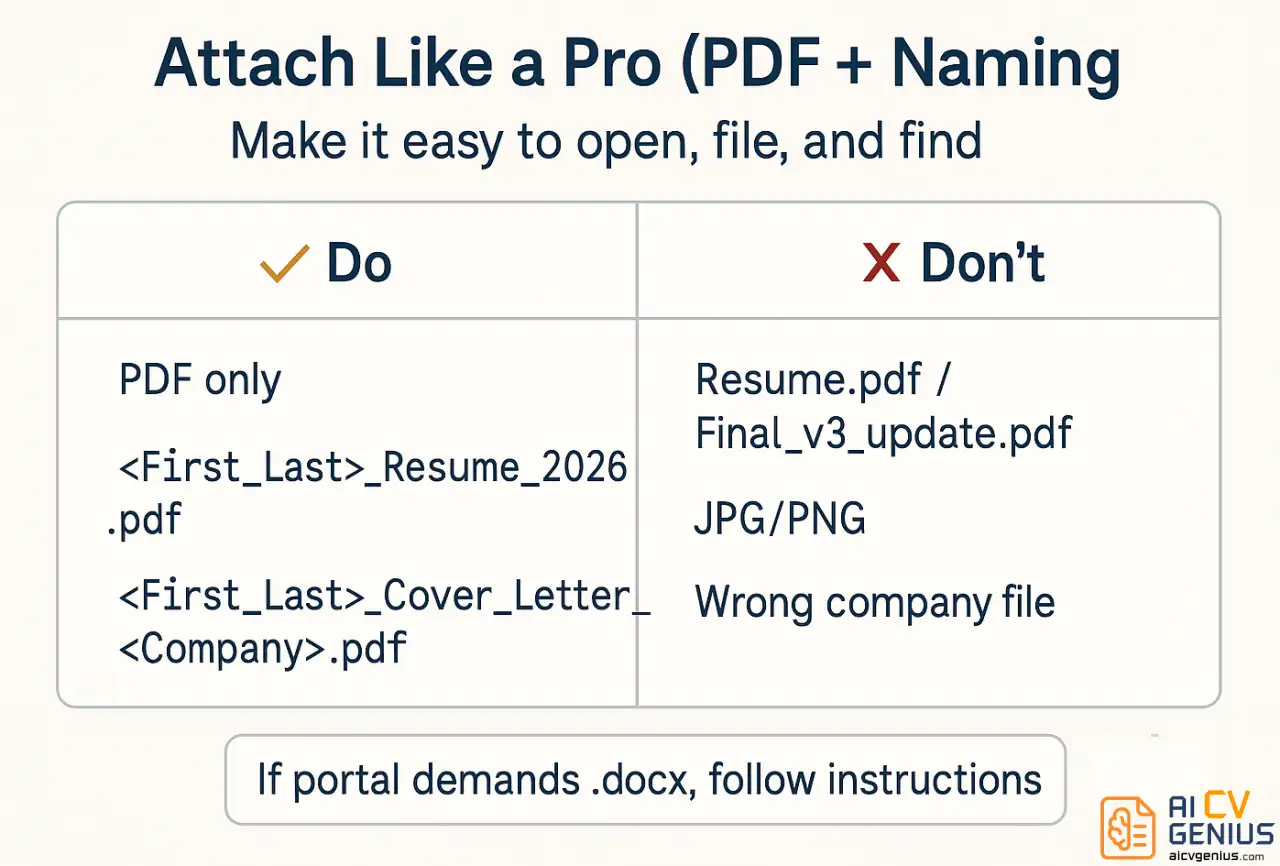
- ✅ Always. Use. PDF. Unless the job posting specifically demands a .docx file, a PDF is the only professional standard. It locks your formatting, looks the same on every device, can’t be easily edited, and is universally readable.
- ✅ The File Naming Convention Is Non-Negotiable:
- Good:
FirstName_LastName_Resume.pdf(e.g., `Sarah_Chen_Resume.pdf`) - Better:
FirstName_LastName_Resume_2026.pdf - Best:
Sarah_Chen_Resume_BrightFutureMedia.pdf(Shows customization!) - Cover Letter:
Sarah_Chen_Cover_Letter_BrightFutureMedia.pdf
- Good:
- ❌ Never, Ever Use These Names:
- `Resume.pdf` (This is unforgivable. Imagine a folder with 100 files named this.)
- `My_Resume_Final_v3_updated_2026.pdf` (Screams disorganization.)
- `SC_Resume.pdf` (Too cryptic.)
- Any image file (`.jpg`, `.png`). These are not machine-readable.
- ✅ The “Double-Check”: Before you hit send, open the attachments from the draft email itself. Make sure you attached the correct files. Sending a resume for Company A to Company B is an instant rejection. Sending your grocery list is even worse (it happens).
- ✅ Keep File Size Small: Your PDF should be under 1-2MB. If it’s larger (e.g., a graphics-heavy design portfolio), upload it to a personal website or Google Drive and provide a link. Do not clog their inbox with a 20MB file.
5 Expert Email Templates for Any Situation
Sample 1: Standard Job Application (Responding to a Posting)
This is your go-to, all-purpose template when applying to a job listing on a company website, LinkedIn, Indeed, or other job boards. It’s clean, professional, and effective.
Subject: Marketing Coordinator Application – Sarah Chen
Dear Hiring Manager,
I am writing to apply for the Marketing Coordinator position posted on LinkedIn (Job ID: MC-2026-15). With three years of hands-on experience in digital marketing and a proven track record of driving engagement growth, I am extremely excited about the opportunity to contribute to Bright Future Media’s innovative campaigns.
In my current role at TechStart Solutions, I took ownership of our social media and email campaigns. I’m proud to say I increased social media engagement by 145% over six months by developing and executing a new targeted content strategy. I also managed our email campaigns, which achieved a 28% open rate – significantly above the industry average of 21%. My experience with HubSpot, combined with my analytical approach, aligns closely with the data-driven requirements in your job description.
I have attached my resume and cover letter for your review. I am confident I can bring this same level of energy and results to your team and would welcome the opportunity to discuss how I can support Bright Future Media’s growth.
Thank you for your time and consideration.
Best regards,
Sarah Chen
(415) 555-0123
sarah.chen@email.com
LinkedIn: linkedin.com/in/sarahchen
Why This Works:
- ✅ Clear Subject Line: Job title and name. Perfect.
- ✅ Strong Hook: Immediately states the position and Job ID.
- ✅ Quantifiable Proof: “145% increase” and “28% open rate” are specific, impressive metrics.
- ✅ Keyword Alignment: Mentions “data-driven” and “HubSpot,” likely from the job description.
- ✅ Confident Close: “I am confident…” is much stronger than “I hope to hear…”.
- ✅ Full Signature: All contact info is easily accessible.
Sample 2: Cold Email (Speculative Application)
This is when you’re reaching out to a company you admire, even if they don’t have a specific job posted. This requires research, respect, and a focus on “value-add.”
Subject: Inquiry: UX Designer Opportunities / Impressed by HealthTech App – David Thompson
Dear Ms. Johnson,
I am writing to you today as a UX Designer who has been following Design Forward Studios’ work for some time. I was particularly impressed by your recent HealthTech Mobile App redesign – your human-centered approach to solving complex patient navigation problems is exactly the kind of work I am passionate about.
With five years of UX design experience focused specifically in the healthcare and wellness sector, I have led design projects that improved user task completion rates by an average of 35%. Most recently, at Regional Medical Center, I redesigned their patient portal, a project that reduced support tickets by 40% and received a 4.8/5 user satisfaction rating. My design philosophy emphasizes accessibility (WCAG 2.1) and inclusive design, values I know Design Forward prioritizes.
I know you’re busy and may not have immediate openings, but I have attached my resume and portfolio for your consideration. I believe my specialized background in healthcare UX could be a valuable asset as your team continues to expand in this sector, and I would welcome the chance for a brief 15-minute chat about your upcoming projects.
Thank you for your time.
Best regards,
David Thompson
(206) 555-0142
david.thompson@email.com
Portfolio: davidthompsonux.com
Why This Works:
- ✅ Shows Real Research: Mentions a specific project (“HealthTech Mobile App”).
- ✅ Addresses the Right Person: Emailed to “Ms. Johnson” (e.g., the Head of Design), not “info@.”
- ✅ Niche Alignment: Connects his specific niche (“healthcare UX”) to their projects.
- ✅ Impressive Metrics: “35% task completion” and “40% support ticket reduction.”
- ✅ Respectful Close: “I know you’re busy” and “15-minute chat” is a low-friction ask.
- ✅ Portfolio Included: Essential for a creative role.
Sample 3: Application With an Internal Referral
A referral is your single greatest advantage. Use it immediately. It moves your email from the “stranger” pile to the “trusted” pile.
Subject: Referred by Michael Zhang for Senior Accountant Position – Lisa Park
Dear Mr. Stevens,
I am writing to enthusiastically apply for the Senior Accountant position at Anderson Financial Group. Your Tax Director, Michael Zhang, and I worked closely at Baker & Associates, and he suggested I reach out to you directly. He believed my background in corporate tax compliance would be a strong match for your team’s current needs.
I have spent the past seven years in public accounting, managing complex tax preparation and audits for mid-sized corporate clients ($50M-$200M revenue). I am proficient in both Lacerte and CCH Axcess, and last year, I identified $240K in tax savings for a manufacturing client through strategic deduction planning.
Michael mentioned that you’re expanding your corporate services division and looking for someone who can work independently and manage client relationships from day one. In my previous role, I was the primary contact for a portfolio of 15 clients and thrive in that kind of autonomous, high-trust environment.
I have attached my resume and would be grateful for the opportunity to discuss how my experience could support Anderson Financial Group. Thank you for your time and consideration.
Sincerely,
Lisa Park
(312) 555-0198
lisa.park@email.com
LinkedIn: linkedin.com/in/lisapark
Why This Works:
- ✅ Referral in Subject: This is the most important part.
- ✅ Referral in First Sentence: Immediately establishes a trusted connection.
- ✅ Uses Insider Knowledge: “Michael mentioned that you’re expanding…” shows she’s already done her homework and has an internal advocate.
- ✅ Addresses a Specific Need: “work independently” – she directly addresses this point.
- ✅ Confident & Professional: The tone is confident, not presumptuous.
Sample 4: Career Change Application (Bridging the Gap)
When you’re changing fields, your email must build a “narrative bridge” for the hiring manager. You have to connect the dots for them, focusing on transferable skills.
Subject: Project Coordinator Application – Alex Kumar (Background in Event Mgmt)
Dear Hiring Manager,
I am writing to apply for the Project Coordinator position at GreenBuild Construction. While my professional title for the past four years has been “Events Manager,” my core function has been exactly what this role requires: managing complex, multi-stakeholder projects from conception to completion.
As Events Manager at Citywide Conference Center, I have coordinated over 50 large-scale events with budgets up to $500K. This role required detailed timeline management, sourcing and coordinating 15+ vendors, budget tracking, and constant, clear communication with clients and internal teams – all skills your posting emphasizes. My largest project, a three-day medical conference for 2,000+ attendees, was executed on time and came in 8% under its $400K budget.
I am making a deliberate career change into construction project management because I am drawn to projects with tangible, lasting outcomes. To prepare, I have completed online certifications in Construction Management fundamentals and am already proficient in Procore and PlanGrid from my personal studies.
My resume and cover letter are attached, which provide more detail on this transition. I would appreciate the opportunity to discuss how my experience in high-stakes project management can be a direct asset to the GreenBuild team.
Best regards,
Alex Kumar
(617) 555-0189
alex.kumar@email.com
Why This Works:
- ✅ Addresses the Change Upfront: The subject line and first paragraph acknowledge the change, neutralizing confusion.
- ✅ Builds the “Narrative Bridge”: Explicitly states “my core function has been exactly what this role requires.”
- ✅ Uses Transferable Metrics: “50 events,” “$500K budgets,” “15+ vendors” are all project management metrics.
- ✅ Shows Proactive Effort: “completed online certifications” and “proficient in Procore” shows serious commitment, not just a casual whim.
Sample 5: Internal Position Application (Navigating Politics)
Applying internally is delicate. You must be professional, respectful of your current manager, and still sell yourself for the new role. The tone is slightly more familiar but still formal.
Subject: Internal Application: Senior Analyst Position (Strategy) – James Wilson
Dear Rachel,
I am writing to formally apply for the Senior Analyst position in the Strategy & Planning department (Job ID: SP-026), which I saw on the internal careers portal. As you know, I have been with the company for three years in the Marketing Analytics team, and I am very excited about the opportunity to bring my analytical skills to a more strategic, forward-looking role.
During my time in Marketing Analytics, I have specialized in data modeling and forecasting, and I’ve had the pleasure of working closely with your team on several projects, including the competitive analysis for the 2025 roadmap. My recent project leading the market segmentation analysis, which contributed to a 22% increase in target market penetration, gave me a strong taste for this kind of strategic work.
I believe this role represents a natural and challenging progression for my career here. (As a courtesy, I have already discussed my interest in this position with my current manager, Tom, and he is supportive of my desire to grow within the company.)
My updated resume is attached, along with a brief statement outlining my interest. I would welcome the opportunity to formally discuss this with you.
Best regards,
James
Internal Extension: 5847
james.willson@company.com
Why This Works:
- ✅ Uses First Name: Appropriate for an internal colleague.
- ✅ References Shared Work: “worked closely with your team… on the 2025 roadmap.”
- ✅ Addresses Internal Politics: The line “I have already discussed… with my current manager” is vital. It shows he is not going behind anyone’s back.
- ✅ Leverages Internal Knowledge: He can speak to specific, shared projects.
- ✅ Still Formal: “Formally apply,” “updated resume attached.” It’s not a casual Slack message; it’s a formal application.
Common Pitfalls and Best Practices
10 Email Mistakes That Get You Instantly Rejected
- ❌ Typos and Grammatical Errors: The #1 killer. If you can’t get a 150-word email right, they won’t trust you with a client proposal. Proofread. Then proofread again.
- ❌ A “Casual” Tone: “Hey, saw ur job post, looks pretty cool. Hope 2 hear back.” This is an instant delete.
- ❌ An Unprofessional Email Address: If your email is from `surferdude88@aol.com` or `partygirl21@hotmail.com`, you’ve lost before you’ve begun. Get a free, professional email: `FirstName.LastName@gmail.com`.
- ❌ Forgetting the Attachment: The digital “faceplant.” You look disorganized and force the manager to email you back. Many won’t bother.
- ❌ Attaching the Wrong File: Sending the resume tailored for Company A to Company B. This is an unrecoverable error.
- ❌ Generic Greeting: “To Whom It May Concern” or “Dear Sir/Madam.” It’s 2026. Find the hiring manager’s name on LinkedIn or, at worst, use “Dear [Department] Hiring Team.”
- ❌ A Vague Subject Line: As covered. “Job” or “Resume” is not enough.
- ❌ Copying Your Cover Letter into the Email: The email is the introduction to the cover letter, not the cover letter itself. Keep it short.
- ❌ Making it All About You: “I need a job,” “I’m looking for my next challenge.” Reframe it to be about them: “I believe my skills can help you solve [Company’s Problem].”
- ❌ Asking About Salary or Vacation: This is a first-round-interview-killer, and it’s even worse in the initial email. Focus on value, not compensation.
When to Send Your Application Email for Maximum Impact
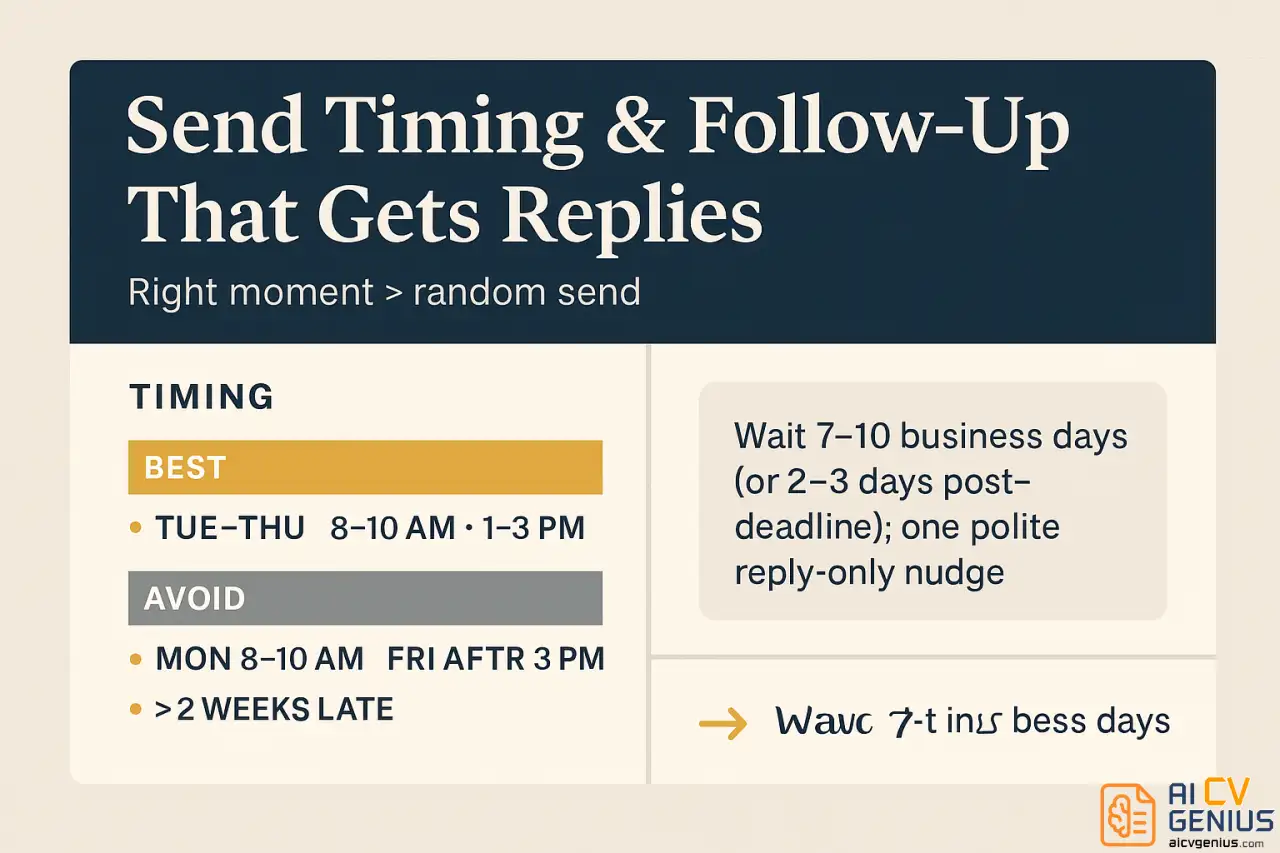
Timing can absolutely affect whether your email gets immediate attention or gets buried. Here’s what the data and recruiter psychology suggest:
| Best Times to Send | Why It Works | Times to Avoid |
|---|---|---|
| Tuesday-Thursday, 8 AM – 10 AM | Recruiters are at their desks, planning their day, and have fresh attention. They haven’t been buried by meetings yet. | Monday Morning (8-10 AM) |
| Early Afternoon (1 PM – 3 PM) | This is the post-lunch email check. People are catching up before their afternoon block of meetings. | Friday After 3 PM |
| Within 24-48 hours of posting | Shows you’re eager and actively monitoring. Many roles are filled from the first wave of strong applicants. | After 2+ Weeks |
What about Monday Mornings? Avoid this. The “Monday Morning Inbox” is a digital battlefield. Your email will be competing with 100+ others, plus all the internal “urgent” fires from the weekend. It’s too easy to get lost.
What about Weekends? You can write it on a weekend, but use your email’s “Schedule Send” feature to have it arrive on Tuesday at 9:00 AM. Sending an email at 11 PM on a Saturday can signal poor work-life boundaries.
How to Follow Up (Without Being Annoying)
If you haven’t heard back, the silence is deafening. But a bad follow-up can be worse than no follow-up at all. One polite, brief follow-up email is acceptable. More than that is pestering.
When to Follow Up: Wait at least 7-10 business days after you sent your application, or 2-3 days after the application deadline (if one was listed).
Follow-Up Email Template:
Subject: Following Up: Marketing Coordinator Application – Sarah Chen
Dear Hiring Manager,
I am writing to briefly follow up on my application for the Marketing Coordinator position submitted on March 15.
I remain very interested in this opportunity and am confident that my experience in driving engagement growth (145% in my last role) would be a strong asset to your team.
I understand you are likely reviewing many applications, but if there is any additional information I can provide, please let me know.
Thank you for your time and consideration.
Best regards,
Sarah Chen
(415) 555-0123
Why This Works:
- It’s polite, professional, and brief.
- It’s sent as a reply to your original email, so they have the whole context.
- It includes one quick reminder of your value (“145% in my last role”).
- It shows understanding (“I understand you are busy…”).
- It only asks once. If you don’t hear back after this, move on.
FAQ and Final Thoughts
FAQ: Job Application Email Quandaries
Final Thoughts: Your Email Is the First Interview
Your job application email sample 2026 approach is critical because it’s often the very first writing sample a hiring manager sees from you. Before they even glance at your beautifully formatted resume or read your compelling cover letter, they are making a snap judgment based on your email. They are judging your professionalism, your attention to detail, and your communication skills. A sloppy, generic email suggests sloppy, generic work. A polished, specific, and confident email suggests you’re a detail-oriented, high-value professional.
The templates in this guide give you the structure, but the customization is what makes them powerful. Take ten minutes to research the company. Find one specific detail that excites you about the role. Choose one quantifiable achievement from your resume that directly addresses their biggest need. These small, thoughtful personalizations are what separate you from the dozens of other applicants who send the same generic, forgettable email.
Remember: your goal isn’t to tell your entire career story in the email. Your goal is to give them one compelling reason to open your attachments and want to learn more. Keep it concise, keep it relevant, and make it easy for them to say “yes” to interviewing you.
Ready to perfect your resume and cover letter too? Check out our complete guide on creating professional resumes that get interviews.