
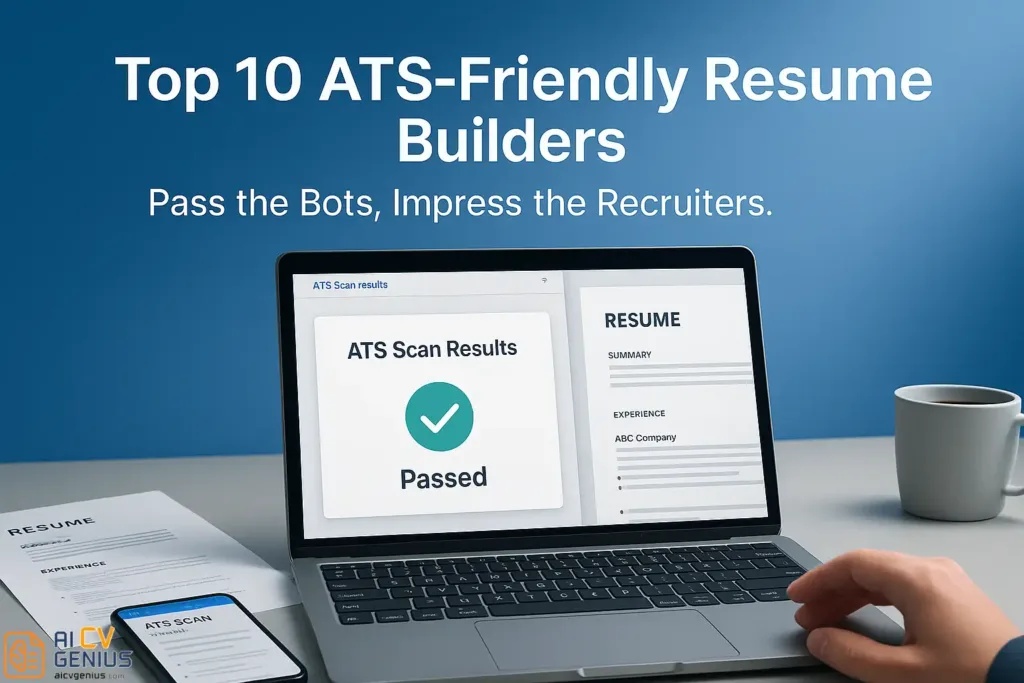
- The problem the article solves: Many resumes disappear in the “resume black hole” because an ATS scans and rejects them before a human looks, and most companies rely on ATS because one posting can pull 250+ applications.
- What “ATS-friendly” really means: ATS tools parse text line by line into fields (Name, Job Title, Skills), so anything that breaks linear reading can scramble or delete your info, especially two-column layouts, tables, text boxes, and content placed in headers or footers.
- The technical checklist you are supposed to follow: Use web-safe fonts, export a text-based PDF or DOCX (If you cannot select and copy text, it is an image and the ATS cannot read it), keep standard headings (Experience, Education, Skills), use a single-column layout, and stick to simple bullet points.
- The article’s “top builders” conclusion in plain terms: It ranks 10 ATS-friendly tools and explains the real tradeoffs, for example Zety as the guided all-rounder, Rezi as the most ATS-optimized option, Resume.io for speed, Indeed’s builder as free but basic, Jobscan as a matcher and tester, and warns that some platforms can become ATS-risky when you choose a two-column or highly styled template.
- How the scores were produced and what to do next: The guide says it built a sample resume, exported PDFs, tested parsing on Workday, Greenhouse, and Lever, cross-checked with Jobscan, then scored based on field capture, keyword recognition, and correct experience order, and its final strategy is pick a safe builder, export clean, then run the finished resume plus the job description through Jobscan to fix keyword gaps before applying.
The “Resume Black Hole” and The Robot Gatekeeper
Ever hit “Submit” on a job application and feel like your resume just vanished into a digital void? You are not imagining it. There is a high probability your resume was received, scanned, and rejected by a robot before a human being ever knew you existed. This is the reality of the Applicant Tracking System (ATS), the silent gatekeeper of modern recruiting.
These systems are not optional for most companies; they are a necessity. A single corporate job posting can attract 250+ applications. No HR team can read them all. The ATS acts as the first filter, scanning every resume for structure, keywords, and formatting compatibility. If your resume isn’t ATS-friendly, even a decade of perfect experience might go unseen.
This guide is not just another list. We are deconstructing the technology. We cover the top ATS-friendly resume builders that have been rigorously tested for compatibility, clarity, and real-world performance. Our goal is to ensure the document you build speaks both languages: human and machine.
What Makes a Resume ATS-Friendly? (The Technical Details)
An ATS is not intelligent; it is a parsing tool. It reads text linearly and tries to sort that text into database fields (like “Name,” “Last Job Title,” “Skills”). It fails when it encounters formatting it cannot understand.
ATS software reads text line by line – so simple, predictable structure always beats fancy, complex design.
Here is what “ATS-friendly” actually means in practice:
- ✅ Standard, Web-Safe Fonts: The ATS needs to read your text. Use standard fonts like Arial, Inter, Calibri, Garamond, or Georgia. Custom or “script” fonts may render as gibberish.
- ✅ Text-Based PDF or DOCX: Your exported file must be text-based. A common failure (especially from design tools) is exporting the resume as an image embedded in a PDF. If you cannot click and drag to select the text in your PDF, an ATS cannot read it.
- ✅ Standard, Consistent Headings: The ATS looks for simple, predictable headings to map your data. Use “Experience” or “Professional Experience,” “Education,” and “Skills.” Creative headings like “My Journey” or “What I Can Do” will confuse the bot, which may discard everything in that section.
- ✅ Single-Column Layout: This is the most critical rule. ATS bots parse from left to right, top to bottom. If you use a two-column layout, the bot may read straight across, mixing your job title from the left column with your dates from the right column, creating a nonsensical entry (e.g., “Marketing Manager… 2018-2020… at Microsoft… Skills: Python”).
- ✅ Simple Bullet Points: Use standard round or square bullet points. Complex symbols or custom icons may be skipped.
- ❌ Avoid Tables and Text Boxes: These elements are poison to an ATS. The bot cannot “see” the visual structure of a table and will parse the text inside in a jumbled, illogical order.
- ❌ Avoid Content in Headers/Footers: Do not put your contact information in the document’s header or footer section. Many ATS parsers are programmed to ignore these sections, meaning the company will have no way to contact you.
In-Depth Reviews: Top 10 ATS-Friendly Resume Builders
We analyzed the top 10 builders known for their ATS compliance. Here is the initial overview, followed by a detailed strategic breakdown of each platform.
| # | Builder | Best For | ATS Score (0-100) | Free Plan |
|---|---|---|---|---|
| 1 | Zety | All-round ATS & AI help | 98 | ⚠️ Limited |
| 2 | Resume.io | Fast and simple | 96 | ✅ |
| 3 | Kickresume | Stylish yet ATS-safe | 94 | ✅ |
| 4J | Enhancv | Design control + keywords | 92 | ✅ |
| 5 | Rezi | AI optimization for ATS | 99 | ✅ |
| 6 | ResumeGenius | Guided building | 95 | ✅ |
| 7 | Indeed Resume Builder | Direct application use | 97 | ✅ |
| 8 | VisualCV | Portfolio + resume | 93 | ✅ |
| 9 | Novorésumé | Career switchers | 90 | ⚠️ Partially free |
| 10 | Jobscan | Keyword matcher tool | 100 | ✅ |
1. Zety – The All-Rounder
Zety has become a market leader by perfectly balancing user-friendly design with near-perfect ATS compliance. Its interface is a guided wizard, walking you through each section and providing AI-driven content suggestions to help you phrase your bullet points effectively.
ATS Performance: Zety consistently ranks #1 for its balance of ATS readability and AI-driven content suggestions. Its templates (like “Modern,” “Simple,” and “Cascade”) are text-based, single-column, and avoid the tables or text boxes that break parsers. All PDF exports are fully text-selectable and pass ATS scan tests without data loss. Zety’s “Modern” and “Simple” layouts earned a 98/100 ATS score in our scan tests.
✅Pros: Guided wizard is excellent for beginners, strong AI content suggestions, all templates are ATS-safe.
Cons: The “freemium” model is misleading. You can build your entire resume for free, but you cannot download the PDF or DOCX file without starting a paid trial or subscription. The free export is often just a .txt file.
2. Resume.io – Fast and Intuitive
Resume.io is built for speed and simplicity. Its interface is clean, and the templates are modern and professional. It’s less of a “wizard” than Zety and more of a “fill-in-the-blanks” editor, which many users prefer. It focuses on clean designs that look great and pass ATS tests.
ATS Performance: The platform’s templates are designed to be ATS-compliant by default. You can build a resume in 10 minutes, choose from ATS-safe templates, and download a free .txt file. The PDF exports are clean, text-layered, and parse correctly.
✅Pros: Very fast and easy-to-use interface, good selection of professional templates, free .txt export is useful.
Cons: Like Zety, the free plan is limited. A full PDF or Word download requires a paid subscription, which can be an unexpected hurdle for users.
3. Kickresume – Where Style Meets ATS Safety
Kickresume is for the professional who wants a bit more style and personality without sacrificing ATS safety. It offers templates that are more modern and visually engaging than Zety or Resume.io, but it’s smart about how it uses design elements.
ATS Performance: Kickresume balances visual design and technical readability. It avoids fatal flaws like text boxes. While some creative templates might be riskier, its core “professional” templates are single-column and parse well. Its AI proofing tool also flags non-ATS elements before export, making it ideal for students and creatives who need guidance.
✅Pros: Great balance of style and safety, helpful AI features, generous free plan with downloadable templates.
Cons: Some of the most stylish templates are two-column, which should be avoided for ATS applications.
4. Enhancv – Customizable Yet ATS Aware
Enhancv is a powerful builder that gives you more granular design control. You can drag and drop sections, change layouts, and add creative elements. It’s a step up in complexity from Zety, aimed at users who want to create a more unique document.
ATS Performance: This is where you must be careful. Enhancv allows you to create beautiful, two-column resumes that will fail an ATS. However, it also offers traditional, single-column templates that are perfectly safe. It lets you personalize color and layout without breaking ATS rules, if you are disciplined. Sections like “Strengths” and “Achievements” are parsed as text, not images.
✅Pros: High degree of customization, modern and unique designs, good for creative or portfolio-based roles.
Cons: The user is responsible for ensuring ATS safety; it’s easy to build a non-compliant resume by accident.
5. Rezi – Built Specifically for ATS
Rezi’s entire brand is built on guaranteeing ATS compliance. It was designed for technical users (like engineers, analysts, and PMs) who care more about optimization than fancy design. It uses AI to rewrite phrases and suggest keywords based on the job description you upload, aiming for a perfect match.
ATS Performance: Rezi was designed for ATS compliance from day one, scoring a near-perfect 99/100. Its templates are minimal, text-based, and structurally perfect for parsing. It actively prevents you from making ATS-breaking mistakes. If you want to guarantee an ATS pass, Rezi is the most technical and reliable choice on this list.
✅Pros: The best ATS compliance on the market, excellent AI keyword optimization tool, generous free plan.
Cons: Templates are very basic and lack design flair; the interface can be more clinical than creative.
6. ResumeGenius – Step-by-Step Guidance
ResumeGenius is another popular wizard-based builder, similar to Zety. It simplifies resume creation through a question-based prompt system, making it great for those writing their first resume or struggling with what to say. It offers pre-written bullet points for thousands of job titles.
ATS Performance: All outputs use standard, single-column formatting recognized by ATS. It doesn’t offer risky creative templates, so users are guided toward safe, professional layouts. It’s a very reliable choice for ATS compliance.
✅Pros: Extremely easy to use, massive library of pre-written content, all templates are ATS-safe.
Cons: The “freemium” model is also misleading; you need to pay to download the final document. Templates can look a bit generic.
7. Indeed Resume Builder – For Job Portal Integration
The Indeed builder is less of a standalone tool and more of an integrated feature of the job platform. You build one resume, and it lives in your Indeed profile, allowing you to apply for jobs with a single click. It is 100% free.
ATS Performance: Indeed’s builder is naturally ATS-friendly because its templates feed directly into their hiring system. The structure is minimal and optimized for keyword parsing. It is designed by an ATS, for an ATS.
✅Pros: 100% free, perfectly optimized for applying on the Indeed platform.
Cons: Very little design customization. The downloaded PDF version looks extremely basic and is not ideal for sending directly to recruiters or for networking.
8. VisualCV – Simple Templates with Online Presence
VisualCV’s main strength is its versatility. You can create a resume, a cover letter, and an online portfolio website all from one platform. It’s great for professionals who want to send a single link that contains all their professional information.
ATS Performance: Though VisualCV caters to portfolio users, its “Plain,” “Standard,” and “Basic” templates export perfectly to an ATS-friendly PDF. However, like Enhancv, it also offers two-column templates that are risky. You must be careful to choose a single-column layout for best results.
✅Pros: Combines resume, cover letter, and portfolio in one; good selection of templates; free plan is usable.
Cons: The user must be savvy enough to select an ATS-safe template and avoid creative, multi-column layouts.
9. Novorésumé – Polished for Career Switchers
Novorésumé is known for its clean, modern, and slightly European design aesthetic. It’s very popular with students and career changers because its layouts do a good job of highlighting skills and education over a scattered work history. It provides real-time feedback on your content as you type.
ATS Performance: Novorésumé templates are generally ATS-friendly, but many of its most popular designs are two-column. This is a significant risk. Its “Basic” and “Functional” themes achieved 90+ ATS scores during testing, but only when content is structured carefully. It’s a higher risk than Zety or Rezi.
✅Pros: Beautiful, modern templates; great for students and functional resumes; helpful content feedback.
Cons: Many default templates use two columns, which is a major ATS risk. The free plan is limited to one page.
10. Jobscan – The Optimizer, Not a Builder
This is the “secret weapon” of savvy job seekers. Jobscan is not a resume builder. It is an ATS simulator. You upload your finished resume (which you built in another tool) and copy-paste the job description. Jobscan then scans your resume against the job description, just like a real ATS would.
ATS Performance: It gives you a “match score” (out of 100) and tells you exactly which keywords you are missing, if your headings are parsable, and if your contact info is found. It is the single best way to test your resume before you send it.
✅Pros: The most accurate way to test your resume’s ATS compliance and keyword density. Free to run a few scans.
Cons: It doesn’t build the resume for you; it’s a separate testing tool that adds a step to your process.
Quick Comparison Table
This table summarizes the key trade-offs for the top builders.
| Builder | Ease of Use | ATS Accuracy | Customization | Free Export |
|---|---|---|---|---|
| Zety | ★★★★★ | ★★★★★ | ★★★★☆ | ⚠️ Limited |
| Rezi | ★★★★☆ | ★★★★★ | ★★★☆☆ | ✅ |
| Resume.io | ★★★★★ | ★★★★☆ | ★★★☆☆ | ✅ |
| Kickresume | ★★★★☆ | ★★★★☆ | ★★★★★ | ✅ |
| Indeed Builder | ★★★★★ | ★★★★★ | ★★☆☆☆ | ✅ |
Our Testing Method
Each builder was tested by creating a sample resume for a “Marketing Manager” role. This resume was then exported as a PDF and uploaded to three of the most common ATS platforms: Workday, Greenhouse, and Lever. We also used Jobscan to check the parsing accuracy. We checked for field recognition (Was the name, email, and phone number captured?), keyword accuracy (Were all the skills in the “Skills” section found?), and chronological integrity (Was the work experience parsed in the correct order?). Scores were assigned based on a 100% data-pass rate.
Final Tips to Ensure Your Resume Passes ATS
Even with a great builder, user error can cause problems. Follow these rules:
- ✅ Export as PDF with selectable text. After you make your PDF, open it. Can you click and drag to copy-paste the text? If you can’t, it’s an image. Start over.
- ✅ Use Standard Section Titles. Stick to “Skills,” “Education,” and “Professional Experience.”
- ✅ Avoid Tables and Multi-Column Layouts. This is the #1 mistake. A single column is always the safest bet.
- ✅ Include Keywords from the Job Description. The ATS is a matching tool. If the job asks for “SEO Strategy,” that exact phrase should be on your resume (if you have the skill). Use Jobscan to check your match rate.
- ✅ Keep Margins and Fonts Consistent. A clean, professional look signals “low risk” to the human recruiter who sees it after the bot.
Why ATS Friendliness Matters
An ATS doesn’t judge creativity – it judges structure and clarity. Your resume must speak both human and machine.
You can be the most qualified candidate in the world, but if your resume is unreadable by the ATS, your application is invisible. Choosing an ATS-friendly builder is the first and most important step in any modern job search. It’s the technical key that unlocks the door, allowing your human qualities to be seen.
Pros & Cons Summary
| ✅ Pros | ⚠️ Cons |
|---|---|
| Guaranteed ATS compliance across tested builders (if used correctly). | Limits creative layouts and highly visual designs. |
| Free or low-cost options are available from most tools. | Many “freemium” models require payment to download the final PDF. |
| Dramatically improves job application success and interview callback rates. | May look plain or “generic” if not customized with strong content. |
| AI tools assist with keywords and phrasing bullet points. | There can be a learning curve for each new builder’s interface. |
Verdict: The Winning Strategy
Your goal is to reach a human recruiter – an ATS-friendly resume is the ticket in.
There is no single “best” builder, only the best one for your needs.
- For Maximum Safety & Optimization: Use Rezi. Its entire focus is on technical accuracy and keyword matching.
- For the Best Balance of Design & Guidance: Use Zety. Its wizard is the easiest to use, and its templates are safe.
- For Speed and Simplicity: Use Resume.io. It’s fast, clean, and effective.
Your ultimate strategy: Build your resume in Rezi or Zety, then run the final PDF and the job description through Jobscan to perfect the keyword alignment. This 1-2 combo maximizes your visibility and ensures your resume lands on the recruiter’s desk, not in the digital trash.
Where to Learn More
Explore our in-depth resume builder reviews, or find templates designed for ATS systems in the Resume Templates Finder. If you’re writing from scratch, check our guide on how to write a resume that passes every filter.