

- Why certifications matter: They prove skills with third party validation and help recruiters filter searches.
- What a complete entry needs: Official name, Issuer, Issue date, Expiration date if relevant, Credential ID, And a verification URL.
- What to include and skip: Prioritize industry recognized and role relevant credentials, avoid random, outdated, unrelated, or expired ones.
- Quality rule: Keep it to 5 to 10 strong certifications so your profile looks focused, not like credential collecting.
- Best practice and special cases: Add right after completion when possible, and keep renewals current for certs like PMP and cloud tracks.
Certifications Prove Skills to Recruiters
Anyone can claim they know Python or project management or digital marketing. Certifications provide third-party validation that you’ve actually learned these skills.
LinkedIn’s “Licenses & Certifications” section gives you a dedicated place to showcase these credentials. When recruiters search for candidates, they often filter by certifications – especially for technical roles or specialized fields.
But there’s a right way and a wrong way to add certifications. The right way makes them searchable, verifiable, and impressive. The wrong way clutters your profile with irrelevant or expired credentials that hurt more than help.
The “Licenses & Certifications” Section
This section appears on your LinkedIn profile between “Experience” and “Education.” It’s separate from skills endorsements – those are informal peer validations, while certifications are formal credentials.
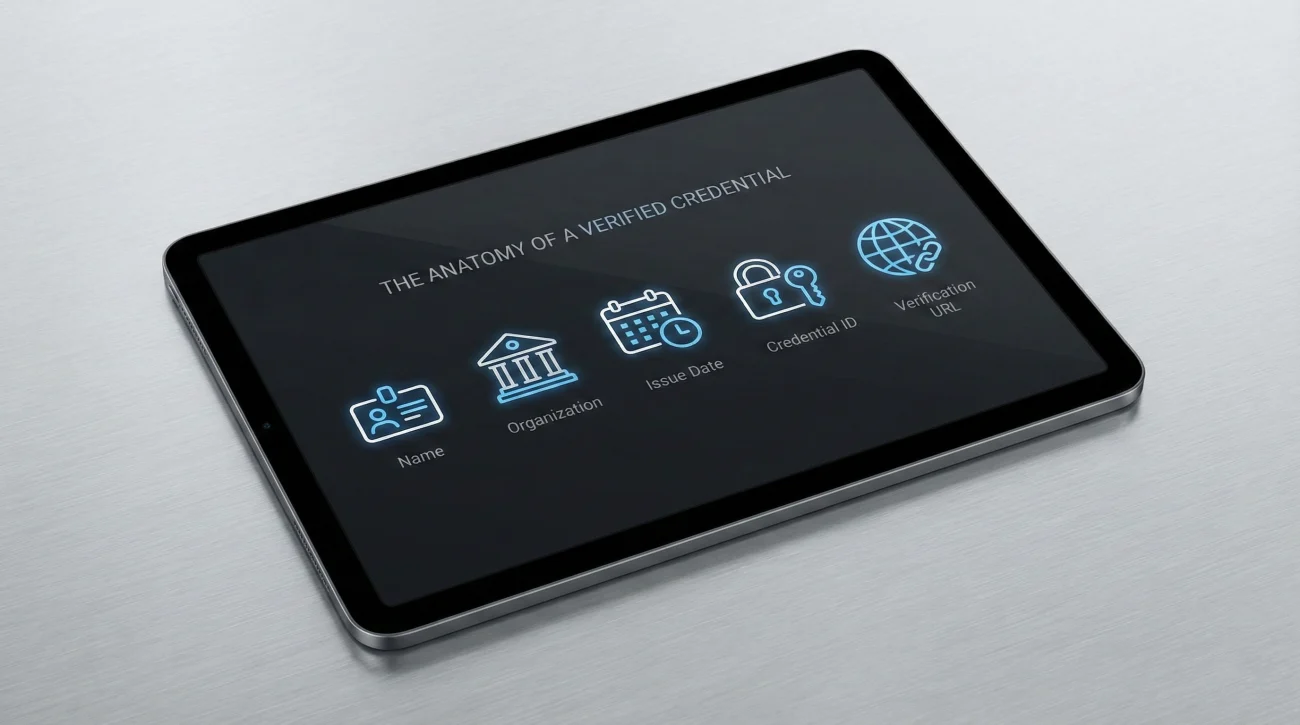
Required Fields When Adding a Certification
Name: The exact official name of the certification. Don’t abbreviate or paraphrase.
- ✅ Correct: “Google Data Analytics Professional Certificate”
- ❌ Wrong: “Google Analytics cert” or “Data Analytics course”
Issuing Organization: The company or institution that granted the certification.
- Examples: Google, Coursera, CompTIA, PMI, HubSpot
Issue Date: Month and year you received the certification.
Expiration Date (if applicable): Some certifications expire and require renewal. Include this if relevant.
- PMP certifications expire after 3 years
- Many tech certifications (AWS, Azure, Cisco) have expiration dates
- Most course-based certifications (Coursera, Udemy) don’t expire
Credential ID (if provided): The unique identifier that lets people verify your certification. Always include this if the issuing organization provides one.
Credential URL: Direct link to verify the certification. For platforms like Coursera and Credly, this is automatically generated.
For comprehensive profile optimization, see our complete LinkedIn and resume guide.
Should You Add Every Certification?
No. Quality over quantity applies here. A profile with 30 certifications looks unfocused or like you’re collecting credentials without depth.

Always Include
- Industry-recognized credentials: PMP, CPA, CFA, Professional Engineer licenses
- Major platform certifications: AWS, Google Cloud, Salesforce, HubSpot
- Programming/technical certifications: CompTIA, Cisco, Oracle
- Certifications directly relevant to your target role: If you’re applying for data analyst positions, Google Data Analytics Certificate matters
Consider Skipping
- Generic online courses without verification: “Introduction to Marketing” from a random website with no credential ID
- Outdated certifications in deprecated technologies: Adobe Flash certification, old programming languages no longer used
- Certifications unrelated to your career direction: If you’re a software engineer, your yoga instructor certification is probably irrelevant
- Expired credentials you haven’t renewed: Unless you’re actively renewing, remove expired certifications
The 5-10 Rule
Aim for 5-10 certifications maximum. If you have more, prioritize the most relevant and recent. This shows focus and expertise rather than credential collecting.
Step-by-Step: Adding a Certification
- Go to your LinkedIn profile and click “Add profile section”
- Select “Licenses & Certifications” from the dropdown
- Click the “+” button to add a new certification
- Fill in the required fields:
- Name (use official certification name)
- Issuing organization
- Issue date
- Expiration date (if applicable)
- Credential ID (if provided)
- Credential URL (if available)
- Click “Save”
Making It Verifiable
The Credential ID and URL are critical for legitimacy. When recruiters see these fields filled in, they know the certification is real and can verify it if needed.
Example of complete entry:
Name: AWS Certified Solutions Architect – Associate
Issuing Organization: Amazon Web Services (AWS)
Issue Date: March 2024
Expiration Date: March 2027
Credential ID: ABC123XYZ456
Credential URL: aws.amazon.com/verification
This looks professional and allows verification.
Special Cases: Platform-Specific Instructions

Coursera Certifications
Coursera makes it easy – most certificates include an “Add to LinkedIn” button directly on the completion page.
- Complete your course and receive the certificate
- Click “Add to LinkedIn profile” button on the certificate page
- LinkedIn opens with fields pre-filled
- Review and confirm the information
- Click “Save”
The Credential ID and URL are automatically included. Coursera certificates are verifiable, which adds credibility.
Google Certifications
Google Career Certificates (Data Analytics, Project Management, UX Design, IT Support) follow the same process as Coursera since they’re hosted on that platform.
For other Google certifications (Google Ads, Analytics, Cloud):
- Complete the certification through Google Skillshop or Google Cloud
- Receive your credential ID
- Manually add to LinkedIn using the credential information provided
- Include the verification URL if Google provides one
HubSpot Academy
HubSpot certifications are free and highly regarded in marketing.
- Complete your certification (Inbound Marketing, Content Marketing, etc.)
- HubSpot provides a certificate with a verification URL
- Manually add to LinkedIn
- Include the HubSpot verification link
HubSpot certifications don’t expire for the foundational courses, but some advanced certifications require renewal.
PMP and Other PMI Certifications
Project Management Professional (PMP) is one of the most valuable certifications in project management.
- After passing the exam, receive your PMP number from PMI
- Add to LinkedIn with:
- Full name: “Project Management Professional (PMP)”
- Issuing organization: “Project Management Institute (PMI)”
- Credential ID: Your PMP number
- Expiration date: 3 years from issue date
Important: Keep this updated. PMP requires renewal every 3 years through continuing education credits.
AWS and Cloud Certifications
Cloud certifications from AWS, Azure, and Google Cloud are highly valuable for tech roles.
- Pass your certification exam
- Receive your credential from the provider’s certification portal
- Add to LinkedIn with the provided credential ID
- Include the verification URL
- Note the expiration date (most cloud certs expire after 2-3 years)
These certifications are searchable and often required for cloud-related roles, so make sure they’re prominently displayed.
For more career development resources, explore our comprehensive career guide.
Pro Tip: Add Immediately After Completion
Most certification platforms (Coursera, Udemy, HubSpot) offer an “Add to LinkedIn” button right on the completion screen. Use it immediately.
Why this matters:
- The credential information is pre-filled correctly
- You won’t forget to add it later
- It signals to your network that you’re actively learning
- Fresh certifications get engagement (likes, comments) that boost visibility
Don’t wait until you’re job searching to add certifications. Add them as you earn them. This keeps your profile current and shows continuous professional development.
FAQ
Certifications Are Proof, Not Just Claims
Skills listed on your profile are self-reported. Certifications are third-party validated proof that you’ve actually learned what you claim to know.
Adding certifications to LinkedIn the right way – with official names, credential IDs, and verification URLs – makes your profile more credible and searchable. Recruiters trust verified credentials and often filter specifically for them when searching for candidates.
The key principles: be selective (5-10 relevant certifications), keep them current (remove expired ones), and add verification details whenever possible (credential ID and URL).
Start by adding your most relevant, recent certifications today. Use the platform-specific instructions above for Coursera, Google, HubSpot, AWS, or PMP. And going forward, click “Add to LinkedIn” immediately when you complete any new certification.
Certifications prove you’re committed to continuous learning and skill development. That’s exactly what employers want to see.
For additional LinkedIn optimization strategies, check out our comprehensive LinkedIn guide.