
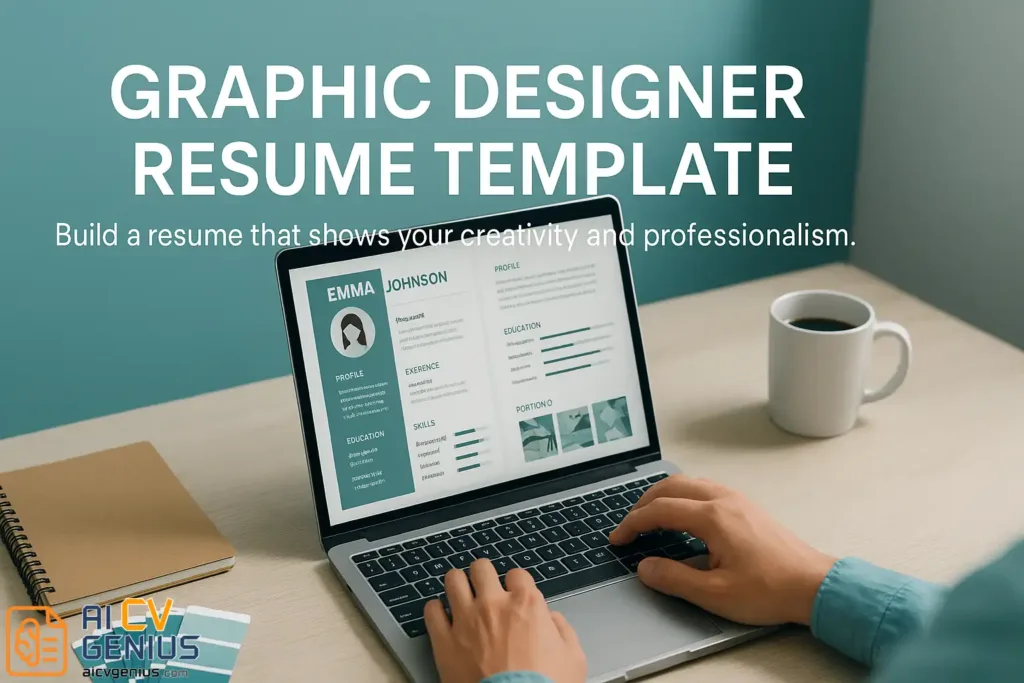
- Graphic designer resume template is framed as a design framework, not a shortcut: It removes blank-canvas paralysis so you can focus on hierarchy, clarity, and the story that gets you past the first six-second scan.
- The recruiter lens drives every design decision: Clean grid, consistent typography, controlled color, and generous white space signal discipline and taste, while chaos, too many fonts, and noisy layouts make decision makers feel “lost.”
- The ATS debate is handled with strict guardrails: Single-column layout, text-based PDF (Selectable text), no text-as-images, no skill bars, and measurable results inside bullets, because bots cannot read what you designed as decoration.
- A 5-step process turns the resume into a real design project: Choose a template that fits your style without shouting, structure content like a hierarchy system, apply pro details (Baseline grid, font pairing, labeled icons, limited palette, print test, clean filename), then use AI to polish grammar, verbs, and keyword checks without erasing your voice.
- A full resume example shows the complete build, plus the final advice is to treat your resume like a living prototype: Keep a master version, create targeted versions per application, refresh every six months, and keep brand consistency across resume, portfolio, and LinkedIn.
Why Your Resume Is the Hardest Design Project You’ll Ever Do
Let’s admit it – designing for clients is easy compared to designing for yourself. When you sit down to build your own resume, every font choice suddenly feels personal. Every margin, every color, every pixel seems to whisper, “Does this really represent me?” This paralysis is normal. You are a creative professional trying to condense your entire complex, visual, and evolving identity into a single, static A4 page. It feels impossible.
That’s why the right graphic designer resume template can change everything. It is not a crutch; it is a framework. It provides structure to your chaos, clarity to your creativity, and the confidence to hit “Send” without second-guessing every single line. It removes the friction of starting from a blank canvas, allowing you to focus on what matters: the content, the hierarchy, and the story.
“Your resume is the only design that opens doors before you even meet the client.”
Think of it not as a formality – but as your first design pitch. A clean, strategic layout doesn’t just impress recruiters, creative directors, or studio managers; it communicates your thought process, your personal brand, and your obsessive attention to detail in one six-second glance. It proves you understand the most fundamental rule of design: form must serve function.
The Recruiter’s View, Design Psychology, & The ATS Debate
Before we build, we must understand the user. Your user is a busy recruiter, an art director, or a studio manager. They are sifting through 50, 100, even 200 applications. They are not just looking for skills; they are looking for a fit. Your resume’s design is their first clue.
Behind the Scenes: Emma’s Story
Emma, a freelance designer from Berlin, had been working on brand identities for small startups for three years. Her Behance portfolio was beautiful – a vibrant collection of logos, color palettes, and mockups. But she rarely heard back from the top-tier agencies she applied to. The problem wasn’t her talent; it was how her story was told.
Her “before” resume was a colorful mosaic of fonts, icons, and overlapping shapes. It looked like an artboard, not a professional summary. It used three different display fonts, skill “progress bars” that meant nothing, and a two-column layout that was impossible to scan. Recruiters loved her portfolio link, but they confessed they got “lost” trying to find her actual skills and roles. Her design was screaming so loud, they couldn’t hear what she was saying.
After switching to a clean, minimalist template – one with bold teal headings, a consistent 12-column grid, a simple sidebar for tools, and a single highlight color – her callbacks skyrocketed. She added one line to her summary that said, “I design for clarity, not complexity.” Within a month, she signed her first agency contract with a global client. That’s the power of presentation. Even for designers, design isn’t just decoration – it’s communication.
Design Psychology: How Recruiters “Read” Your Layout
Every layout sends subconscious signals. A tight grid and aligned text imply professionalism, discipline, and an organized mind. Uneven spacing, chaotic typography, or too many colors signals inexperience, a lack of attention to detail, or an inability to edit – even if your projects are top-notch.
Color psychology plays a role too:
- Blues and Teals: Build trust, communicate calmness and reliability. A very “safe” choice for corporate or agency roles.
- Oranges and Yellows: Suggest creativity, energy, and optimism. Can be powerful for a branding or social media-focused role, but use sparingly.
- Muted Neutrals (Greys, Beiges): Convey balance, maturity, and sophistication. Excellent for senior roles or minimalist brands.
- Reds: Signal passion and boldness, but can also be read as aggressive or alarming. Use with extreme caution.
White space matters most. Padding between elements makes information easier to digest, just like breathing space in a poster. Visual rhythm keeps the reader engaged – a calm eye moves smoothly from name to contact to headline, not lost in noise. Your resume should feel like a sigh of relief to a busy recruiter.
The Case for Simplicity in a Visual World
This is the most painful discussion for designers. You want to create a stunning, unique resume. But you must first pass the Applicant Tracking System (ATS), a robot that cannot “see” your beautiful design.
Great design isn’t about adding – it’s about editing. The most successful designer resumes often look deceptively simple. They convey control, maturity, and taste. A minimalist layout isn’t empty; it’s strategic silence.
When recruiters see clean structure and thoughtful hierarchy, they instantly trust your design process. It tells them, “This person understands clarity.” This “simple” design is also what makes the ATS bot able to read your file. Your creativity should live in your portfolio, which the resume strategically points to. Your resume’s job is to be a clean, functional, and beautiful map to that portfolio.
Common Resume Mistakes Designers Still Make (The ATS Trap)
Avoid these at all costs. They will get your resume rejected by the bot.
- ❌ Using a Two-Column Layout: This is the #1 killer. The ATS reads left-to-right, top-to-bottom. It will read across your columns, jumbling your text into nonsense. Stick to a single column.
- ❌ Embedding Text as Images: If you design your resume in Photoshop and export it as a JPG, it is 100% unreadable by an ATS. Your PDF must be text-based (you should be able to click and drag to select the text).
- ❌ Using “Progress Bars” for Skills: Those little bars that show “Photoshop: 90%” are meaningless. They are unreadable by bots and tell a human nothing. What does “90%” mean? List the tools, and prove your skill in your experience bullets.
- ❌ Skipping Measurable Results: “Designed logos” means nothing. “Designed a new logo system for Client X, contributing to a 15% rise in brand recognition” means everything.
Building Your Resume: Anatomy & A 5-Step Design Process
A resume is more than boxes and text. It’s a composition. Each section has a role, like instruments in an orchestra – all playing in harmony. Treat your resume like any other client project. It requires research, strategy, drafting, and refinement.
| Section | Purpose & In-Depth Strategy |
|---|---|
| Header | Establish identity. Includes your name, professional title (e.g., “Graphic Designer,” “UX/UI Designer,” “Art Director”), phone, email, and a clickable link to your online portfolio (Behance, Dribbble, or personal site). Keep it clean, legible, and at the top. |
| About (Summary) | Summarize your creative voice. This is your 2-3 line “brand statement.” Who are you, what is your design philosophy, and what value do you bring? Make it human, not robotic. Weak: “Graphic designer with 5 years of experience.” Strong: “Brand identity designer focused on creating minimalist, human-centered designs that translate complex ideas into clear visual stories.” |
| Experience | Provide measurable impact. This is your proof. List roles in reverse-chronological order. Under each role, use 3-5 bullet points. Do not list duties; list achievements. Weak: “Designed logos for clients.” Strong: “Led the rebrand for a B2B startup, resulting in a 30% increase in lead generation and a successful $5M funding round.” |
| Skills (Tools) | Balance technical and creative. Create two sub-sections: Design Tools (e.g., Adobe Illustrator, Figma, Sketch, After Effects) and Creative Strengths (e.g., Brand Strategy, Concepting, Storytelling, Typography, UX Research). This shows you are both a technician and a thinker. |
| Portfolio Links | Provide instant proof. This is non-negotiable. Include a main portfolio link in your header. You can also add specific, relevant project links (e.g., a specific Behance case study) under your Experience bullet points to provide direct context. |
| Design Notes (Optional) | Express your philosophy. A short, optional tagline at the bottom can be a nice touch. For example: “Design Philosophy: Clarity over complexity.” or “Available for freelance and full-time roles.” |
Step 1: Choose a Template That Speaks Your Style – Without Shouting
A graphic designer resume template shouldn’t steal the spotlight from your work. It should frame it. Whether you’re an illustrator, brand specialist, or UX designer, choose a template that echoes your aesthetic but remains legible and professional.
- Minimalist Pro: Clean grid, monochrome palette, strong typography. Conveys maturity and timelessness. Excellent for corporate, agency, or senior roles.
- Bold Contrast: Uses one strong accent color for headers. Ideal for freelancers or designers with personality-driven portfolios (e.g., social media, advertising).
- Creative Grid: A modular layout that mimics a portfolio case study. Can be very effective, but must be a single-column design to be ATS-friendly.
- Elegant Serif: Blends a classic serif for headers with a clean sans-serif for body text. Signals sophistication. Great for senior roles or editorial design.
You can explore all of these styles through our Resume Templates Finder. The most important rule: customize it. Change the accent color to match your portfolio. Use your “brand” fonts (as long as they are web-safe and readable). Make the template yours.
Step 2: Structure Your Information Like a Design Project
Hierarchy is your best friend. A recruiter’s eye should be guided effortlessly to the most important information. Use typographic contrast:
- H1 (Your Name): Largest and clearest.
- H2 (Section Headers): Bold, all-caps, or with a color accent.
- H3 (Job Titles/Subheads): Medium weight, clear distinction from body.
- Body Text (Descriptions): Regular weight, 10-12pt font for readability.
Align all content to an invisible 12-column grid for visual rhythm. Avoid centering long paragraphs of text – flush-left (or “ragged right”) text is far more readable and looks more professional. Use lists and bullet points to break up dense information.
Step 3: Master the Pro-Designer Details (The Tips That Actually Work)
These are the small things that make a big difference.
- ✅ Use a Baseline Grid: Aligning all your text to a vertical baseline grid (e.g., 4pt or 8pt) creates a subconscious sense of order and calm. Recruiters won’t notice why it looks so clean, but they’ll feel it.
- ✅ Choose Your Fonts Wisely: Use 1-2 font families maximum. A great strategy is pairing a character-filled serif for headers (like Playfair Display or Merriweather) with a clean, highly legible sans-serif for body text (like Inter, Lato, or Roboto).
- ✅ Label Your Icons: Never rely solely on icons for information (like a “phone” icon for your number). It’s an accessibility nightmare and can confuse ATS bots. Always include a text label (e.g., “Phone: …”).
- ✅ Limit Your Palette: Stick to 3 tones maximum: a dark color for text (pure black is harsh; try a dark grey), a neutral for the background (white or off-white), and one single accent color for links and headers.
- ✅ Run a Print Test: Print your resume once. Physical space reveals spacing errors, widows (single words on their own line), and alignment issues much better than a screen.
- ✅ Name Your File Correctly: Send your resume as a PDF. Name it professionally. “Emma_BrandDesigner_Resume_2024.pdf” looks polished. “final_v3_edit(2)_FINAL.pdf” looks chaotic.
Step 4: Use AI to Polish, Not Replace, Your Voice
AI tools are not your competition – they’re your collaborators. As a designer, your voice is your brand. Do not let AI overwrite your tone. Authenticity is your brand currency.
Instead, use AI strategically:
- For Grammar & Typos: Use tools to do a final polish. A typo in a designer’s resume is a critical failure.
- For Action Verbs: Ask for a list of stronger verbs than “Managed” or “Worked on.” (e.g., “Spearheaded,” “Orchestrated,” “Redesigned,” “Quantified”).
- For ATS Analysis: Tools like Jobscan or Rezi can highlight missing keywords from a job description or flag layout issues that affect ATS parsing.
Treat it like your personal design assistant – not your ghostwriter.
| ✅ Pros of Using AI | ❌ Cons of Using AI |
|---|---|
| Enhances structure and alignment checks. | Can make your writing sound generic and robotic. |
| Improves keyword optimization for ATS. | Doesn’t understand creative nuance or your personal brand voice. |
| Provides a fast feedback loop for layout checks. | Requires careful human refinement and editing. |
The Complete Graphic Designer Resume Example (Putting It All Together)
Theory is one thing; practice is another. Let’s apply every strategy we’ve discussed to build a complete resume for a fictional candidate, Sarah Miller, a Brand Identity Designer.
SARAH MILLER
Brand Identity & UX/UI Designer
Brooklyn, NY 11201 | (555) 678-1234 | s.miller.design@email.com | sarahmillerdesign.com
ABOUT
Brand identity designer focused on creating minimalist, human-centered designs that translate complex ideas into clear visual stories. 6+ years of agency and freelance experience, moving seamlessly from initial concept and strategy to final pixel-perfect execution in Figma and Adobe CC.
CORE COMPETENCIES
DESIGN TOOLS
| CREATIVE STRENGTHS
|
PROFESSIONAL EXPERIENCE
Senior Brand Designer | Pentagram (via Agency Contract) | New York, NY (2021 – Present)
- Led the complete visual rebrand for a B2B SaaS startup, creating a new logo, 50+ page brand guidelines, and a component-based design system in Figma.
- Designed and prototyped a 100+ screen mobile app, conducting user testing and iterating on feedback to improve task success rate by 40%.
- Mentored 3 junior designers, providing constructive critique on typography, grid systems, and client presentation skills.
Graphic Designer | Freelance | Brooklyn, NY (2018 – 2021)
- Managed 15+ concurrent branding and web design projects for small business clients, from initial pitch and proposal to final asset delivery.
- Designed a new logo and packaging system for a CPG coffee brand, resulting in a 30% increase in online sales and placement in 50+ new retail stores.
- Orchestrated and art directed 3 professional photoshoots for client brand assets, managing budgets, models, and locations.
EDUCATION
- BFA in Graphic Design (Honors) | Parsons School of Design | New York, NY
- Certified UX Professional (NN/g) | Nielsen Norman Group
Final Advice: Your Resume as a Living Design & FAQs
Your resume isn’t static. It evolves with every project, every client, and every creative risk you take. Think of it as a living prototype – versioned, improved, refined. Each iteration teaches you something new about how the world sees your work.
“A designer’s resume is never finished – only redesigned.”
Review your resume every six months, even if you are happy in your job. Update projects, revise your brand tone, and rethink your layout as your aesthetic matures. Create a “master” resume that is long and contains everything. Then, for each job application, create a new version, editing it down to be a 1-2 page, highly-targeted pitch. Treat it like a product – because it is one. It’s the product of “you.”
FAQs: Graphic Designer Resume Template
Final Thoughts
The perfect graphic designer resume template doesn’t scream creativity – it demonstrates it through structure, balance, and intention. Design isn’t about what you add, but what you refine. And that’s exactly what your resume should show: clarity, maturity, and an eye for what truly matters.
Because in the end, your resume isn’t just a summary of your career – it’s the story of your evolution as a designer. One line, one project, one beautiful composition at a time.