
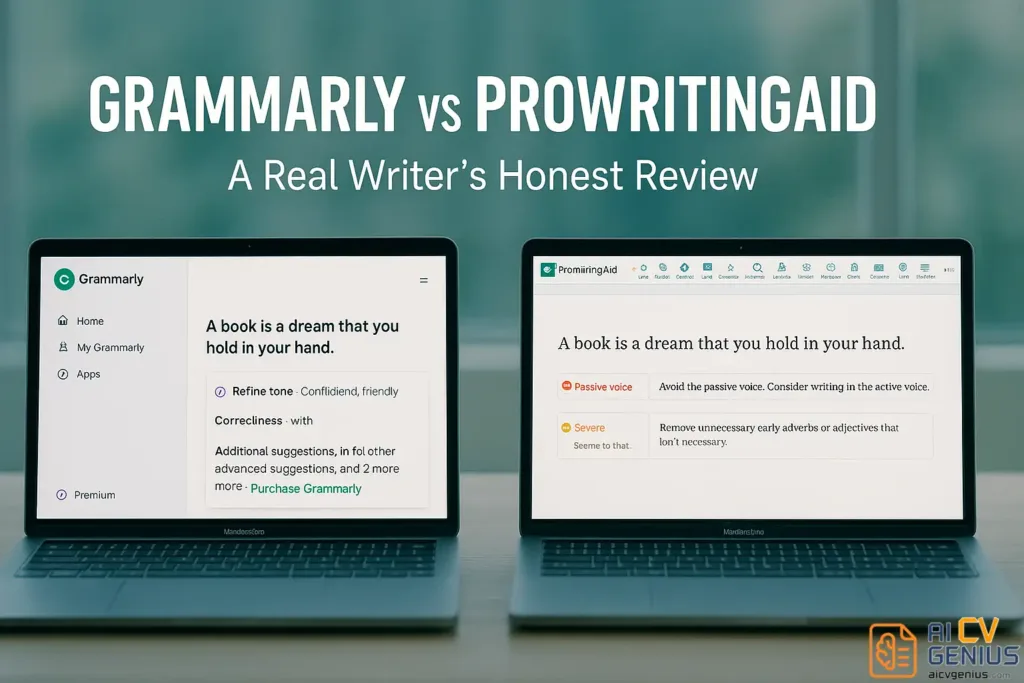
- The real difference: Grammarly is for clean, professional writing fast, while ProWritingAid is for deeper structure, pacing, and style.
- Ease of use: Grammarly feels invisible and quick across daily apps, while ProWritingAid feels like an editor’s dashboard built for longer sessions.
- Feedback depth: Grammarly catches most grammar issues accurately, while ProWritingAid surfaces more style and clarity patterns (including tone shifts).
- AI and integrations: Grammarly offers broader integrations and faster generative rewrites, while ProWritingAid focuses on contextual, learning-first suggestions.
- Best fit and value: Grammarly suits real-time work and speed, ProWritingAid suits long-form polishing and lifetime pricing, and using both covers daily polish plus deep edits.
Grammarly vs ProWritingAid (A Real User’s Honest Comparison)
I’ve been writing for years – blogs, articles, and client projects – and I’ve used nearly every writing assistant out there. But when it comes to grammar and clarity, the big question has always been: Grammarly vs ProWritingAid. I’ve used both long enough to know what they’re truly like. This isn’t a sponsored post; it’s the honest view of a writer who cares about flow, accuracy, and tone more than buzzwords or hype.
The Real Difference Between Grammarly and ProWritingAid
If you’re new to these tools, they might look similar – both claim to fix grammar and help you write better. But they serve different purposes. Grammarly focuses on clean, readable, and professional text. ProWritingAid, however, digs into structure, pacing, and style, making it ideal for deeper editing sessions. Think of Grammarly as your everyday writing partner, and ProWritingAid as your developmental editor.
Feature Deep Dive: A Head-to-Head Comparison
Interface and Ease of Use
Grammarly’s interface is clean and modern. It integrates smoothly with browsers, Word, Google Docs, and email clients. You don’t have to think – it just works. That’s why it’s great for multitasking professionals. The dashboard is minimalist, with green and red highlights that show corrections instantly.
ProWritingAid’s layout is busier. You’ll find reports for readability, sentence variety, clichés, overused words, and transitions. The first time I opened it, I felt like I’d entered an editor’s control room. But after getting used to it, I realized how powerful it was. For long documents, creative writing, or book editing, it gives more control and context.
So for quick, real-time grammar checks, Grammarly wins. But for deep dives and structural improvements, ProWritingAid has the edge for Grammarly vs ProWritingAid for writers who care about long-form content.
Accuracy and Feedback Depth
Let’s talk about precision. Grammarly’s corrections are almost always right. It’s fast and rarely overcomplicates feedback. But ProWritingAid goes beyond surface-level grammar. It spots style inconsistencies, sentence rhythm, and even readability shifts. For example, it might point out when your tone suddenly changes from formal to casual – something Grammarly often misses.
I tested both tools on the same 1,500-word article. Grammarly found 22 issues. ProWritingAid found 64 – and half were about style or clarity, not grammar. That’s why when comparing ProWritingAid vs Grammarly accuracy, it depends on your goal. Grammarly is great for “good enough.” ProWritingAid is great for “perfect and polished.”
Integrations and Platforms
Grammarly integrates almost everywhere – Chrome, Gmail, Notion, Slack, and even LinkedIn. It’s lightweight and works instantly in the background. That’s perfect for professionals who jump between apps all day.
ProWritingAid works best inside Word, Scrivener, and Google Docs. Its browser extensions aren’t as smooth, and large files can slow it down. But it shines on desktop. If you’re writing novels or academic work offline, it’s far more stable. For pure accessibility, Grammarly wins; for dedicated, focused writing sessions, ProWritingAid holds its ground.
AI Writing Support and Smart Suggestions
In the past year, both tools added AI features. Grammarly’s “Generative AI” rewrites sentences, expands paragraphs, and helps with tone adjustments. It’s like having ChatGPT built into your editor. It’s ideal for speed – marketers, students, or business professionals can save hours with it.
ProWritingAid’s AI works differently. It’s more about improving your writing, not rewriting it for you. It explains why a sentence feels off and suggests ways to enhance flow or clarity. It’s less flashy, but more educational. That’s why when we talk about AI writing tools comparison, Grammarly is the faster fixer, while ProWritingAid is the thoughtful mentor.
Pricing and Value
Grammarly has a free version, but serious users will need Premium. It costs about $12/month annually. ProWritingAid’s pricing is cheaper long-term – you can get a lifetime license, which is rare and valuable. If you’re just writing short content occasionally, Grammarly’s subscription makes sense. But if you’re a content writer, editor, or novelist, ProWritingAid’s one-time payment wins for value.
From a cost perspective, ProWritingAid offers more flexibility and long-term savings. For freelancers, this makes a big difference – no recurring payments, no limitations on device usage. Grammarly is the convenience tool; ProWritingAid is the investment tool.
Real-World Writing Experience
As someone who writes for clients daily, I can say this: I use Grammarly when I need quick polish, and ProWritingAid when I’m editing for depth. Grammarly feels like a fast assistant who cleans your copy before sending. ProWritingAid feels like a mentor who points out every flaw and helps you grow as a writer.
After months of switching between both, my rhythm is simple: Grammarly for emails, posts, and reports. ProWritingAid for blog drafts, case studies, and anything that needs structure. Both make me a better communicator – but in different ways.

Verdict & Recommendations
Comparison Table
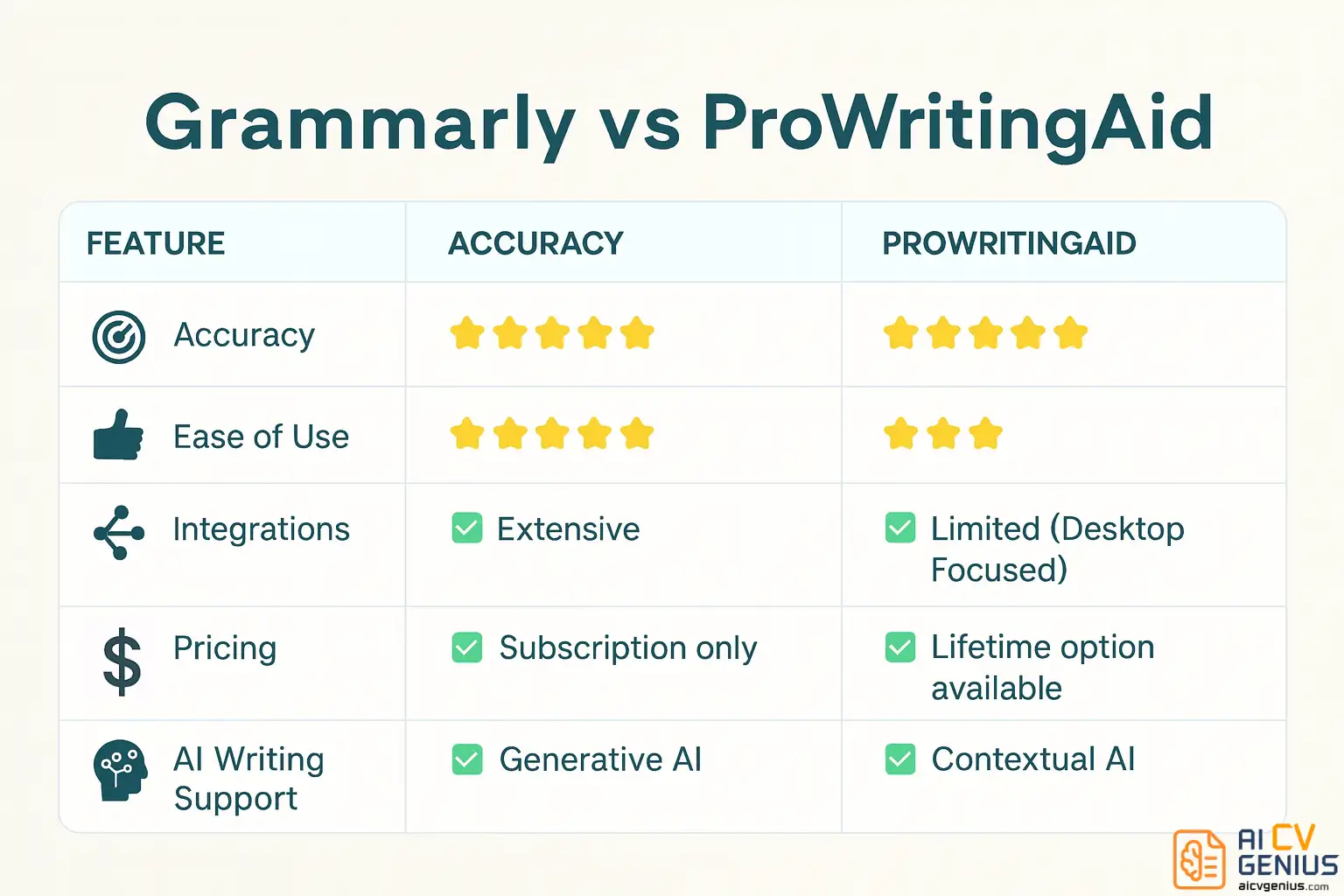
| Feature | Grammarly | ProWritingAid |
|---|---|---|
| Accuracy | ⭐⭐⭐⭐⭐ | ⭐⭐⭐⭐ |
| Ease of Use | ⭐⭐⭐⭐⭐ | ⭐⭐⭐ |
| Integrations | ✅ Extensive | ✅ Limited (Desktop Focused) |
| Pricing | ❌ Subscription only | ✅ Lifetime option available |
| AI Writing Support | ✅ Generative AI | ✅ Contextual AI |
Who Should Use Which?
- ✅ Use Grammarly if you want real-time help and fast corrections.
- ✅ Use ProWritingAid if you love detailed analysis and learning how to improve.
- ✅ For best grammar checker for professionals, Grammarly works best in fast environments like offices or agencies.
- ✅ For authors, editors, or teachers, ProWritingAid offers more analytical insights.
- ✅ For teams who share content, Grammarly’s collaboration tools are simpler and smoother.
Pros & Cons
| Pros | Cons |
|---|---|
| ✅ Grammarly offers speed, simplicity, and strong integrations. | ❌ Can feel repetitive or basic for advanced writers. |
| ✅ ProWritingAid gives deeper stylistic insights and lifetime pricing. | ❌ Slower, less intuitive for beginners. |
| ✅ Both improve tone, readability, and overall polish. | ❌ Some features locked behind premium plans. |
Final Verdict
If you’re still torn between the two, the simplest advice is: use both. Grammarly for speed and convenience; ProWritingAid for depth and growth. They’re not enemies – they’re complements.
Grammarly vs ProWritingAid isn’t about which is “better.” It’s about which fits your workflow. Grammarly saves time. ProWritingAid builds skill. Together, they cover everything from daily writing to professional editing.
If you’re curious to test them side by side, start with the free versions and see which one feels more natural. Then, when you’re ready to upgrade your craft, explore more grammar correction tools for content creators on our Reviews and Resume Templates Finder pages.