
- IT Support Cover Letter should prove two things at once: Technical troubleshooting and calm, human communication that builds trust when users are stressed.
- Open with a micro story or metric, not a generic line: Lead with ticket volume, a high-pressure fix, or a reliability signal, then connect it directly to the role and company stack.
- Show people skills with a concrete moment: Explain how you translated jargon, kept someone calm, prevented a repeat issue, and documented the solution like a knowledge base entry.
- Back credibility with numbers and the right tools: Resolution rate, CSAT, SLA, ticket volume, repeat-ticket reduction, onboarding volume, plus relevant systems like ServiceNow, Jira, AD, M365, VPN, and documentation tools.
- Finish like a pro: One page, clean formatting, PDF with a professional filename, common mistakes avoided, a final checklist, a full sample letter, and FAQs that reinforce tailoring and proof.
Introduction: What IT Managers Really Want
When systems crash and phones ring nonstop, your technical skill matters – but your calm communication matters even more. A strong IT Support Cover Letter shows that you can fix problems, comfort users, and keep the network (and people) running smoothly. This guide will walk you through how to write a letter that proves you’re both a troubleshooter and a trusted teammate – someone who brings clarity when everything goes wrong.
“In IT support, every glitch is an opportunity to build trust, not just fix a bug.”
Hiring managers in IT Support aren’t just looking for technical wizards; they’re looking for reliable problem-solvers who can communicate effectively with everyone, regardless of their technical know-how. Most IT Support job descriptions boil down to evaluating candidates on three core competencies:
- Technical Proficiency & Troubleshooting: Can you actually diagnose and resolve hardware, software, and network issues efficiently? This involves logical thinking, systematic analysis, and familiarity with relevant tools and operating systems.
- Communication & Empathy: Can you explain complex technical issues in simple terms without condescension? Can you patiently guide frustrated users through solutions? This requires active listening, patience, and the ability to build rapport quickly.
- ⚙️ Reliability & Efficiency: Can you manage your time effectively, prioritize urgent requests, document solutions clearly, and remain calm under pressure? Employers need team members who are dependable and contribute to smooth operations, not add to the chaos.
Before writing your cover letter, meticulously review the job description and research the company’s specific technical environment. Are they primarily a Windows, macOS, or Linux shop? Do they use specific ticketing systems like Jira Service Desk, Zendesk, or ServiceNow? Do they emphasize customer service satisfaction scores (CSAT) or internal operational metrics? Tailoring your examples and language to their specific context demonstrates genuine interest and immediate applicability.
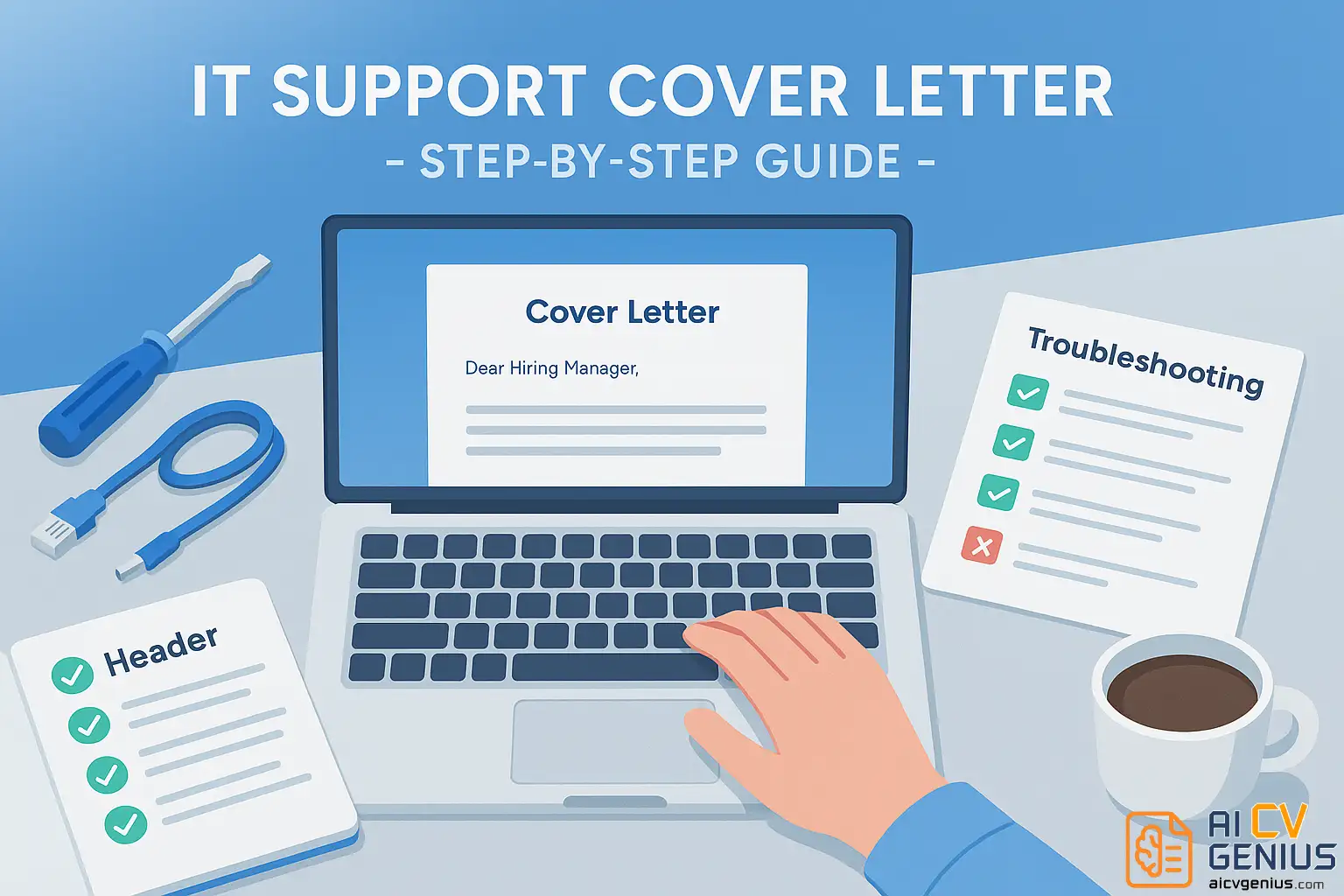
Crafting Your IT Support Cover Letter: Step-by-Step
Step 1: Open with Calm Confidence
Your first line sets the tone. Avoid generic, passive openings like “I am writing to express my interest in the IT Support position.” Instead, lead with a brief, impactful statement or a micro-story that immediately showcases both your technical capability and your user-centric mindset. This hook should signal reliability, focus, and a human touch.
Example Opening:
“Dear [Hiring Manager Name],
After resolving over 500 diverse IT tickets during my first year at TechLink Solutions, I learned that the most effective way to solve complex technical issues often begins with solving communication gaps first. It’s this blend of diagnostic precision and user-focused communication that I am eager to bring to the IT Support Specialist role at [Company Name].”
This opening works because it:
- Quantifies experience immediately (“500+ tickets”).
- Highlights a key insight (“solving communication gaps”).
- Connects technical skill with soft skill (“diagnostic precision” + “user-focused communication”).
- Expresses tailored enthusiasm for the specific company.
It positions you as experienced, reflective, and empathetic – not just another technician.
Step 2: Show You Understand People, Not Just Systems
IT Support is fundamentally about human interaction. Your cover letter needs to demonstrate that you can translate technical jargon into clear, reassuring language for non-technical users. Use specific, brief examples where your empathy and communication skills were just as important as your technical fix.
Example Showing Empathy:
“In my previous role, when a senior executive panicked over potentially losing a critical presentation file moments before a board meeting, I didn’t just recover the document. I calmly walked her through the recovery steps via screen share, explained the likely cause in simple terms, and then proactively configured her automated cloud backup settings to prevent future occurrences. This approach turned a high-stress moment into an opportunity to build trust and empower the user.”
This example demonstrates:
- Patience and calm under pressure.
- Ability to teach and explain clearly.
- Proactive problem prevention, not just reactive fixing.
- Emotional intelligence in managing user stress.
Highlighting these soft skills assures the hiring manager you can handle the human side of technical support effectively.
Step 3: Structure Your Letter for Clarity
Think of your cover letter like a well-organized knowledge base article or a clear troubleshooting guide – logical, structured, and easy for the reader (the hiring manager) to follow. A standard, effective structure includes:
- Introduction (Paragraph 1): Confident opening hook, state the role you’re applying for, and briefly mention your core value proposition (e.g., blend of tech skill and communication).
- Body Paragraph(s) (Paragraph 2-3): Provide specific examples demonstrating key technical skills (troubleshooting, systems knowledge) and crucial soft skills (communication, empathy, problem-solving). Use quantifiable results where possible. Connect your skills directly to the requirements mentioned in the job description.
- Company Fit / Motivation (Paragraph 3 or 4): Briefly explain why you are interested in this specific company and role. Mention something specific about their technology, culture, or mission that resonates with you.
- Closing (Final Paragraph): Reiterate your enthusiasm, summarize your key strengths confidently, thank the reader, and include a clear call to action (e.g., requesting an interview).
Keep paragraphs concise (3-5 sentences) and focused on delivering value. Aim for a total length under one page (around 300-400 words).
Step 4: Highlight Key IT Support Skills (Mix Hard & Soft)
Integrate a blend of technical (hard) skills and interpersonal (soft) skills throughout your letter and resume to show you are a well-rounded candidate. Tailor this list based on the job description:
Technical Skills Examples:
- Hardware/Software Troubleshooting (PCs, Macs, peripherals, mobile devices)
- Operating Systems (Windows 10/11, macOS, Linux basics)
- Network Fundamentals (TCP/IP, DNS, DHCP, VPNs)
- Ticketing Systems (Jira Service Desk, Zendesk, ServiceNow, ConnectWise)
- Active Directory / User Management
- Microsoft 365 / Google Workspace Administration
- Remote Desktop Support (RDP, TeamViewer, AnyDesk)
- Basic Cybersecurity Awareness (phishing prevention, password policies)
- Documentation & Knowledge Base Creation (Confluence, IT Glue)
Soft Skills Examples:
- Clear Communication (Verbal & Written)
- Patience & Empathy
- Problem-Solving & Critical Thinking
- Time Management & Prioritization
- Adaptability & Quick Learning
- Teamwork & Collaboration
- Customer Service Orientation
- Stress Management & Composure
Instead of just listing skills, weave them into your examples: “Utilized Jira Service Desk to manage and prioritize approximately 40 tickets daily, consistently meeting SLA targets while maintaining a 95%+ user satisfaction rating through clear communication and patient troubleshooting.”
Step 5: Back Your Skills with Proof (Quantify Your Impact)
Numbers make your achievements tangible and credible. Even in support roles, look for ways to quantify your efficiency, effectiveness, and reliability. Metrics help your story stick and demonstrate a results-oriented mindset.
Examples of quantifiable achievements in IT Support:
- Reduced average first-response time for critical tickets by 15% by implementing an improved internal triage process using ServiceNow tags.
- Successfully resolved an average of 30+ user issues per day across phone, email, and chat channels, maintaining a 98% positive feedback score on post-resolution surveys.
- Developed and documented 10+ new solutions for the internal knowledge base, contributing to a 20% reduction in repeat tickets for common software issues over six months.
- Onboarded and provided initial IT setup for over 50 new hires, ensuring workstation readiness and account access within the first day.
- Achieved a 100% success rate in resolving escalated hardware failures within the 4-hour SLA target over the past year.
Even estimates (“approximately,” “~”) provide more impact than purely descriptive statements.

Step 6: Add a Touch of Personality
Employers hire people, not just skill sets. While maintaining professionalism, include a brief, authentic line that reveals your motivation or what you genuinely enjoy about IT support. This human element can make your letter more memorable and relatable.
Example of Personality:
“Beyond the technical challenges, I’ve always found deep satisfaction in that moment when a user’s frustration turns into relief after a problem is solved – that connection is the real heartbeat of effective IT support.”
This kind of statement shows passion and perspective without being overly casual or unprofessional.
Step 7: Write a Strong Closing Paragraph
End your letter with confidence and a collaborative spirit. Instead of a passive thank you, reiterate your key value proposition and express your intent to contribute positively to their team.
Example Closing:
“I am eager to bring my proactive troubleshooting skills, user-focused communication style, and commitment to maintaining seamless operations to your IT team. I am confident that my approach can help enhance user satisfaction and support [Company Name]’s continued technological success. Thank you for considering my application. I look forward to the possibility of discussing how I can contribute in more detail.”
Follow with a professional closing like “Sincerely,” and your typed name.
Step 8: Formatting Tips for a Technical Edge
Your cover letter’s presentation should reflect the organization and attention to detail expected in IT roles.
- ✅ Length: Strictly one page, aiming for 300–400 words. Concise and focused.
- ✅ Font: Choose a clean, professional sans-serif font like Inter, Roboto, Lato, or Calibri (size 10.5-12pt). Consistency is key.
- ✅ Layout: Use a standard business letter format with clear paragraphs and ample white space (1-inch margins). Avoid graphics, columns, or text boxes that can confuse ATS.
- ✅ File Format: Always save and submit as a PDF to preserve formatting perfectly. Name the file professionally: “FirstName_LastName_CoverLetter_ITSupport.pdf”.
- ✅ Consistency: Ensure the header/contact information formatting matches your resume for a cohesive application package.
- ✅ Proofread Meticulously: Typos or grammatical errors in an IT application are particularly damaging, suggesting a lack of attention to detail crucial for technical roles. Read it aloud and use spell/grammar check tools.
The Complete IT Support Cover Letter Example
Here is a complete example of an IT Support cover letter, applying all the principles discussed. This is formatted for direct pasting into the WordPress Classic Editor.
Alex Chen
123 Tech Row, Austin, TX 78701
(555) 123-4567 | alex.chen.it@email.com | linkedin.com/in/alexchenit
[Date]
Ms. Sarah Jenkins
IT Hiring Manager
Innovate Solutions Inc.
456 Future Drive, Austin, TX 78704
Dear Ms. Jenkins,
After resolving over 1,500 tickets as an IT Support Specialist, I’ve learned that the most critical fix isn’t technical – it’s human. The true goal is to restore a user’s confidence, not just their connection. It is this blend of diagnostic precision and user-focused communication that I am eager to bring to the IT Support Specialist role at Innovate Solutions.
In my current role at TechCorp, I manage 30+ daily tickets via ServiceNow, supporting 500+ users in a hybrid Windows/macOS environment. My focus is on proactive problem-solving, not just reactive fixes. For example, I noticed a 40% spike in repeat tickets related to VPN configuration. I developed and documented a new Knowledge Base article with clear, step-by-step visuals, which I then shared with my team. This single action reduced VPN-related tickets by 25% the following month and is now part of our standard onboarding.
I am proficient in the full stack you require, including Active Directory administration, M365, and Okta integration. More importantly, I understand that the true measure of IT support is user satisfaction. By patiently translating complex issues into simple terms, I have consistently maintained a 98% positive CSAT rating. I am excited by Innovate Solutions’ reputation for a positive corporate culture and am confident I can help maintain the seamless operations that support it.
Thank you for your time and consideration. I am eager to discuss how my proactive troubleshooting and user-centric approach can benefit your team. I am available for an interview at your earliest convenience.
Sincerely,
Alex Chen
Advanced Strategies, Final Review & FAQs
Example Paragraphs Combined (Putting it Together)
Here’s how the steps integrate into flowing paragraphs:
(Opening Paragraph – Step 1 & brief Step 6)
“Dear [Hiring Manager Name],
After successfully managing and resolving over 800 IT support tickets across diverse user groups at BrightNet Solutions, I’ve confirmed that exceptional IT support hinges equally on technical precision and empathetic communication. I am excited by the opportunity to bring this balanced approach, along with my proficiency in [mention 1-2 key technologies from job description, e.g., Active Directory and ServiceNow], to the IT Support Specialist position at [Company Name]. I’ve always admired [Company Name]’s commitment to [mention something specific, e.g., employee well-being], and believe reliable tech support is fundamental to that.”
(Body Paragraph – Step 2 & 5)
“In my previous role, I consistently maintained a 95%+ first-contact resolution rate by not only addressing immediate technical issues but also by patiently educating users on preventative measures. For example, I developed a short series of ‘Quick Tip’ guides for common software questions, which correlated with a 30% reduction in repeat support requests for those topics. This proactive approach ensures users feel empowered, not just ‘fixed,’ ultimately contributing to smoother overall operations.”
(Closing Paragraph – Step 7)
“Thank you for considering my application. I am eager to discuss how my blend of technical troubleshooting, clear communication, and dedication to proactive support can benefit your team and contribute to [Company Name]’s efficiency. I have attached my resume for your review and look forward to hearing from you soon.”
Pros & Cons of an IT Support Cover Letter
Understanding the potential impact helps refine your message:
| ✅ Strengths | ⚠️ Pitfalls |
|---|---|
| Demonstrates both technical expertise and crucial communication/soft skills. | Can sound too generic or templated if lacking specific examples or personalization. |
| Shows a calm, professional demeanor suited for high-pressure support environments. | Overuse of technical jargon can alienate non-technical recruiters or HR screeners. |
| Highlights a user-focused mindset, proving you prioritize people alongside systems. | Skipping quantifiable metrics (response times, resolution rates, satisfaction scores) weakens credibility. |
| Allows you to express genuine interest in the specific company and its technology stack. | Focusing only on technical fixes without mentioning documentation or process improvement misses key aspects of the role. |
Common Mistakes to Avoid
Steer clear of these frequent errors:
- ❌ Listing Every Tool Imaginable: Focus on the 3-5 most relevant tools mentioned in the job description or critical to the role. Quality over quantity.
- ❌ Tone Mismatch: Writing too formally (robotic) or too casually (unprofessional). Aim for confident, courteous, and clear.
- ❌ Ignoring the Audience: Forgetting that HR or non-technical managers might read the letter first. Explain impact in business terms, not just technical details.
- ❌ Generic Motivation: Saying “I’m passionate about technology” without explaining why or connecting it to the company’s work.
- ❌ Typos and Grammar Errors: Especially damaging in IT, where precision is paramount. Proofread rigorously.
✅ Always connect your technical solutions back to the positive impact on users, team efficiency, or business operations.
Final Checklist Before Sending
One last check before you hit submit:
- Is the letter addressed to a specific person (if possible)?
- Does the opening grab attention and state the purpose clearly?
- Does it provide specific examples blending technical and soft skills?
- Are there quantifiable results or metrics included?
- Is it tailored to the specific company and job description?
- Is the tone calm, confident, and professional?
- Is it concise (under one page) and perfectly proofread?
- Is it saved as a PDF with a professional file name?
- Does the formatting match your resume?
Keep Growing Beyond the Application
Technology evolves rapidly, and so must IT professionals. The best support specialists are lifelong learners who constantly update their skills, document their solutions, and share knowledge with their teams. Your cover letter is just one snapshot of your current capabilities; your commitment to continuous improvement is what builds a lasting career.
Need professional templates or further formatting guidance? Check Cover Letter Examples for various IT roles, browse ATS-friendly layouts in the Resume Templates Finder, or explore interview tips and career strategies in our Career Resources hub.
FAQ – IT Support Cover Letter
Final Thoughts: More Than Just Fixing
An exceptional IT Support professional does more than just fix technical glitches; they build bridges between people and technology. Your cover letter is your first opportunity to demonstrate that capability. When you communicate with clarity, showcase both technical acumen and human empathy, and maintain a calm, confident tone, you prove you’re not just qualified – you’re the reliable teammate they’ve been searching for.
“The best IT support doesn’t just resolve tickets; it restores confidence.”